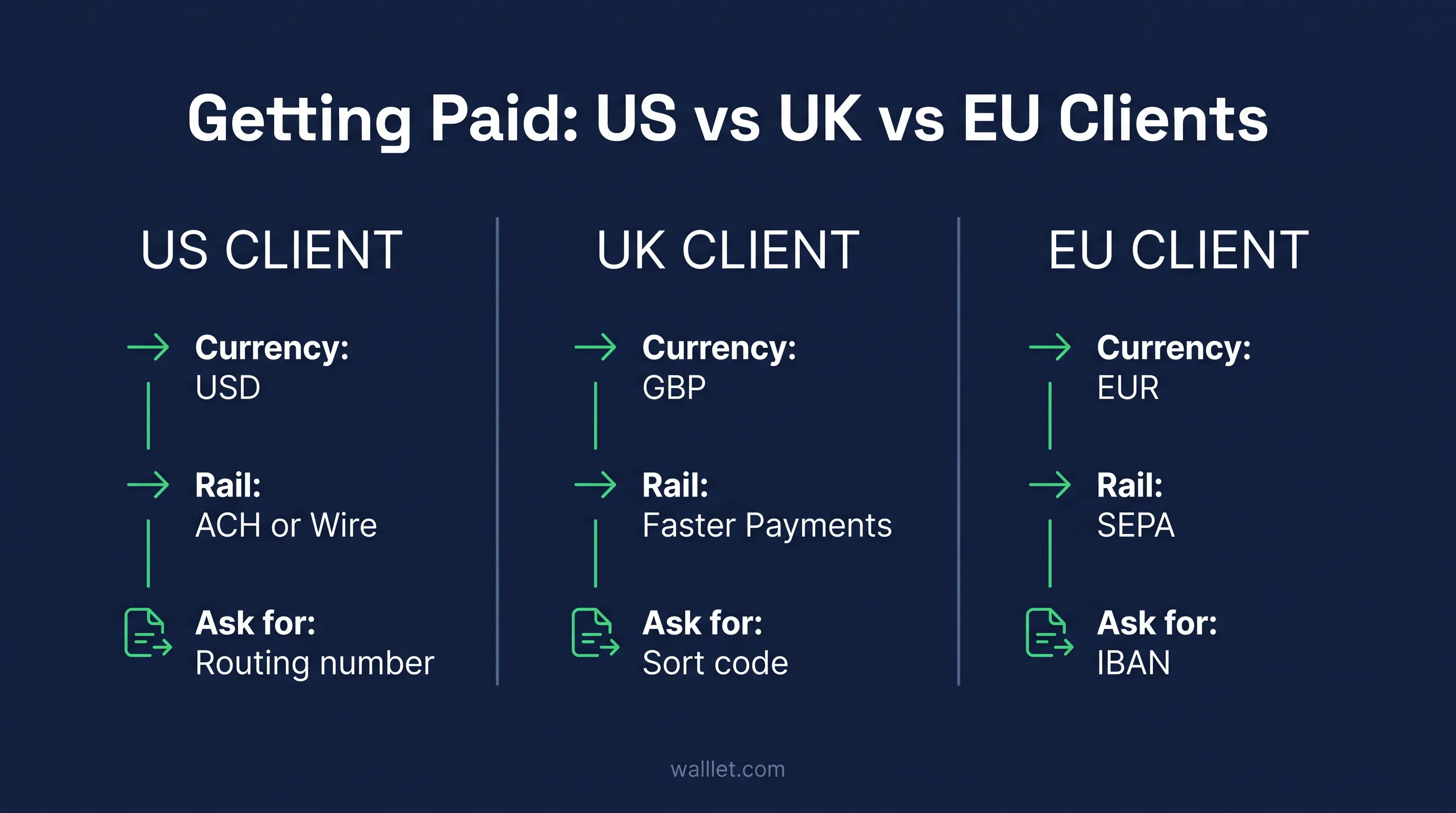
Getting paid by an overseas client is not just about having a USD, GBP or EUR account. The payment rail has to match too.
A US client may ask for ACH details. A UK client may expect a sort code and account number. An EU client may want an IBAN for SEPA.
This guide shows you which route to start with, what details to send your client, and what to check before they pay.
If your client is paying specifically in dollars, see how to receive USD in Nigeria without PayPal.
Where is your client paying from?
US client
Start with: USD receiving details that explicitly support ACH or wire
They may need: Beneficiary name, routing number, account number
Check first: Whether the account accepts their payer type and payment rail
UK client
Start with: GBP details supporting Faster Payments, Bacs or another accepted UK rail
They may need: Account name, sort code, account number
Check first: Which UK payment methods your receiving account accepts
EU client
Start with: EUR receiving details on a supported SEPA route
They may need: Beneficiary name, IBAN, and sometimes BIC
Check first: That the account accepts incoming SEPA payments from that payer
Client somewhere else
Start with: A supported international transfer route or another payment method agreed with the client
They may need: Full beneficiary and receiving-bank details
Check first: Currency, intermediary fees and the exact incoming transfer method
What should I send my client?
Send one complete set of payment instructions with your invoice. At minimum, confirm:
the exact beneficiary name
the currency your client should send
the payment rail they should use
the account details generated for that rail
your invoice reference
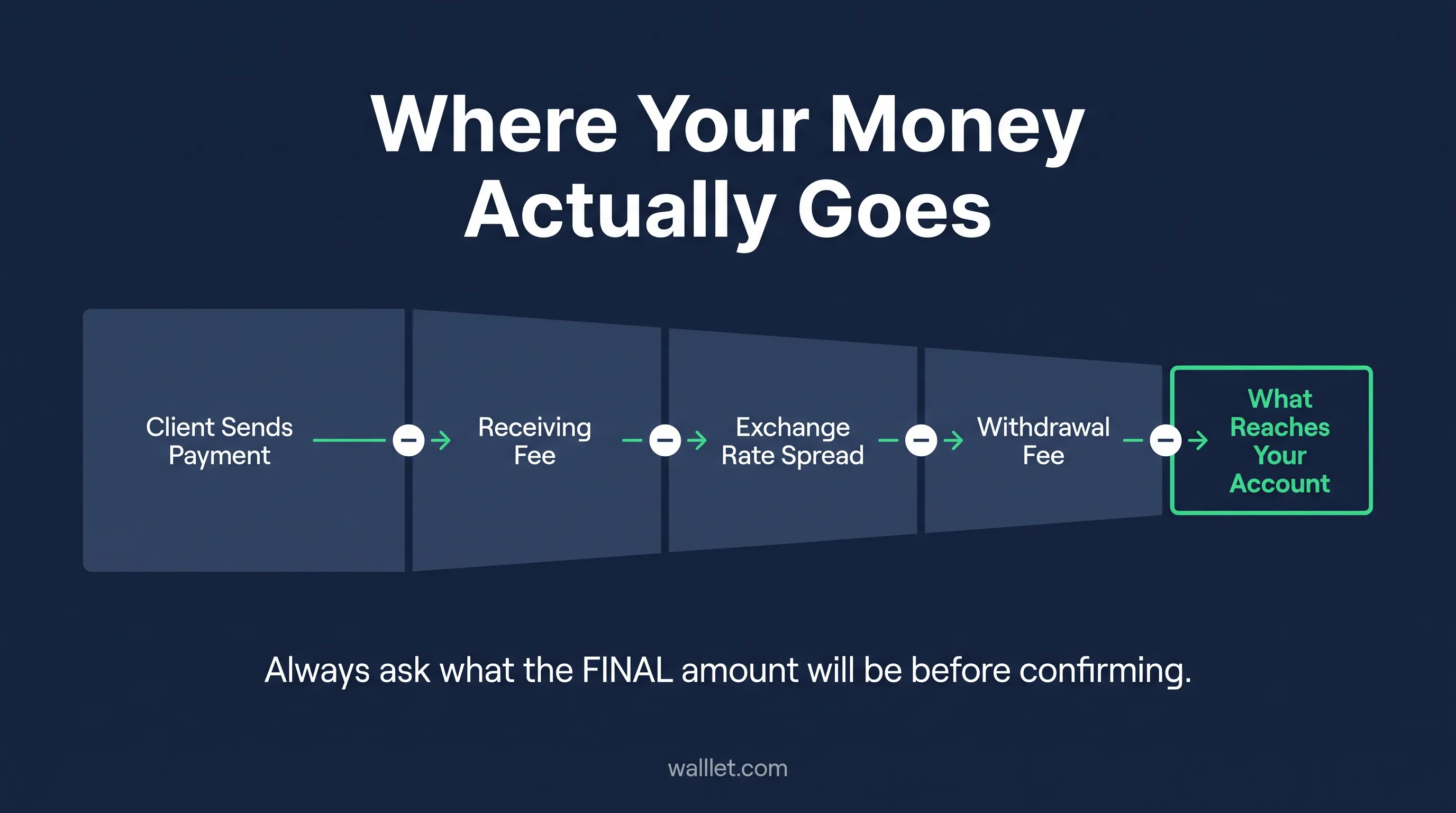
who covers any transfer fees
Do not send account details until you know the client can use the payment method attached to them.
Choose a payment route by client location
Client | Start with | Send them | Check before sending |
|---|---|---|---|
US | ACH or supported USD wire | Beneficiary name, routing number, account number | Incoming rail + payer type |
UK | Faster Payments/Bacs where supported | Account name, sort code, account number | Accepted UK payment method |
EU / SEPA | SEPA Credit Transfer | Beneficiary name, IBAN, BIC if required | SEPA eligibility + currency |
Other | Supported international transfer | Full beneficiary/bank details | Fees + receiving route |
Crypto-ready payer | USDT/USDC | Token, network, address | Exact network + token |
These are categories, not guarantees. The provider issuing your receiving details decides which currencies, rails, countries, and payer types it actually accepts, the table tells you what to ask for, not what you're entitled to.
Comparing providers rather than payment rails? Use our existing PayPal, Payoneer, Wise and stablecoin comparison.
Receiving from a US client
If your client can pay through US banking, start by checking whether your USD receiving details support ACH, domestic wire, or both. Do not assume that having a routing number means every US payment method is supported. Before sending the details, confirm:
exact beneficiary name
ACH or wire support
routing number for that specific rail
account number
accepted payer type
invoice reference
applicable receiving or wire fees
If you use an eligible walllet.com USD bank receiving route, the Bank Account has a $5 issuance fee, and incoming USD received through the supported bank route carries a 1% receiving fee.
For example, a $1,000 incoming USD bank payment would incur a $10 receiving fee, leaving $990 in the wallet, before any later spending or off-ramp action.
Use FedNow only if your receiving provider explicitly lists incoming FedNow support.
Domestic wire can suit larger or time-sensitive payments, but check whether your account accepts wires at all, whether the wire routing number differs from the ACH one, and who absorbs the wire fee.
If the client cannot use a supported domestic route, an international wire may work, but check intermediary fees and required bank details first.
Copy payment instructions:
USD payment — ACH
Payment currency: USD
Payment method: ACH credit
Beneficiary name: [Exact account name]
Routing number: [Number]
Account number: [Number]
Account type: [If specified]
Reference: [Invoice number]
Amount: [USD amount]
Important: Please use ACH only. Do not send by wire unless separate wire instructions are provided.
Receiving from a UK client
A UK client may prefer GBP details supporting Faster Payments, Bacs, or CHAPS. Faster Payments usually settles almost immediately when both institutions participate directly, though Pay.UK notes some payments can take up to two hours or longer. Actual speed still depends on the provider issuing your account.
Details a UK client may need: account-holder name, sort code, account number, payment reference, invoice number, and confirmation the account accepts third-party business payments.
Faster Payments suits one-off invoices and recurring transfers — confirm your sort code and account product are eligible before assuming coverage.
Bacs is common for payroll and batch payments but runs on a longer processing cycle. A client running contractor payments through payroll may default to it; your account needs to support Bacs credits specifically.
CHAPS typically handles high-value or time-sensitive UK payments, usually at a higher fee. Use it only when your provider supplies CHAPS-compatible details.
Example instruction:
GBP payment, Faster Payments
Payment currency: GBP
Payment method: Faster Payments
Account name: [Exact account name]
Sort code: [XX-XX-XX]
Account number: [Number]
Reference: [Invoice number]
Amount: [GBP amount]
Important: Please send GBP using the payment method shown above.
If the client offers an international transfer instead, compare conversion and intermediary costs first — a GBP payment converted twice can end up worse than a direct USD route.
Receiving from an EU client
An EU client paying in euros will usually expect an IBAN on a SEPA-compatible route. The ECB defines an instant SEPA credit transfer as one available in the payee's account within ten seconds — but only when both the payer's and payee's providers support the instant scheme.
Details an EU client may need: exact beneficiary name, IBAN, BIC if requested, beneficiary address if required, bank name, euro amount, and invoice reference.
SEPA Credit Transfer is the standard route — but an IBAN-shaped account number doesn't confirm eligibility. It doesn't tell you whether the account accepts third-party business payments, whether it accepts your client's country or the invoice amount, whether it's active for incoming SEPA transfers, or whether minor variations between your legal name and the beneficiary name will be rejected.
SEPA Instant can settle in seconds, but don't promise that speed to a client unless your provider explicitly confirms it for your account status.
SWIFT from Europe applies when the receiving account sits outside SEPA, the currency isn't EUR, or the client's bank can't route locally. Expect intermediary fees and a longer chain — ask if a local euro route exists before defaulting to SWIFT.
Example instruction:
EUR payment, SEPA
Payment currency: EUR
Payment method: SEPA Credit Transfer
Beneficiary name: [Exact account name]
IBAN: [IBAN]
BIC: [If required]
Reference: [Invoice number]
Amount: [EUR amount]
Important: Please send EUR through the supported SEPA route shown above.
Where IBAN-style accounts fit
An IBAN can make EUR and other supported bank-transfer payments easier when the client's finance team already works through bank transfers.
An IBAN alone does not guarantee that a payment will be accepted. Check the supported currency, incoming rail, payer type, fees, limits and account availability before sharing it with a client.
See current walllet.com availability →
For walllet.com, opening an eligible Bank Account currently carries a $5 issuance fee. Incoming USD received through the supported bank route into your walllet.com wallet carries a 1% receiving fee. These charges are separate from any later cash-out or currency-conversion step.
When to route through a platform instead
A platform payout makes sense when the work originated there or the platform requires payment to stay inside its system. It gives you contract records, escrow or milestone handling, invoicing, dispute procedures, and integrated withdrawal — at the cost of platform fees, payout fees, withdrawal restrictions, and possible account review.
Don't move a client off-platform just to save a percentage point on fees without checking the platform's terms first — an account suspension costs more than the fee you were trying to avoid.
If your client already pays in USDT or USDC
Stablecoins are an alternative when the client already uses crypto and both sides can agree on the exact token and network before payment.
Send the token, network, wallet address, invoice reference and test-payment instruction together. Do not send only a wallet address.
Use the existing stablecoin payment checklist before the first transfer.
Example instruction:
Asset: USDC
Network: Base
Wallet address: [Address]
Invoice reference: INV-2026-051
Test payment: 5 USDC
Remaining amount: Send only after test confirmation
Network fee: Paid by sender
Proof: Transaction hash required
Send one instruction, not five messages
Put the payment method, beneficiary details, amount, invoice reference and fee instructions in one place, ideally on or alongside the invoice.
The client should not have to reconstruct your payment instructions from an email thread.
Invoice: [INV-XXXX]
Amount: [Currency + amount]
Payment method: [Rail]
Beneficiary: [Exact name]
Account details: [Details]
Reference: [INV-XXXX]
Before you send your account details
Check these six things before your client initiates the payment:
Beneficiary name: Use the exact name shown on the receiving account.
Payment rail: Confirm whether the account accepts ACH, Faster Payments, SEPA, wire, or another specific method.
Payer type: Check whether payments from companies, platforms, individuals, or third parties are accepted.
Currency: Ask the client to send the currency supported by that receiving route.
Invoice reference: Give every payment a reference that matches your invoice.
Fees: Agree in advance whether bank or intermediary fees can reduce the amount you receive.
If you are using walllet.com for an eligible USD bank receiving route, also account for the $5 Bank Account issuance fee and the 1% incoming USD receiving fee.
If you are using an IBAN-based receiving route, check the walllet.com IBAN Account guide before sending the details.
Comparing routes before you commit
Check | Question |
|---|---|
Client effort | Can their finance team use this route normally? |
Eligibility | Can this account receive from this payer and country? |
Currency | Will the payment arrive in the agreed currency? |
Total cost | What will actually remain after fees and conversion? |
Timing | When should the money become available? |
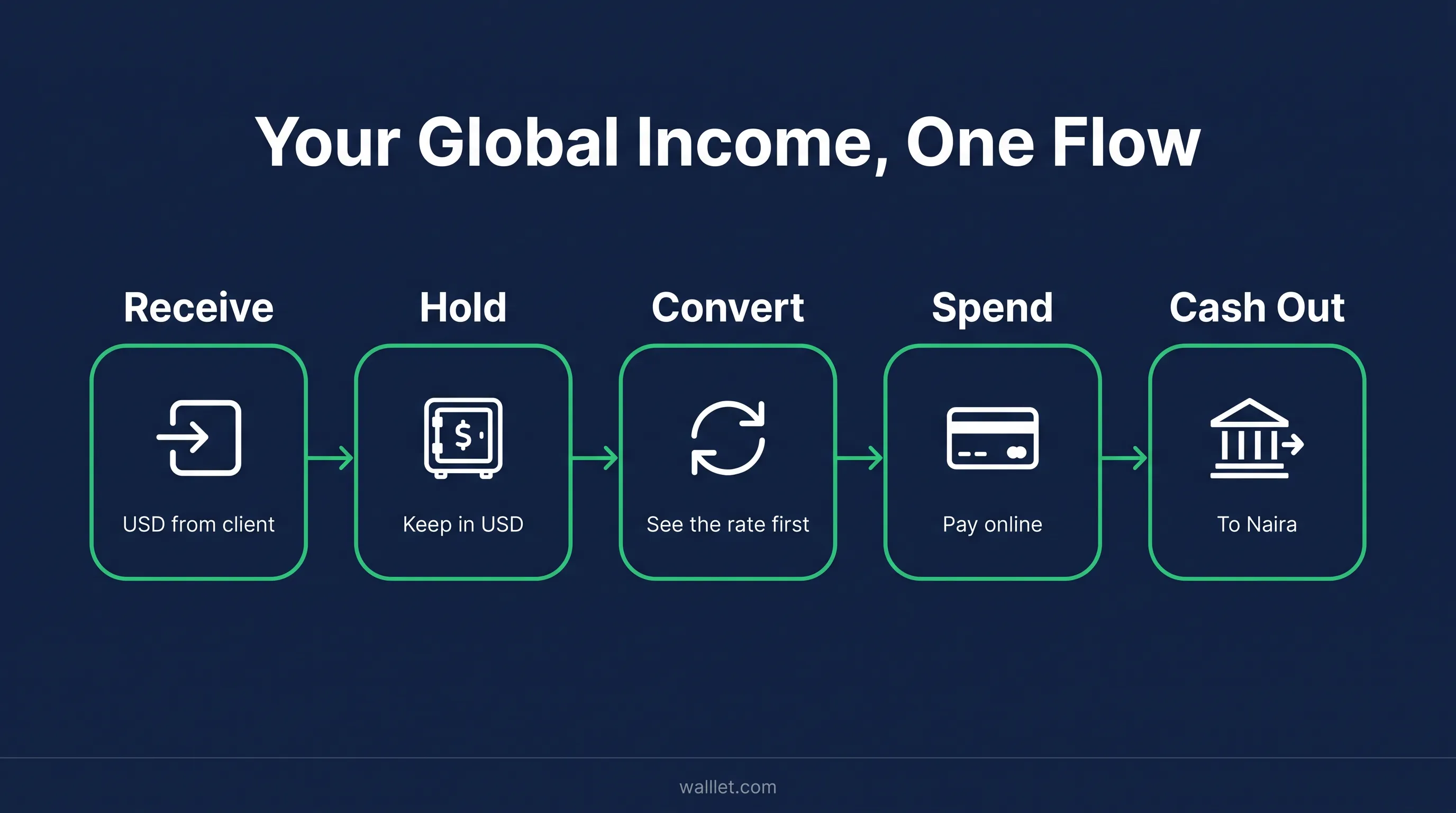
After receipt | Can you hold, spend or cash out the money as needed? |
If the payment arrives as USDT or USDC and you need local currency, see how to cash out USDT or USDC to naira in Nigeria.
If you later use walllet.com to cash out to naira, the off-ramp fee is 0.5%. This is a separate step from receiving the payment and should be kept separate from the applicable USD/NGN exchange rate.
Suppose a US client sends $1,000 through an eligible walllet.com USD bank receiving route:
Bank Account issuance: $5
Incoming USD receiving fee: 1% of $1,000 = $10
Balance after receiving fee: $990
If you later off-ramp the full $990:
Off-ramp fee: 0.5% of $990 = $4.95
Amount before the effect of the USD/NGN exchange rate: $985.05 equivalent
The issuance fee, incoming-payment fee and off-ramp fee apply at different stages and should not be combined into one generic “conversion fee.”
Keep these records
For each recurring client, save:
contract or scope
invoice
payer's legal name
payment reference
transfer confirmation
resulting account or transaction record
These records make it much easier to trace or explain a payment if it is delayed or reviewed.
If the payment does not arrive
1. Check the instruction. Confirm the client used the correct currency, rail, beneficiary name, account details and reference.
2. Get proof. Ask for the transfer confirmation, amount, date, payment reference and trace number if available.
3. Check the actual payment status. A pending, reviewed, rejected or returned transfer requires a different response.
For the full troubleshooting process, see why freelance payments get held, reviewed or delayed.
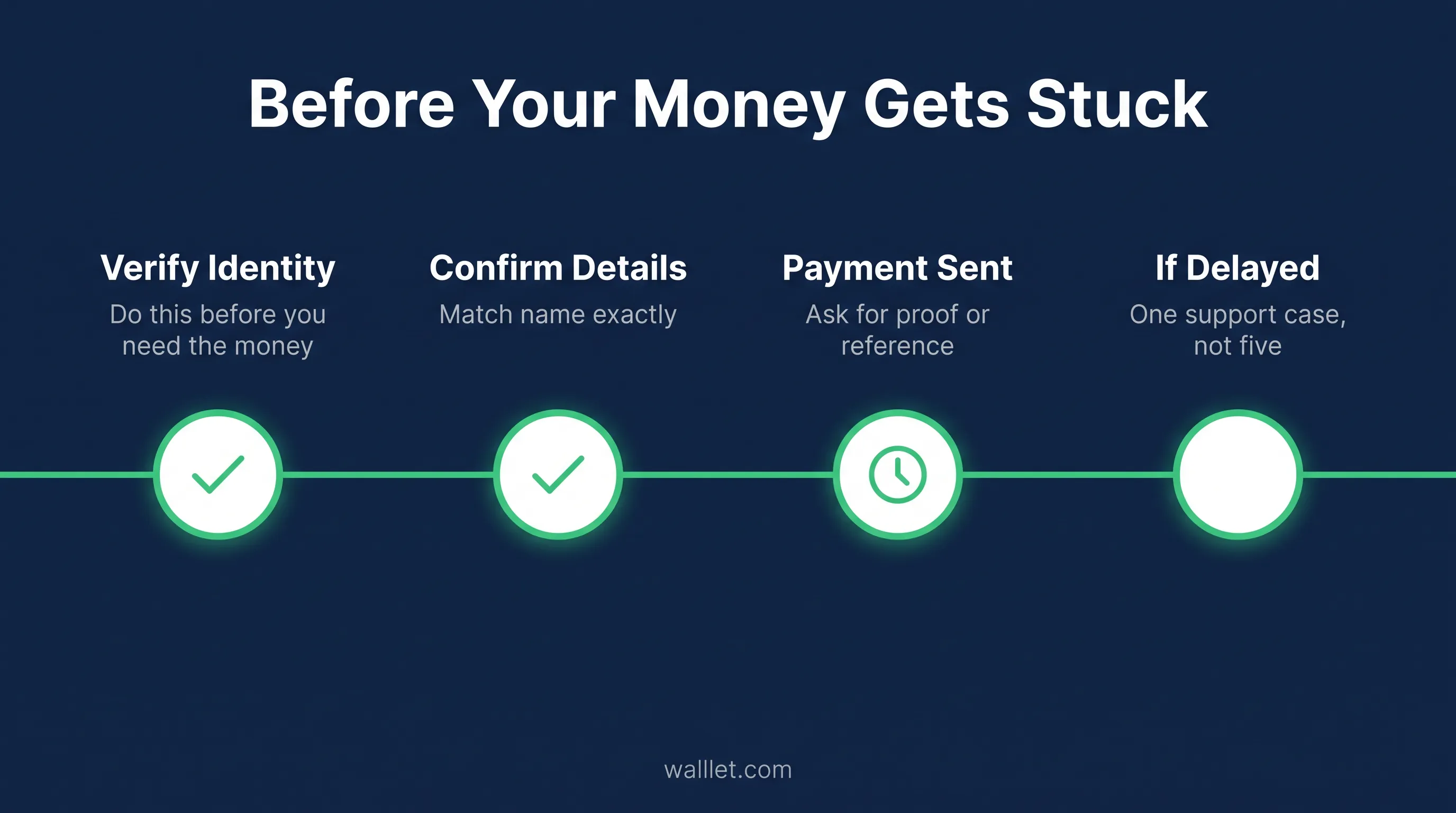
Then get verifiable proof. For a bank payment: transfer confirmation, reference, date, amount, sending institution, and trace number if available. For a stablecoin payment: the transaction hash, checked against the block explorer guide.
Check the actual status. Pending, under review, rejected, returned, and confirmed-on-chain are different states with different next steps, don't treat them interchangeably.
Open one support case, not several. Give it the account identifier, invoice, payer name, amount, date, reference, and proof document in one submission, splitting the same issue across multiple tickets slows resolution rather than speeding it up.
Update the client with what's confirmed, what's still unknown, who's checking it, and when you'll follow up, before assuming they failed to pay.
The freelance payments held, reviewed, or delayed guide covers why this happens more often than it should.
The workflow for a new client
Confirm where the client is paying from.
Agree on the invoice currency.
Check which payment rail their finance team can use.
Match it to a receiving route available to you.
Send one complete payment instruction with the invoice.
Keep the invoice, reference and payment proof after it clears.
See how your client can pay you
Check which USD, EUR or GBP receiving options are currently available to your walllet.com account before sending payment details to a client.
For an eligible walllet.com USD bank receiving route, account issuance currently costs $5, and incoming USD carries a 1% receiving fee. If you later cash out through walllet.com, the 0.5% off-ramp fee applies separately.
