
Most crypto losses don’t come from blockchain hacks. They happen when private keys are exposed.
walllet takes a smarter, safer approach.
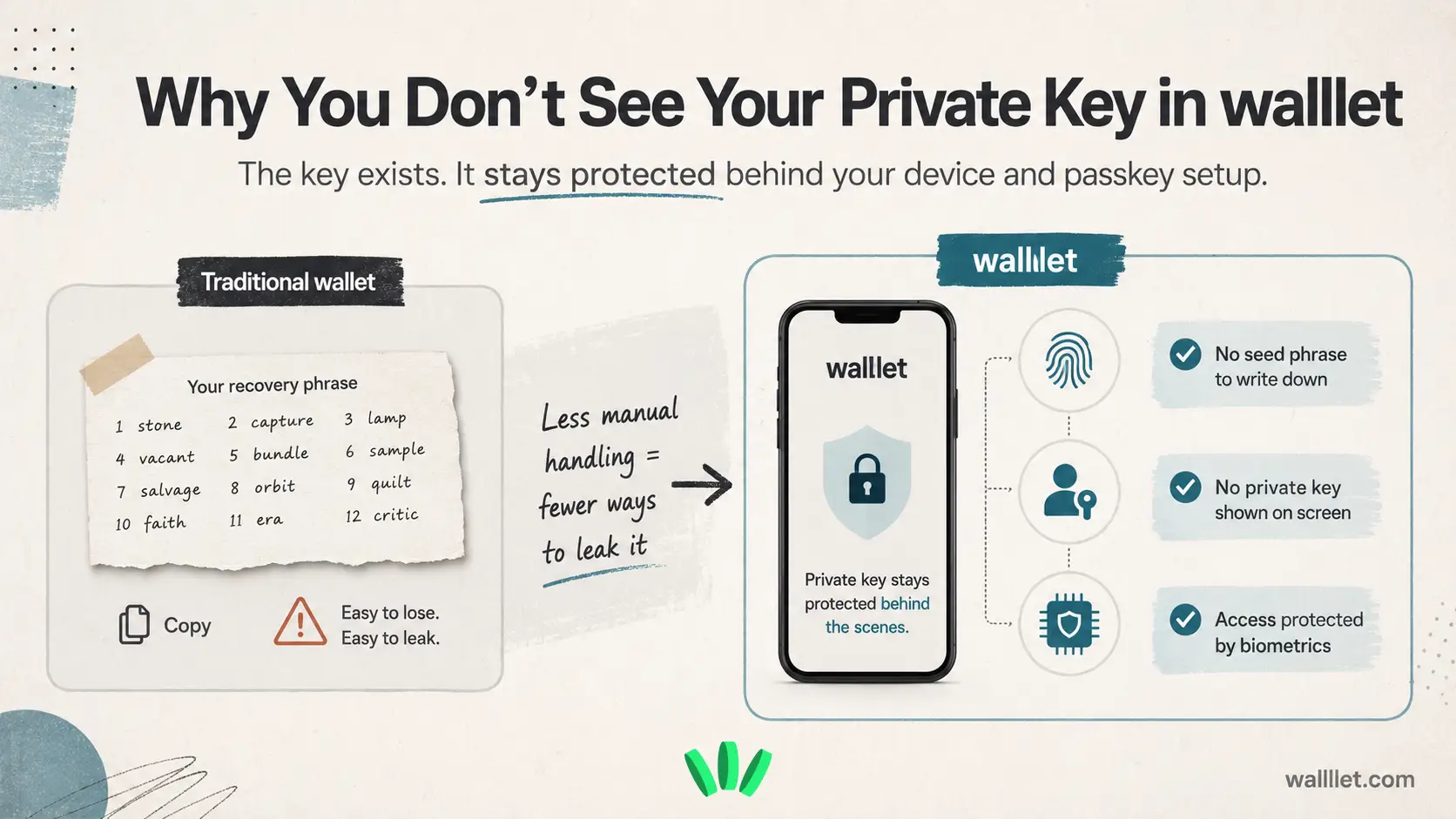
Instead of showing you your private key, walllet uses secure hardware and passkey technology to protect it behind the scenes. You never see it, and you never need to. This invisible security model eliminates the biggest risks in crypto: human error and key exposure.
TL;DR
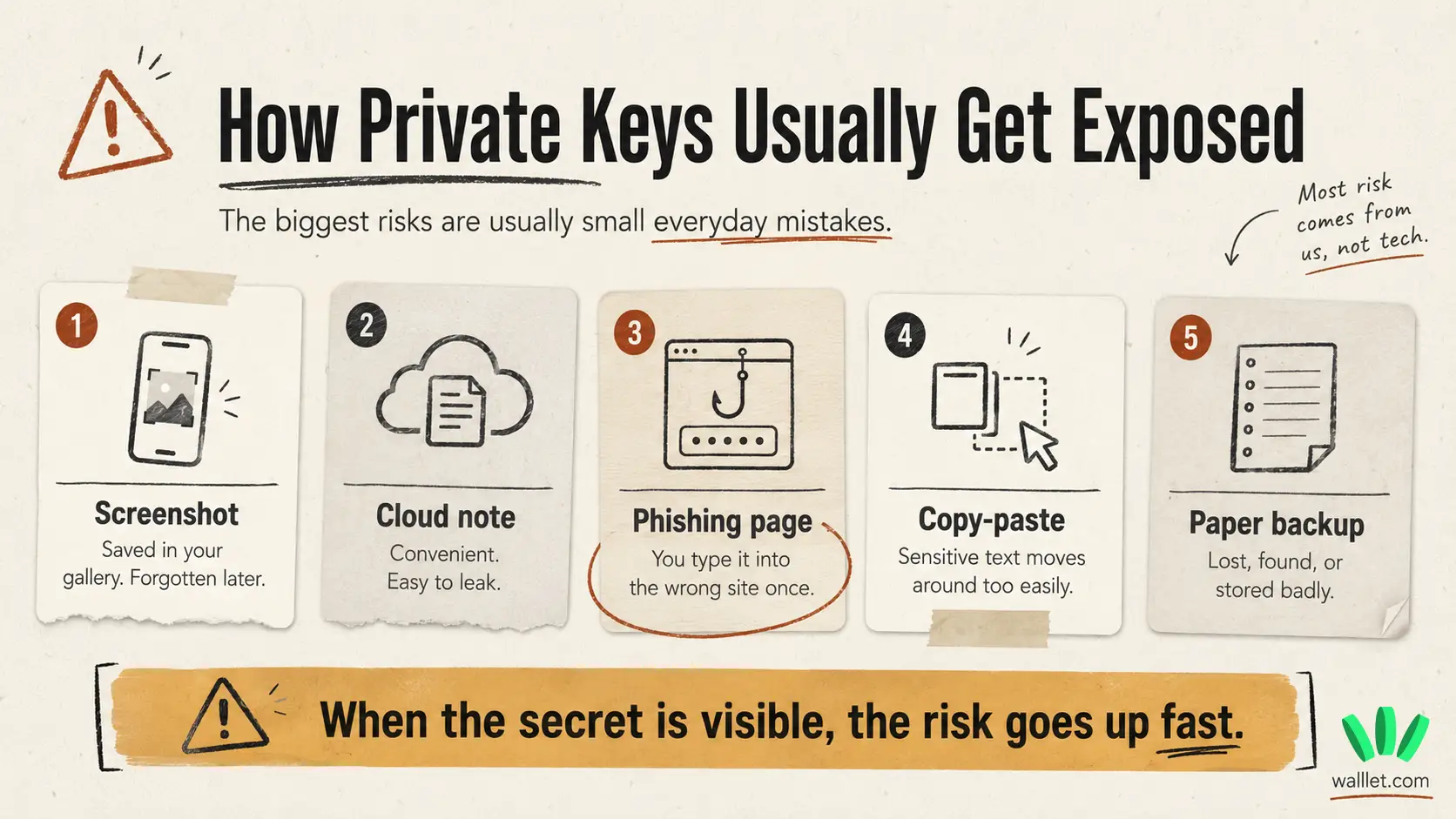
In traditional crypto wallets, users often have to write down and protect a private key or seed phrase. That puts a lot of pressure on one human mistake. A screenshot. A cloud note. A phishing page. Gone.
walllet.com uses passkeys, biometric unlock, and device-level security so your wallet can work without showing you a private key or asking you to manage a seed phrase manually. Your key still exists. You just don’t have to copy it, store it, or expose it.
Why private keys matter
For years, crypto wallets had one main rule: protect your private key.
That usually meant writing down 12 to 24 recovery words, hiding them somewhere safe, never taking a screenshot, never saving them in notes, never typing them into the wrong website, and somehow remembering where you put them months later.
A lovely little security ritual. Very human. Very breakable.
A private key is what proves that you control your crypto wallet. If someone gets access to it, they may be able to move your funds. No bank support line. No “forgot password” button. No polite undo.
That is why traditional self-custody can feel scary. You get control, but you also inherit the full burden of key management. If you want the broader context, read this guide to custodial vs non-custodial wallets.
What is a private key?
A private key is a secret cryptographic key linked to your wallet. It is used to approve transactions and prove ownership of your crypto.
In older wallet setups, users often receive a recovery phrase during onboarding. That phrase can recreate the wallet’s private keys. Which means it has to be protected extremely carefully.
The problem is simple: most people are not bad at crypto. They are bad at being full-time security infrastructure.
They take screenshots. They copy things. They save notes in cloud apps. They click fake links. They lose paper backups. Normal human behavior, basically. The blockchain does not care.
For practical wallet safety habits, this guide on how to keep your crypto safe is worth reading early.
Why doesn’t walllet.com show your private key?
walllet.com does not show you your private key because showing secrets to users creates risk.
Once a private key or recovery phrase appears on screen, it can be copied, photographed, phished, logged, shared, misplaced, or stored somewhere unsafe. That is where many real wallet failures begin.
walllet.com takes a different route. It uses passkey-based access, biometric unlock, and secure device infrastructure to reduce the need for manual key handling.
That means you do not have to write down a seed phrase during setup. You do not have to keep a paper backup in a drawer. You do not have to wonder whether a screenshot from two years ago is still sitting in your cloud storage like a tiny financial landmine.
For a deeper explanation of this model, read what a passkey wallet is.
How walllet.com keeps wallet access safer on your device
When you create or access your walllet.com, sensitive wallet operations are protected through your device and passkey setup.
On iPhone, passkeys can work with Apple’s iCloud Keychain and device security features. Apple also documents the Secure Enclave as a hardware-based security component used to help protect sensitive operations on supported devices.
On Android, passkeys can work through Google Password Manager and Android’s device authentication systems. Google explains how passkeys are designed to replace passwords with a more phishing-resistant sign-in method.
The important part for a walllet.com user is this: your wallet does not depend on you manually exposing a private key during setup.
That removes some of the most common failure points:
No recovery phrase screenshot sitting in your gallery.
No private key copied into notes.
No seed phrase typed into a fake support page.
No paper backup for someone else to find.
Still, this does not mean “no responsibility.” It means the responsibility moves to your device, your Apple or Google account security, your passkey setup, and the way you approve transactions.
That part matters.
Curious what crypto feels like when you don’t start by guarding 12 words like a cursed treasure map? See how walllet.com handles wallet access
What happens when you switch phones?
This is the question most users actually care about:
If my wallet depends on my device, what happens when I get a new phone?
With walllet.com, access is designed around modern passkey systems instead of a traditional seed phrase workflow. Depending on your setup, your passkey can be available through your Apple or Google account’s encrypted credential system.
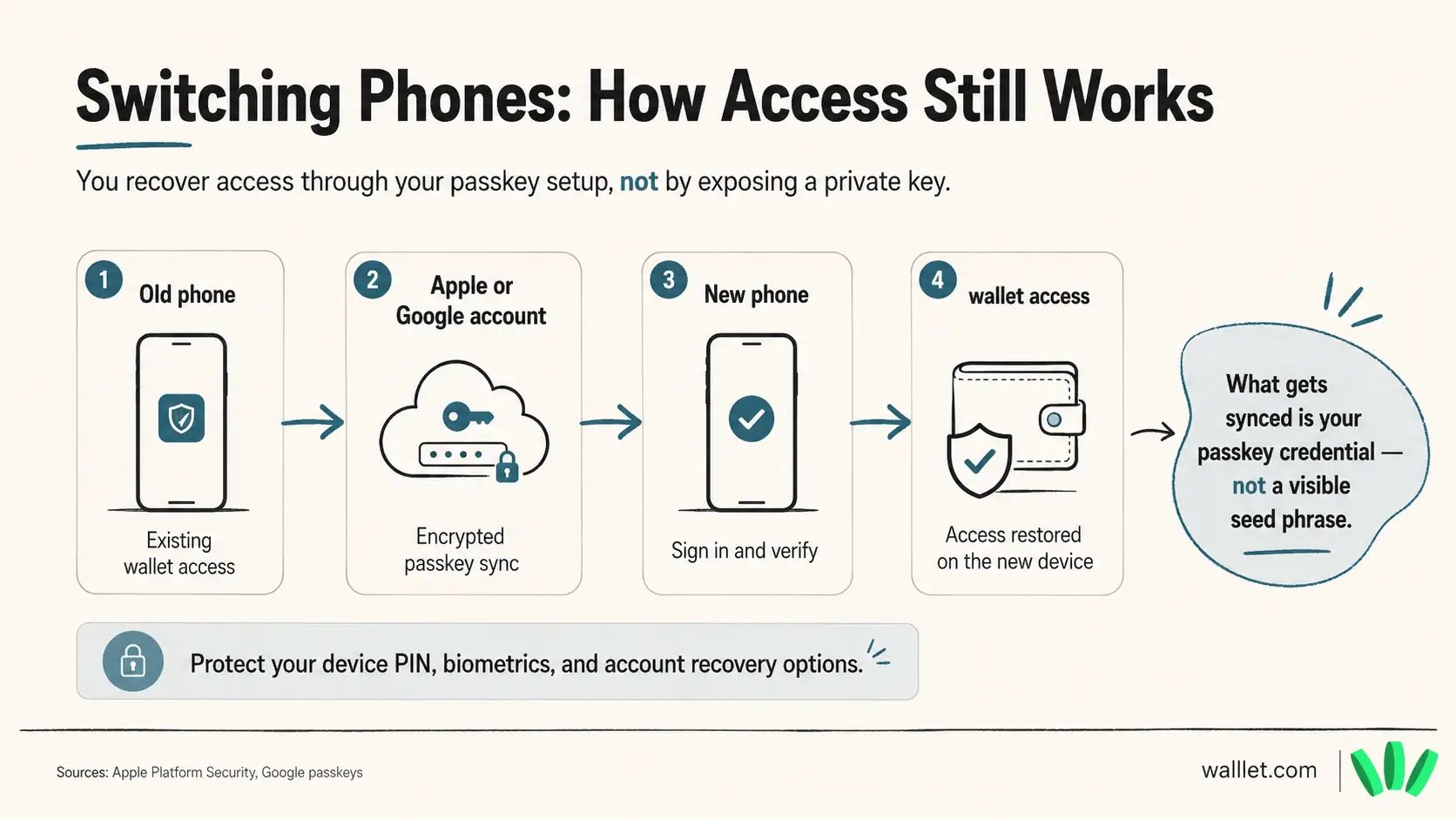
So when you move to a new device, your recovery path is connected to your passkey and account setup, rather than a seed phrase you had to store manually.
That is easier for normal users. It is also why your Apple or Google account security matters. A lot.
Use strong account protection. Keep device recovery options up to date. Do not delete your passkey unless you fully understand what you are doing. Tiny detail. Massive consequences. Naturally.
For more on the category, read this guide to best seedless wallets.
Is this safer than a seed phrase?
For many everyday users, yes, because it removes the riskiest manual steps.
Traditional seed phrase wallets ask users to protect a secret forever. That sounds simple until real life shows up. Phones break. People move houses. Screenshots sync. Fake websites look real. Someone says “support team” in a Telegram DM and suddenly civilization collapses again.
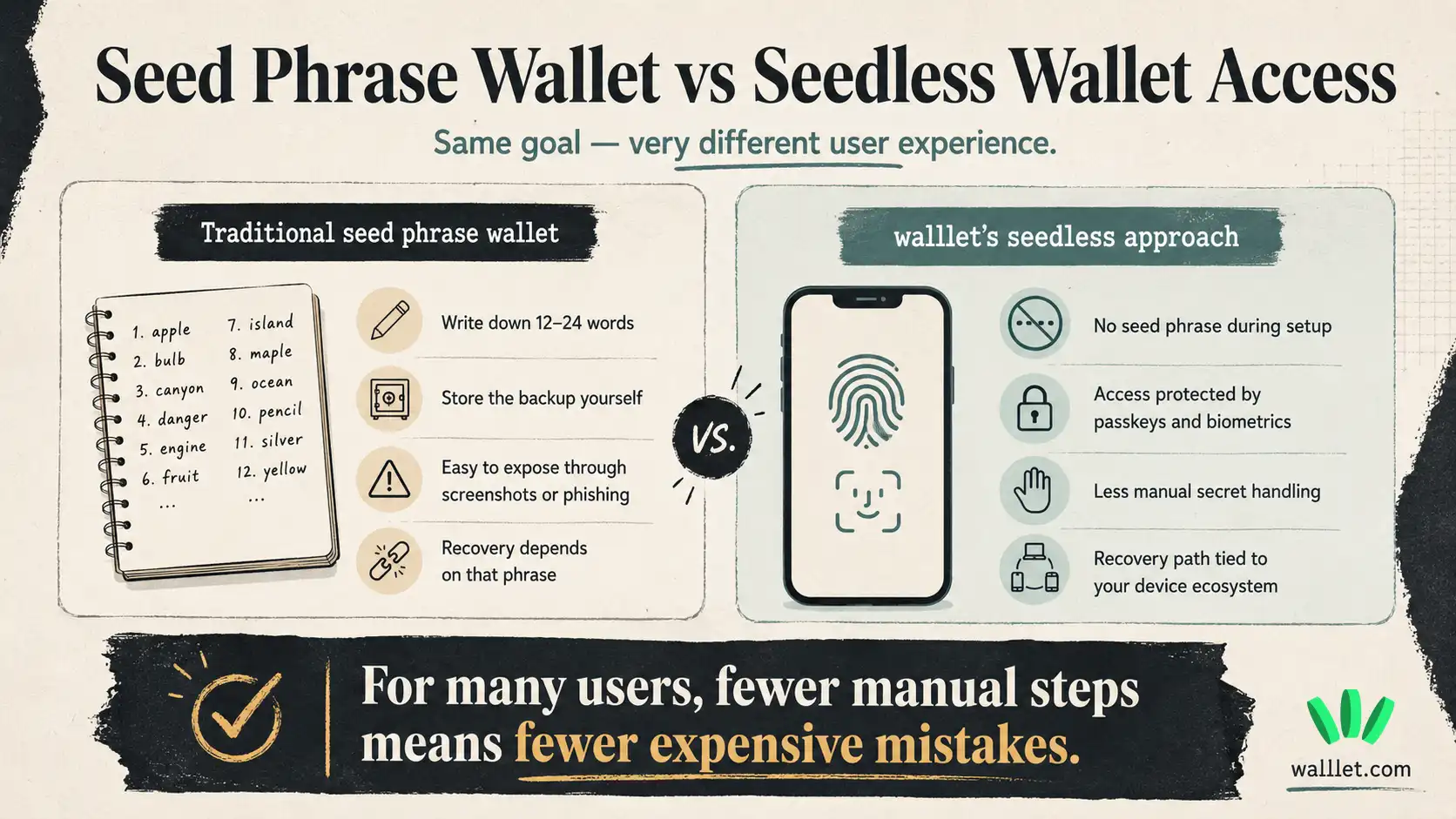
walllet.com’s model is safer for users who are more likely to lose, expose, or mishandle a recovery phrase.
The main safety improvement is this: the private key is not something you are asked to view, copy, or store yourself.
That reduces exposure. It also changes the security checklist. Instead of guarding a seed phrase, you need to protect your phone, biometric access, device PIN, Apple or Google account, and passkey recovery path.
So the better user question is:
Can I keep my wallet secure without managing a seed phrase manually?
For walllet.com, the answer is yes. That is the point.
Can walllet see your private key?
No. walllet.com is designed as a self-custodial wallet. That means walllet.com does not hold your funds for you and should not be able to move your crypto without your approval.
Your access is protected through your device and passkey-based authentication. Your wallet actions still require your confirmation.
This is important because “easy wallet” should not mean “someone else controls everything.” That would just be custody with nicer packaging. Humanity does love repackaging old problems.
For a full product-level explanation, read what walllet.com is.
The real user benefit: self-custody without managing a seed phrase
The biggest fear around private keys is not technical. It is practical.
People worry they will lose the phrase. Save it wrong. Get phished. Break their phone. Forget where the backup is. Make one tiny mistake and lose access forever.
walllet.com is built for that fear.
It gives users self-custody without starting the experience with a recovery phrase. You still control your wallet. You still approve transactions. You still need to keep your device and account secure.
But you are not asked to handle the most dangerous secret directly. That is the real difference.
Your private key exists. You just do not need to see it for your wallet to work.
Final thoughts
Private keys are powerful because they give users control. They are dangerous because one exposed key can be enough to lose everything. walllet.com keeps that control while removing the most fragile part of the old wallet experience: asking users to manually manage a private key or seed phrase.
That does not make wallet security effortless. Nothing in crypto is that kind. But it does make the experience more realistic for everyday users.
Less copying. Less hiding. Less panic around 12 words.
Still crypto. Just less hostile.
