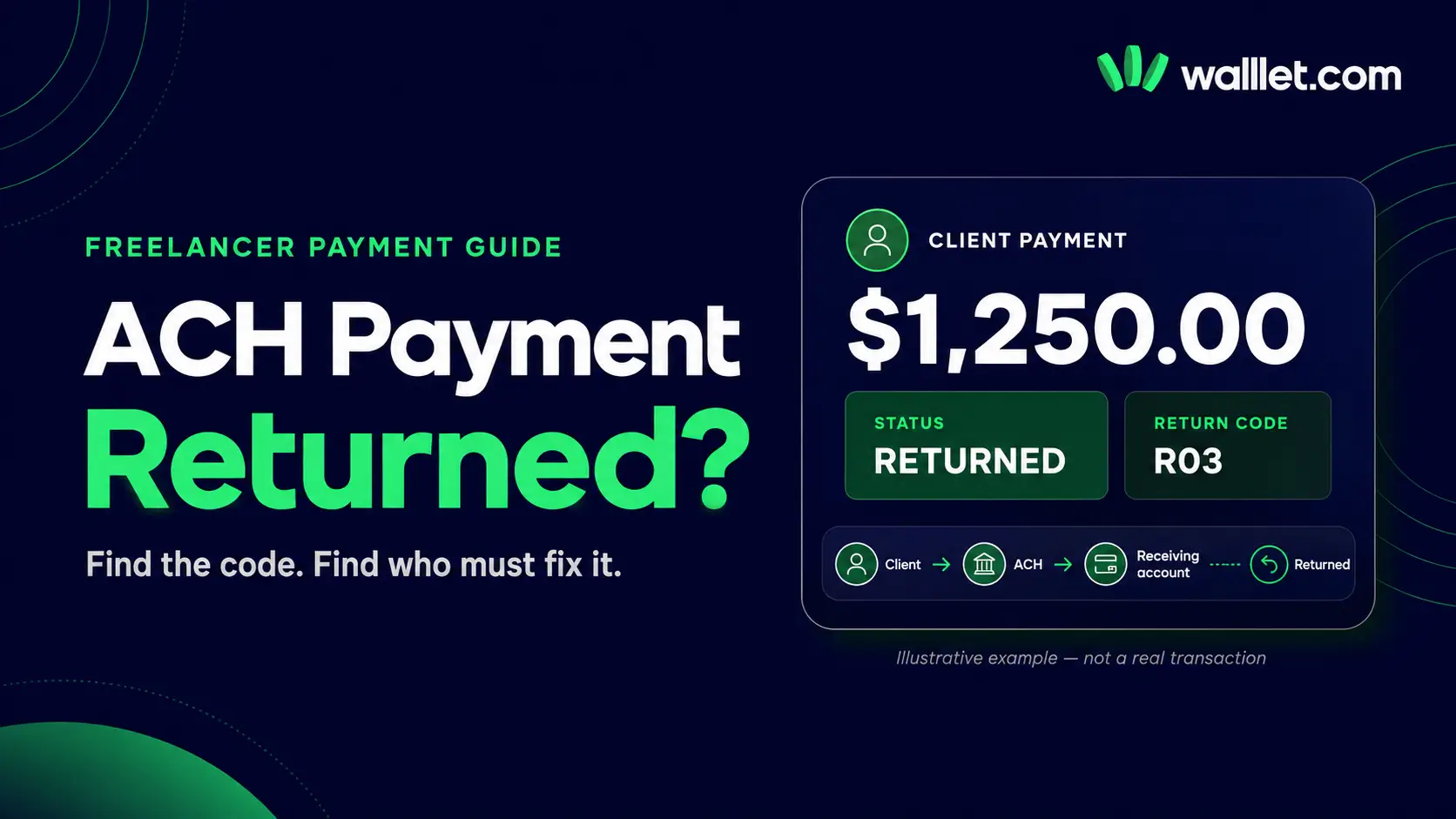
Your client sent the payment. It appeared to be processing. Then the money went back.
An ACH return code tells you why the transfer could not remain in the receiving account or complete as submitted. It does not always tell you the whole story, and it does not automatically mean you entered the wrong details.
The useful question is not simply, “Why was my ACH payment returned?” It is:
Which institution returned it, what does the code describe, and who has the information or authority to fix that specific problem?
For a Nigerian freelancer receiving money from a US client, the answer may sit with the client, the client’s bank, the payment platform, the US receiving-account provider or the institution holding the destination account. Calling every company involved usually produces more confusion. Start with the code.
Before using ACH for a new invoice, confirm that your receiving route explicitly supports incoming ACH credits. A USD balance, US routing number or account number does not prove that every payer, transfer type or ACH entry is accepted. Our guide to receiving payments from US, UK and EU clients in Nigeria explains how the payer’s country and payment rail change the instructions you should provide.
What an ACH return actually means
ACH is a US electronic bank-transfer network used for payments such as direct deposits and direct debits. An ACH payment moves through several parties:
Your client or the company paying you
The bank or provider that originates the payment
The ACH operator
The institution receiving the entry
Your receiving account or payment provider
The originating institution is called the ODFI. The receiving institution is called the RDFI.
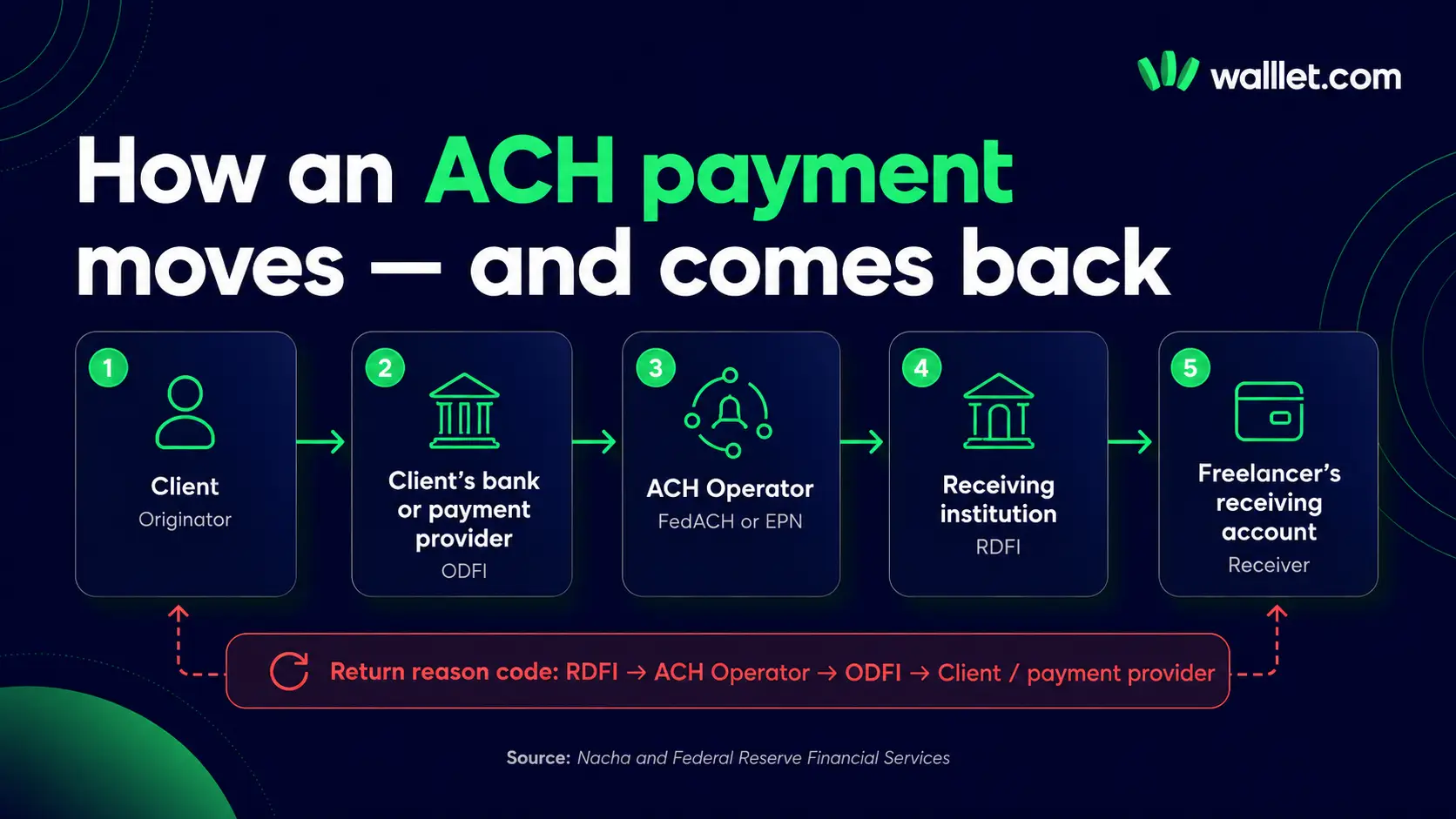
When the RDFI cannot post or retain the transaction under the applicable ACH rules, it sends the entry back with a return reason code. Nacha’s code table includes return reasons for closed accounts, invalid account numbers, refused credit entries, frozen accounts, duplicate entries and other conditions.
That code is the first diagnosis. It is not always the final explanation.
For example, R03 can mean that the account number is structurally valid but does not correspond to the intended receiver or an open account. The code tells you where to investigate. It does not tell you whether the client copied an old account number, the provider replaced your details, the beneficiary information did not match or the receiving account had already been withdrawn.
First, confirm whether this was an ACH credit or ACH debit
This distinction prevents a common mistake.
An ACH credit is pushed by the sender. A US client paying your invoice through ACH normally sends an ACH credit.
An ACH debit pulls money from an account after authorization. Subscription collections and bank-account debits are common examples.
Some well-known return codes apply mainly or exclusively to debit entries. R01, “Insufficient Funds,” describes a debit that could not be covered by the receiving account’s available balance. It is not the normal explanation for a client’s incoming ACH credit being rejected by your receiving account.
![An ACH credit is pushed by the sender... An ACH debit pulls money from an account... [تصویر ACH Credit در برابر ACH Debit] Some well-known return codes apply mainly or exclusively to debit entries...](https://framerusercontent.com/images/yfokJrBEFqt6o379q8HZO6dVZpY.webp)
Do not accept a generic list of ACH codes as a diagnosis. Ask the provider to confirm:
Whether the original entry was a credit or debit
The exact return code
The date the return was initiated
The ACH trace number
Which institution generated the return
Whether corrected details or a different payment rail are required
Common ACH return codes that can affect freelance payments
R02: Account Closed
What it means: The destination account was previously active but has been closed by the customer or receiving institution.
Likely owner: The freelancer or receiving-account provider.
What to check:
Did your provider replace or deactivate the account details?
Did you send the client details from an old invoice?
Was the receiving account closed after a provider or banking-partner change?
Does the account still appear as active and eligible for incoming ACH payments?
What to do: Obtain the current payment details directly from the provider. Do not ask the client to resend to the same account until the provider confirms in writing that it remains active.
If you use foreign-currency receiving details, review the account’s currency, payer and rail restrictions before sharing them. The walllet.com IBAN Account guide explains why an account identifier alone does not prove which payment schemes, currencies or payer types it supports.
R03: No Account or Unable to Locate Account
What it means: The account number may have a valid structure, but the receiving institution cannot match it to the intended person or an open account.
Likely owner: Usually the freelancer or receiving-account provider, although the sender may have entered the details incorrectly.
Common causes:
One or more account-number digits were entered incorrectly
The client used details from a previous invoice
The beneficiary or account-holder information did not match the account record
The provider’s account details changed
The account was not fully activated for that payment type
The receiving institution could not associate the entry with the intended account
What to do: Compare the returned payment instruction against the current details displayed inside your account. Check every digit. Do not rely on a screenshot copied from an old conversation.
Ask the provider whether R03 was triggered by an invalid destination, a name or identification mismatch, an inactive virtual account or another posting rule. The code alone may not identify which field failed.
R04: Invalid Account Number Structure
What it means: The account number was not valid in structure. It may contain the wrong number of digits or fail another format check.
Likely owner: Usually the sender, if the client or payroll team entered the number incorrectly. The receiving provider may own the issue if it supplied unusable instructions.
What to do:
Copy the account number from the current receiving screen.
Compare it with the payment record supplied by the client.
Check whether the client entered a routing number in the account-number field.
Confirm that the client selected ACH rather than wire.
Check whether your ACH and wire instructions use different routing details.
R04 is normally a correction problem, not a reason to wait and hope the payment appears later. The entry has been returned. Correct the details before a new payment is originated.
R06: Returned at the Originating Bank’s Request
What it means: The originating institution asked the receiving institution to return the entry. Nacha describes R06 as a return requested by the ODFI, including certain erroneous entries or credits sent without the originator’s authorization.
Likely owner: The client and the client’s bank or payment provider.
Possible causes:
The client reported an error
The payment was duplicated
The wrong amount was sent
The originator did not authorize the entry
The originating bank identified a problem after submission
What to do: Ask the client to contact the bank or platform that sent the payment. Your receiving provider normally cannot explain why the originating institution requested the return.
Do not treat R06 as proof that the client deliberately cancelled your payment. Ask for the bank’s explanation and a corrected payment plan.
R16: Account Frozen or Entry Returned Under Applicable Restrictions
What it generally indicates: The receiving account is restricted in a way that prevents the entry from being posted or released under the relevant rules and institutional controls.
Likely owner: The receiving institution or provider, although the freelancer may need to supply information.
What to do: Contact the receiving provider and ask for:
The exact account status
Whether the restriction affects all transactions or only this payment
The documents required
The review owner
The next update date
Whether the payment has already been returned
Whether a new transfer would also fail
Do not ask the client to resend while the account remains restricted. A second transfer can create a second return.
A return and a review are different states. Our guide to why freelance payments get held, reviewed or delayed explains how to separate settlement delays, verification checks, provider restrictions and actual payment returns.
R20: Non-Transaction Account
What it means: The destination account does not permit the type of ACH transaction submitted.
Likely owner: The receiving-account provider or the freelancer’s route selection.
Common scenario: The account exists, but it does not accept ACH entries of that type.
What to do: Ask the provider which incoming payment types the account supports. Confirm whether it accepts:
ACH credits
ACH debits
Business payments
Personal payments
Payroll entries
Domestic wires
International wires
Do not assume that an account which accepts one type of US bank transfer accepts all of them.
R23: Credit Entry Refused by Receiver
What it means: The receiving side refused an ACH credit.
Likely owner: The receiving institution or account provider.
Possible causes: The receiving party or institution may reject a credit because of account rules, payer restrictions, suspected error, incomplete information or another reason permitted under its processes. Nacha notes R23 as one possible code for certain refused or questionable credit entries.
What to do: Ask the receiving provider why it refused the credit and whether the problem relates to:
The sender or payer type
The beneficiary name
The payment purpose
The source of funds
The account’s eligible use
A transaction limit
A compliance or risk decision
An unsupported payment category
The client cannot correct an undisclosed receiving-side rule. You need a specific explanation from the provider before choosing whether to resend or use another route.
R24: Duplicate Entry
What it means: The receiving institution identified the payment as a duplicate.
Likely owner: Usually the client, payroll team or originating provider.
What to check:
Were two payments sent for the same invoice?
Did the client retry after seeing a pending status?
Did the bank submit the same payment file twice?
Were the amount, date and identifying information identical?
What to do: Reconcile the original and returned entries before requesting another payment. Confirm whether one copy settled successfully.
R29: Corporate Customer Advises Not Authorized
This code concerns a corporate receiver reporting that a debit was not authorized.
It is usually relevant when money was pulled from a business account, not when a client pushed an invoice payment to a freelancer. If R29 appears in a freelance-payment dispute, confirm the entry type and ask the originating provider to explain why the transaction was submitted as a debit.
The return-code decision map
Use this map before contacting support.
Return code or issue | Start with | What to request | Resend now? |
R02: Account closed | Receiving provider | Current active details and closure status | No |
R03: No account/unable to locate | Receiving provider, then client | Exact details used and reason the account could not be located | No |
R04: Invalid account structure | Client and receiving provider | Payment record and corrected account number | Only after correction |
R06: Originating bank requested return | Client | Originating bank’s explanation and new payment plan | No |
R16: Account restricted or frozen | Receiving provider | Restriction reason, required evidence and next review date | No |
R20: Non-transaction account | Receiving provider | Supported ACH entry and payer types | Use another supported route |
R23: Credit refused | Receiving provider | Specific refusal reason and eligibility rule | No |
R24: Duplicate entry | Client | Both transaction records and settlement status | No |
Unknown code | Provider displaying the return | Full code, trace number, dates and originating/receiving institutions | No |
The default rule is simple: do not resend a returned ACH payment until the owner of the failure confirms what must change.
The evidence pack to request immediately
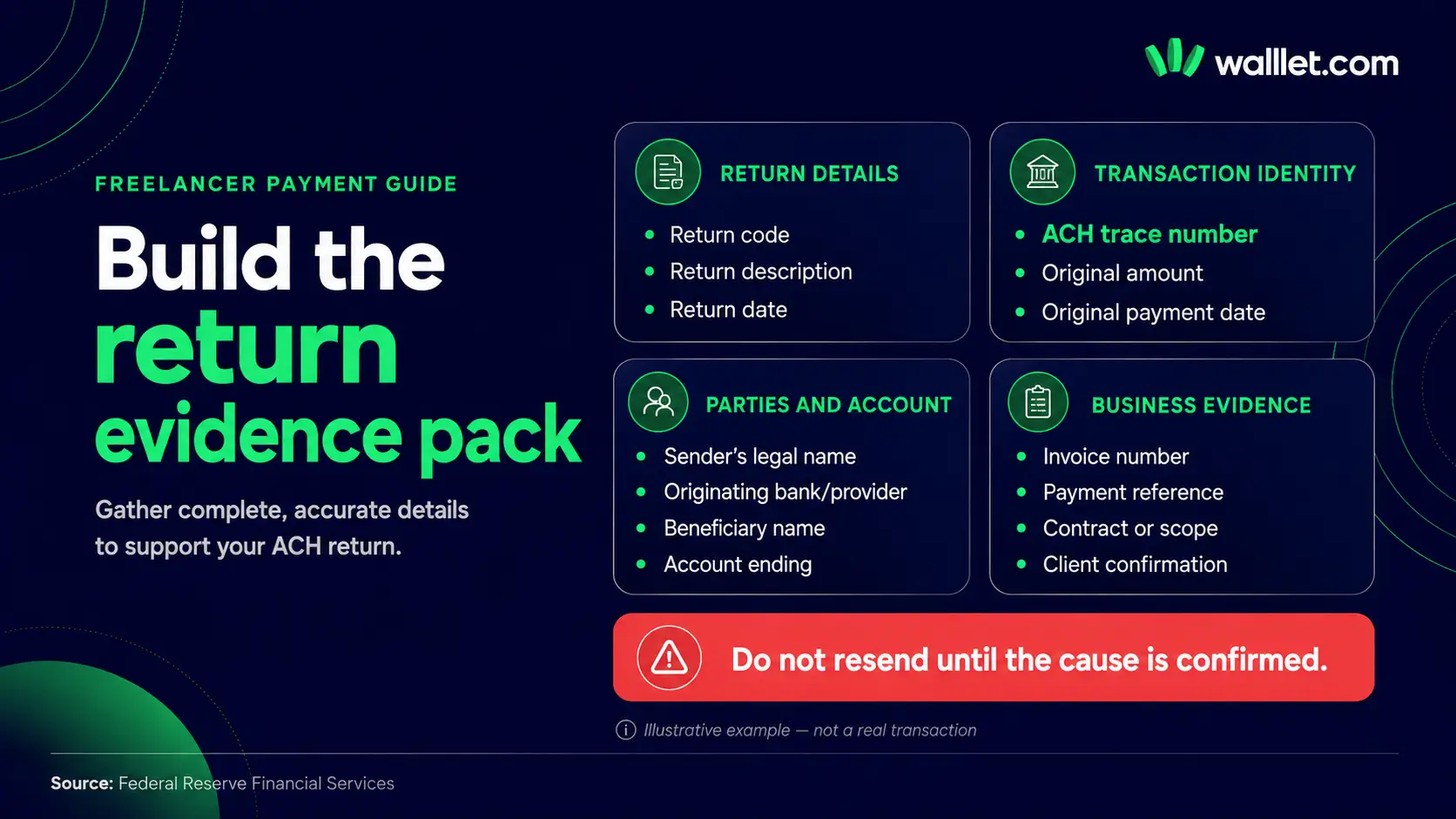
A screenshot saying “returned” is not enough. Ask the client or payment provider for the following:
Exact ACH return code
Return description
ACH trace number
Original payment amount
Original settlement or effective date
Return initiation date
Sender’s legal name
Originating bank or payment provider
Beneficiary name entered
Routing number used, with sensitive digits handled securely
Last four digits of the destination account
ACH entry type, such as credit or debit
Standard Entry Class code, when available
Invoice number or payment reference
Written explanation from the bank or provider
Store the evidence beside the invoice, contract and client correspondence. If the payment is later reviewed, you will already have a coherent record rather than five screenshots spread across email and WhatsApp.
For payments sent through a different rail, the evidence changes. A missing international wire, for example, may require a UETR, MT103 or ISO 20022 payment record. The guide to tracing a missing international wire covers that process. Do not use an ACH return code to diagnose a wire transfer.
A message to send your client
The ACH payment was returned before it became available. Please ask your bank or payment provider for the exact ACH return code, return date and trace number.
Please also send the payment confirmation showing the beneficiary name, amount, routing details used, last four digits of the destination account and payment reference.
I am confirming the receiving details with my provider. Please do not resend the payment until I confirm whether the original instructions should be corrected or a different payment route is required.
This keeps the client informed without assigning blame before the evidence is available.
A message to send the receiving provider
An incoming ACH credit for [amount] from [sender] was returned.
Return code: [code]
ACH trace number: [number]
Original payment date: [date]
Return date: [date]
Beneficiary name used: [name]
Destination account ending: [last four digits]
Invoice reference: [reference]Please confirm:
Which institution initiated the return?
What exact account or eligibility condition triggered it?
Are my current receiving details active for incoming ACH credits from this payer type?
Must any field be corrected?
Can the client resend through ACH, or should another supported route be used?
Do not confuse returned, reversed, failed and pending
These labels are not interchangeable.
Pending means processing has not reached a final state.
Failed usually means the payment was not successfully submitted or completed, but the platform must define where it failed.
Returned means an ACH entry moved into the return process and was sent back with a return reason.
Reversed can refer to a separate corrective entry intended to undo an erroneous payment. Nacha applies specific rules to reversals, and an improper reversal can itself be returned.
Under review means an institution is examining the account or transaction. A reviewed payment may eventually settle, fail or be returned.
Ask for the technical state and traceable evidence. Do not rely on the colour of the status badge.
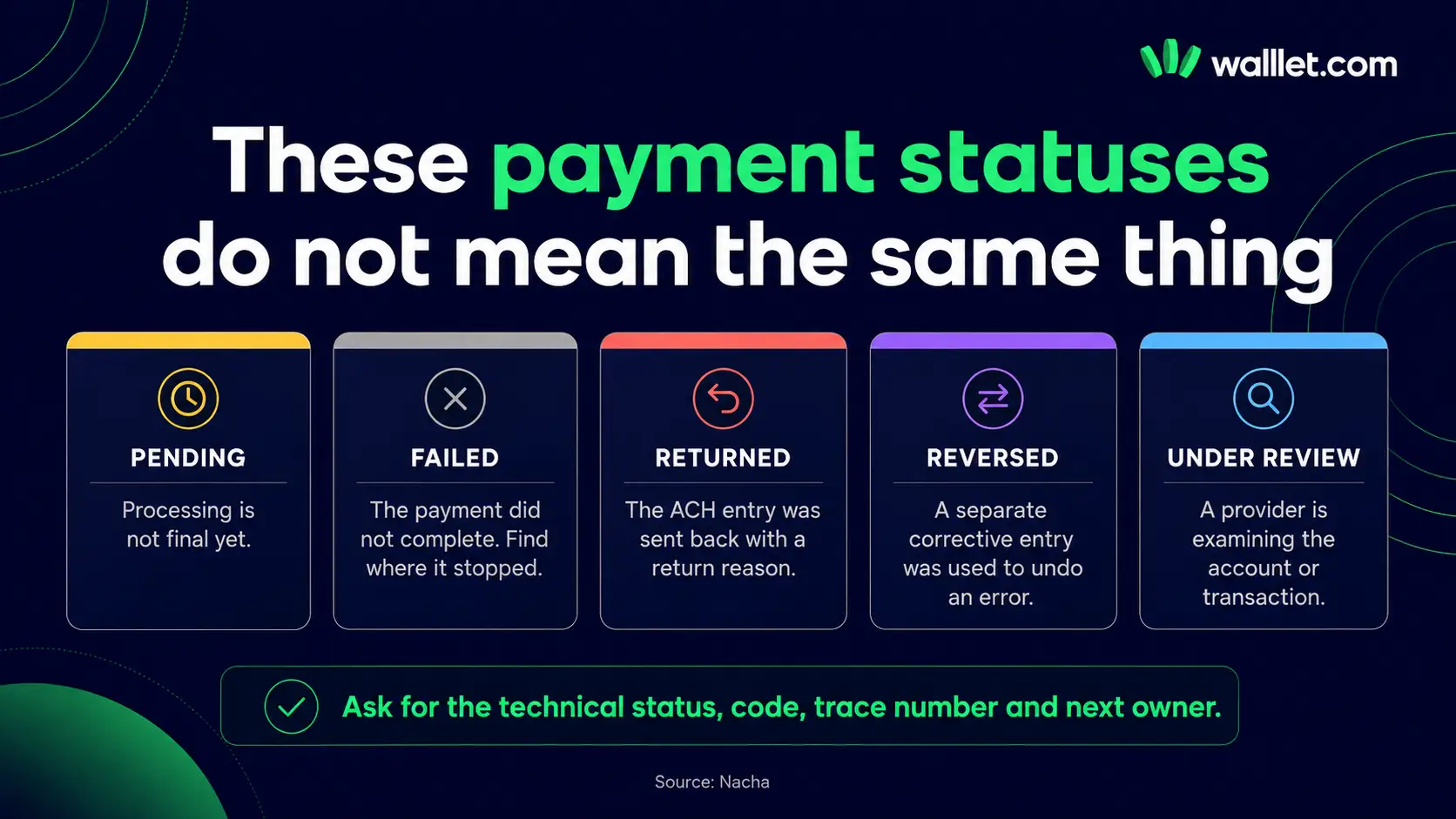
When should the client resend?
Resend only when one of these conditions is met:
A mistyped account number has been corrected
The receiving provider confirms that the current account is active
The provider confirms that the payer and ACH credit type are eligible
A temporary restriction has been resolved
The originating bank explains and resolves an R06 return
A duplicate has been reconciled
Both sides agree on a different supported payment rail
Do not resend merely because the returned money has reached the client again. The original defect may still exist.
Where ACH is unavailable or unsuitable, compare a supported wire, platform payout, domiciliary-account route, another eligible foreign-currency receiving account or a stablecoin payment that both sides understand. The guide to receiving USD in Nigeria without PayPal compares those route categories without assuming one option fits every freelancer.
Mid-article action: verify the route before the next invoice
Before giving a client new payment instructions, check the receiving currency, supported rail, payer type, beneficiary-name rule, current fees, limits and account eligibility shown for your own account.
Check the currently available global-income routes in walllet.com
Availability, fees, limits and payment rails can vary by account, provider, region and rollout status.
What walllet.com can and cannot promise
A payment guide should not imply that one app can override ACH rules, a bank’s return decision or a regulated provider’s review process.
For eligible users, walllet.com is intended to connect parts of the global-income workflow, including supported receiving routes, dollar-linked value management, spending and local use. The exact receiving rails, currencies, payer types, fees, limits and review rules must be checked in the current product before you send instructions to a client.
That distinction matters. A route can be useful without being universally available.
If your client is comparing ACH with Payoneer, Wise, PayPal or a stablecoin route, use the freelancer payment-method comparison to assess payer fit, total cost, timing, evidence and what happens after the payment arrives.
The rule to remember
An ACH return is not a mystery payment floating between banks.
It is a transaction with a code, an originating institution, a receiving institution, an evidence trail and an owner for the next action.
Get the exact code. Confirm whether the entry was a credit or debit. Identify who generated the return. Collect the trace number and payment record. Fix the stated cause before the client sends again.
Final action: build a cleaner route for recurring client payments
For recurring international income, use a payment route only after confirming that it fits your client, currency, payer type and current account eligibility.
Specific services depend on current availability, regulated providers, verification, limits and the routes shown for your account.
