You have dollars in one app and a subscription due in another. To pay it, you may have to convert the dollars to naira, move the money again and fund a separate card. Each step brings another rate, fee or possible delay.
The walllet.com Card gives eligible users a shorter route. It is a virtual USD Mastercard for supported international online payments and costs $5 to issue. Card top-ups carry a 0.5% fee. USD card transactions carry a 1% fee, while non-USD transactions carry a 1.5% fee. Both transaction fees are subject to a minimum charge of $1 and a maximum charge of $10. Failed transactions carry a $0.50 fee.

What is the walllet.com Card?
The walllet.com Card is a virtual card denominated in US dollars. It operates on the Mastercard network and is designed for supported international online payments, including work tools, software subscriptions, hosting, domains and other online services.
The card can be managed from the walllet.com app. Cardholders can freeze the card when they do not want it to be used, for example after noticing suspicious activity or while checking an unfamiliar transaction. The card may also be restricted or frozen by the card programme or Mastercard where required by security, compliance, risk or eligibility controls.
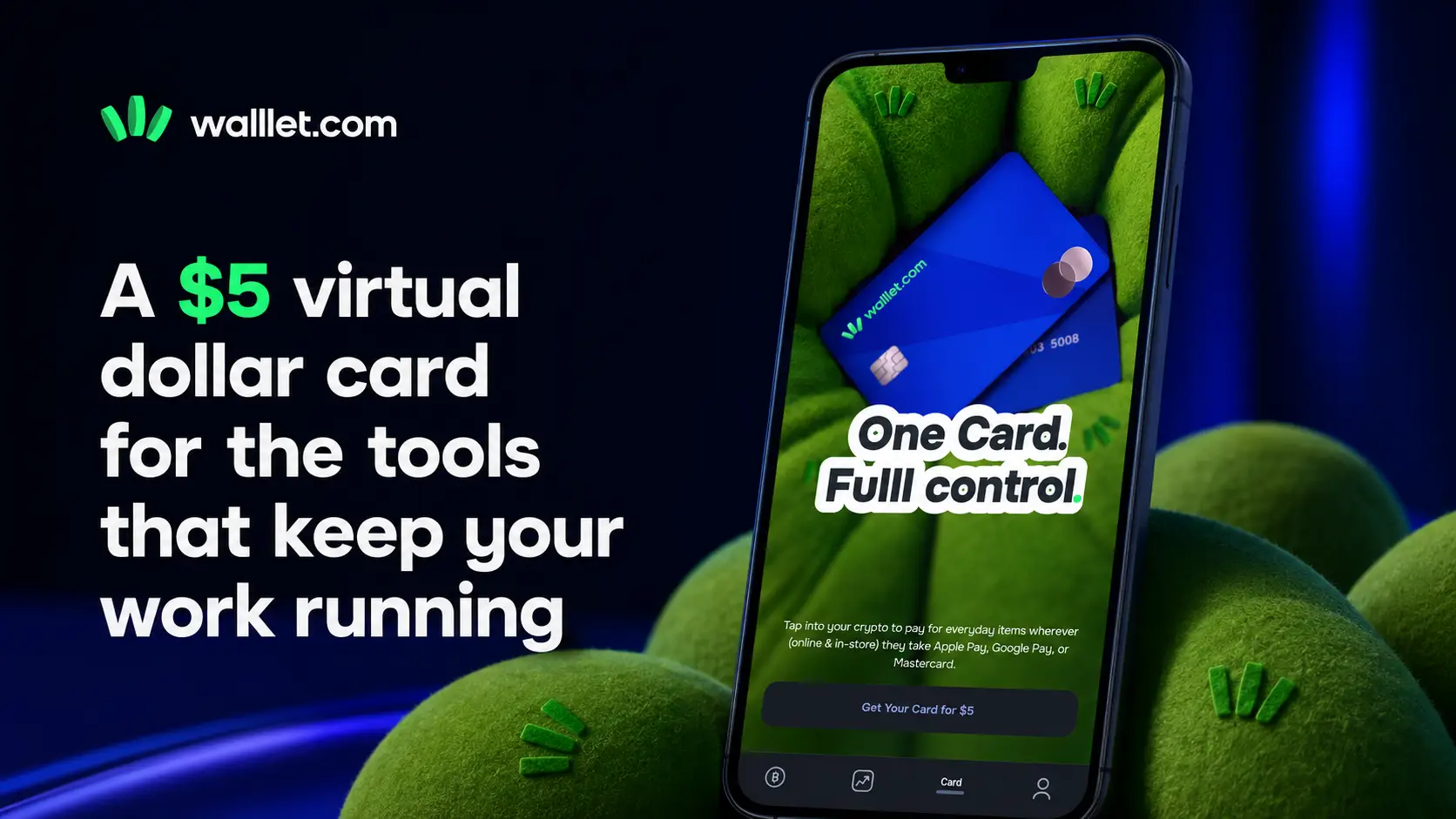
Users must complete identity verification, and account eligibility applies. The card is available only in supported countries, and merchant acceptance can vary by transaction.
The card is most useful when it sits inside the way you already manage global income. A freelancer who receives dollars and pays dollar-denominated expenses may be able to keep that money in dollars instead of converting it to naira before every online payment.
Your full payment route still matters. If you are deciding how clients should pay you, compare PayPal, Payoneer, Wise and stablecoins for Nigerian freelancers before choosing a receiving method.
Who is the card for?
The card is built around work-related online spending. That includes a designer paying for creative software, a developer maintaining hosting and domains, a marketer managing recurring tools, or a small agency covering international operating costs.
These payments are different from casual online shopping. A declined renewal can interrupt a service needed for a client project. Moving money through several apps can also make it harder to see what the payment cost from start to finish.
Some freelancers receive part of their income through digital dollars. The guide to getting paid in USDT or USDC as a Nigerian freelancer explains what to agree with a client before using that route.
Where is the walllet.com Card available?
The walllet.com Card is available to eligible users in the supported countries listed below. Availability does not guarantee approval. Identity verification, account eligibility, compliance checks and card-programme requirements still apply.
Albania, Algeria, Angola, Argentina, Australia, Austria, Bangladesh, Belarus, Belgium, Benin Republic, Bosnia and Herzegovina, Brazil, Bulgaria, Burkina Faso, Cameroon, Canada, Chile, China, Colombia, Congo, Congo Brazzaville, Congo Kinshasa, Croatia, Cyprus, Czech Republic, Denmark, Dominican Republic, Egypt, Estonia, Finland, France, Gabon, Gambia, Germany, Ghana, Greece, Guinea, Haiti, Hungary, Iceland, India, Indonesia, Ireland, Israel, Italy, Ivory Coast, Japan, Kenya, Kosovo, Latvia, Liechtenstein, Lithuania, Luxembourg, Malaysia, Malawi, Mali, Malta, Mauritania, Mexico, Moldova, Monaco, Montenegro, Morocco, Nepal, Netherlands, New Zealand, Niger, Nigeria, North Macedonia, Norway, Philippines, Poland, Portugal, Romania, Russia, Rwanda, San Marino, Saudi Arabia, Senegal, Serbia, Sierra Leone, Singapore, Slovakia, Slovenia, South Africa, South Korea, South Sudan, Spain, Sudan, Sweden, Switzerland, Thailand, Togo, Tunisia, Turkey, Uganda, Ukraine, United Arab Emirates, United Kingdom, United States, Vietnam and Zambia.
The list of supported countries may change. Check the country options shown during card verification for the current availability attached to your account.
How much does the walllet.com Card cost?
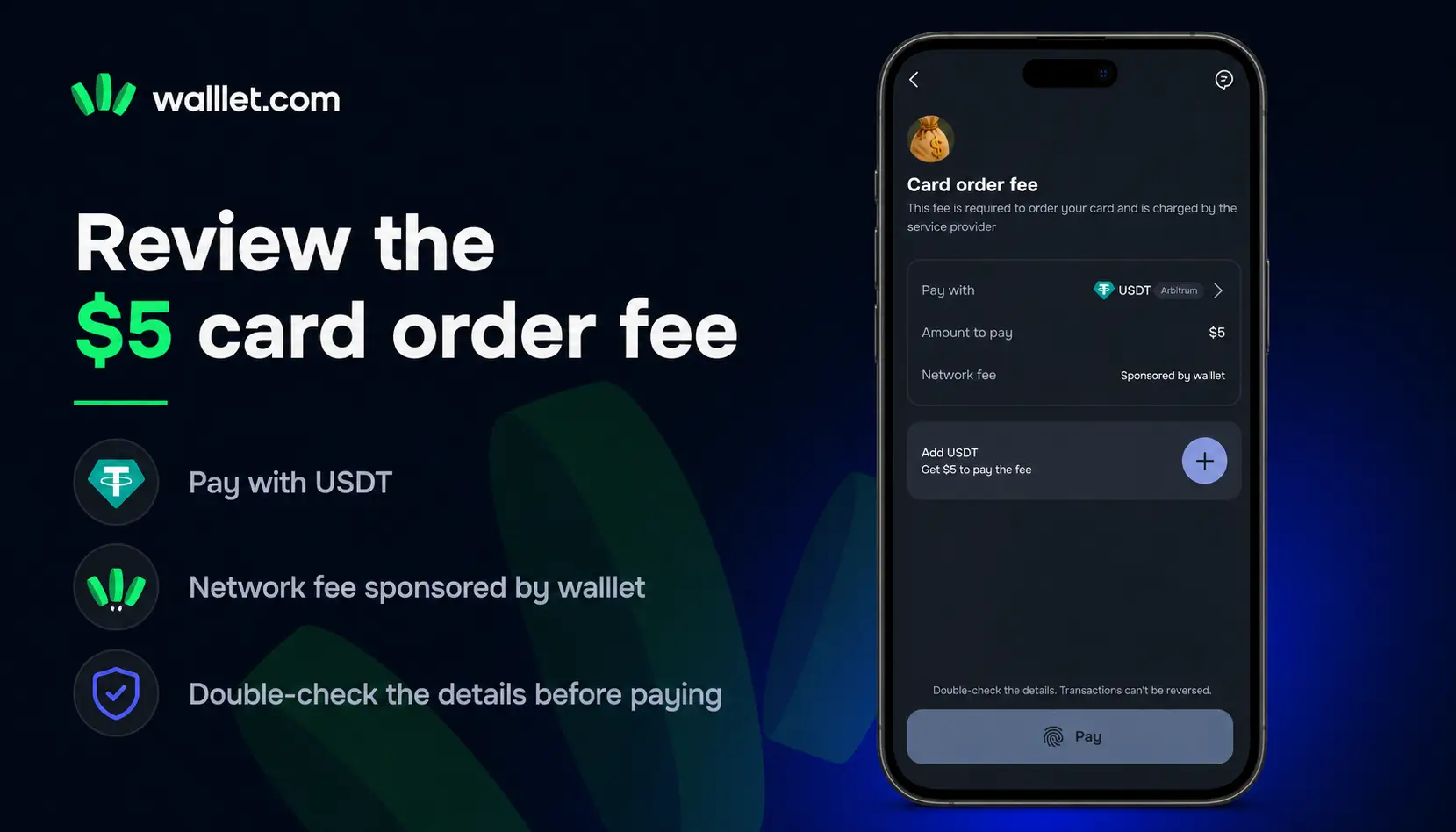
The walllet.com Card costs $5 to issue. This is a one-time issuance fee for creating the virtual card. The following fees currently apply:
Card issuance: $5
Card top-up: 0.5% of the amount added to the card
Card transaction: 1% of the transaction amount, with a minimum fee of $1 and a maximum fee of $10
Non-USD transaction: an additional 1.5% foreign-exchange fee may apply when the transaction currency is different from the card’s USD currency, with a minimum fee of $1 and a maximum fee of $10
Declined transaction caused by insufficient balance: $0.50
When a transaction is charged in a currency other than USD, the non-USD transaction fee is 1.5% of the transaction amount, subject to a minimum fee of $1 and a maximum fee of $10. This 1.5% fee applies instead of the 1% USD transaction fee; it is not an additional fee on top of it.
walllet.com currently states that there is no monthly card fee. Check the total amount, transaction currency and any charges displayed before confirming an action. Fees and product terms may change, so the confirmation screen in the walllet.com app is the current reference for your account.
For example, a $20 USD transaction carries the minimum $1 transaction fee because 1% of $20 would be less than the $1 minimum. For a non-USD transaction, the applicable fee is 1.5%, also subject to a $1 minimum and $10 maximum. The 1.5% non-USD fee replaces the 1% USD transaction fee rather than being added to it.
How to get the walllet.com Card in Nigeria
Eligible users can start the application from their walllet.com account:
Open or download walllet.com and sign in.
Go to the card section.
Start the card verification process.
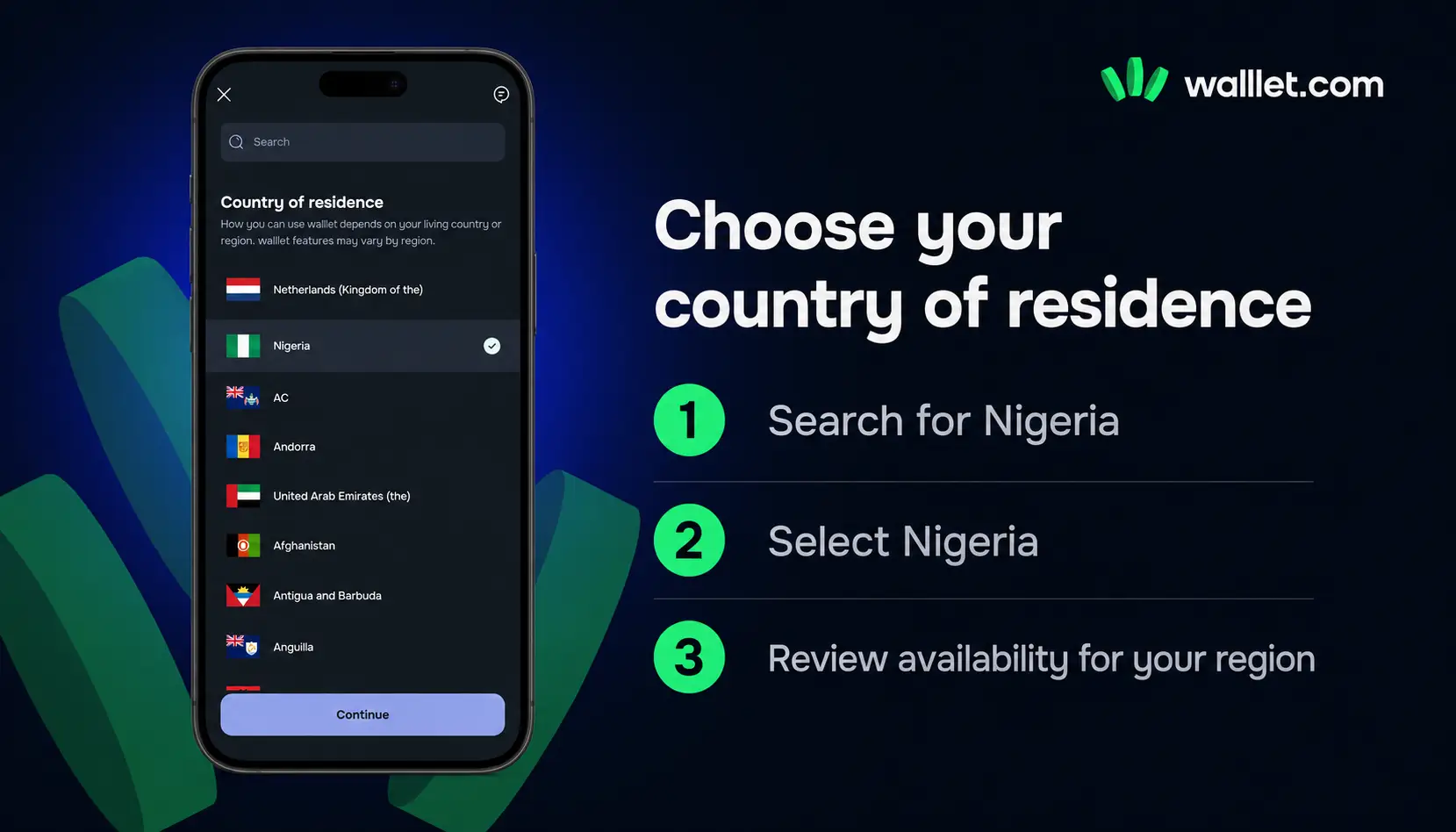
Select Nigeria as your country.
Enter the personal and residential-address information requested.
Choose one of the available identity-verification methods.
Upload the requested identity images and selfie.
Review the $5 issuance fee and the information displayed.
Submit the application and follow its status in the product.
Submitting an application does not guarantee approval. Eligibility and identity checks still apply, and walllet.com will show the application status.
Why Can Card Creation Take Time?
Most card requests are completed automatically. Sometimes additional processing may be required because of:
verification checks
card provider processing
temporary technical issues
*** Before using your card make sure: your verification is complete ➡️ your billing details match when required ➡️ you have enough balance for the purchase amount and applicable fees
What you may need for verification
The verification method available to you may ask for a Bank Verification Number (BVN), National Identification Number (NIN), Nigerian driver’s licence or international passport. You may also need a selfie, your name and contact details, residential address and source-of-funds information.
The exact request can differ by verification route. Follow the instructions shown in your account rather than sending documents that were not requested.
Only upload identity information through the official walllet.com app or verification page. Check the app or domain before submitting an ID, selfie or financial information.
If a client pays you in stablecoins, identity verification is only one part of keeping clean payment records. A before-and-after USDT or USDC payment checklist can help you record the payer, token, network, amount and transaction hash before that income reaches your spending balance.
What can you pay for?
The walllet.com Card is intended for supported international work tools, software subscriptions, online services and other supported online purchases.
The Mastercard logo does not mean every merchant will accept every transaction. A merchant or its payment processor may apply its own card, location, billing or risk rules. Keep another payment route for an urgent renewal until you have tested the card with the service you need.
Check the currency selected by the merchant before paying. A merchant may display prices in naira or another local currency even when a USD payment option is available. Check the currency selected by the merchant before paying. A merchant may display prices in naira or another local currency even when a USD payment option is available. When the transaction is charged in a currency other than USD, a 1.5% non-USD transaction fee applies, subject to a minimum fee of $1 and a maximum fee of $10.
Avoid assuming that a successful incoming payment means the balance can move through every later step without checks. For USDT or USDC income, choosing a network supported by both sides helps prevent the funds from arriving through a route that does not fit your next destination.
Check these details before your first payment
Before entering the card details, confirm that:
the card is active;
the available balance covers the purchase amount and the applicable transaction fee;
the cardholder and billing details are correct;
the merchant accepts Mastercard;
the final amount matches the purchase;
any displayed fee is clear;
another payment method is available for a time-sensitive renewal.
the card has enough balance to cover the purchase and all applicable fees;
the merchant’s transaction currency is clear: USD transactions carry a 1% fee, while non-USD transactions carry a 1.5% fee, with a $1 minimum and $10 maximum in either case;
the card is not frozen or restricted;
the potential $0.50 insufficient-balance decline fee is understood.
If a payment fails, check the card status, available balance, billing details, transaction currency and merchant requirements before trying again. A transaction declined because the card does not have enough balance carries a $0.50 declined-transaction fee. Repeated attempts with insufficient balance can therefore create multiple declined fees.
Can you freeze the walllet.com Card?
Yes. You can freeze the card from the walllet.com app when you do not want it to process new transactions. This can be useful if you notice unfamiliar activity, temporarily stop using the card or want to check a payment before allowing further transactions.
While the card is frozen, new card payments may be declined. Unfreeze it only after confirming that the card details and recent activity are secure.
The card may also be frozen or restricted by the card programme or Mastercard because of security checks, compliance requirements, risk controls, suspected misuse or changes to account eligibility. Some restrictions may require additional verification or a review before the card can be used again.
Keep the card inside the full income workflow
A card solves the spending step. You still need a reliable route for receiving the income, checking that it arrived, deciding what to hold in dollars and converting only what you need to naira.
When these steps sit across unrelated apps, a single client payment can create several balances, transfers and support conversations. The advertised card fee then tells you little about the total cost of getting from invoice to usable money.
For an onchain client payment, save the transaction hash with the invoice instead of relying on a screenshot. The guide to reading a crypto transaction on a block explorer shows how to check the status, network, token, amount and receiving address.
The walllet.com Card keeps the spending decision closer to the balance used for global income. You can decide what to keep in dollars, what to spend online and what to convert, without automatically moving the full amount into naira first.
If you earn globally and pay for work tools online, the walllet.com Card adds a USD spending option to the same flow used to manage your income. The card costs $5 to issue. Top-ups carry a 0.5% fee. USD transactions carry a 1% fee, while non-USD transactions carry a 1.5% fee; both are subject to a minimum fee of $1 and a maximum fee of $10. Failed transactions carry a $0.50 fee. Country availability, eligibility and identity-verification requirements also apply.
Open walllet.com to check your eligibility and start the card-verification process.

