iCloud Keychain can store and sync passkeys across your Apple devices, which can make crypto wallet access much easier on iPhone. But it does not store your crypto. Your assets stay onchain. Your passkey helps prove access to your wallet, and recovery still depends on your Apple Account, device security, and the wallet’s design.
TL;DR
iCloud Keychain can make crypto passkeys available across your Apple devices, so losing one iPhone does not automatically mean losing wallet access.
A passkey is not your crypto and it is not exactly the same as a seed phrase. It is a passwordless credential used to approve access or actions.
Passkeys are harder to phish than passwords because they use public-key cryptography and are tied to the app or website they were created for.
Face ID or Touch ID helps unlock the passkey locally. Your face or fingerprint is not sent to the wallet app.
A passkey-based wallet can be self-custodial, but passkeys alone do not prove self-custody. The wallet architecture still matters.
Before storing meaningful funds, check iCloud Keychain, your iPhone passcode, Apple Account recovery, and the wallet’s recovery model.
For years, crypto wallets asked people to do something most normal users were never trained to do: protect a 12- or 24-word seed phrase forever.

Some people wrote it on paper. Some saved it in Notes. Some took screenshots. Some lost it and learned the hard way that crypto does not have a “forgot password” button waiting politely in the corner.
Passkeys change that experience.
On iPhone, passkeys can be stored in iCloud Keychain and unlocked with Face ID, Touch ID, or your device passcode. Apple describes passkeys as a password replacement that uses public-key cryptography and is designed to resist phishing. FIDO also explains that passkeys are based on cryptographic key pairs, which means there is no reusable password for attackers to steal.
That matters for crypto because wallet access has always had two painful questions:
Can I keep control of my crypto?
And can I recover access if something happens to my phone?
Before going deeper, one thing needs to be clear. iCloud Keychain does not hold your crypto. If that part still feels blurry, read Where Is Your Crypto Actually Stored?. It explains why your assets live on the blockchain, not inside an app.
What is iCloud Keychain?
iCloud Keychain is Apple’s system for storing and syncing passwords, passkeys, and other secure information across your Apple devices.
In simple terms, it is why something you save on your iPhone can also appear on your Mac or iPad, as long as everything is connected to the same Apple Account and iCloud Keychain is enabled.
For crypto users, this matters because passkeys can follow you across approved Apple devices. If your iPhone breaks or gets replaced, you may still have a recovery path through your Apple setup.
That is very different from a seed phrase written on paper.
Paper does not sync. Paper does not warn you. Paper does not help when your bag gets stolen, your phone dies, or you forget where you hid the backup because apparently humans keep important things in “safe places” and then forget the safe place.
What is a crypto passkey?
A crypto passkey is a passkey used as part of a crypto wallet’s access, approval, or recovery flow.
A normal app may use a passkey to let you sign in without a password. A crypto wallet can use passkeys more deeply, depending on how the wallet is built. In a seedless wallet, a passkey may help you create and access a wallet without manually writing down a recovery phrase. The simple version:
Your wallet lets you control crypto.
Your passkey helps prove that you are allowed to use the wallet.
iCloud Keychain can help store and sync that passkey across Apple devices. If you are new to the wallet model itself, start with What Is a Crypto Wallet?. It explains the difference between the app, the wallet, and the assets without turning the whole thing into a cryptography punishment ritual.
Does iCloud Keychain store my crypto?
No. iCloud Keychain does not store your crypto.
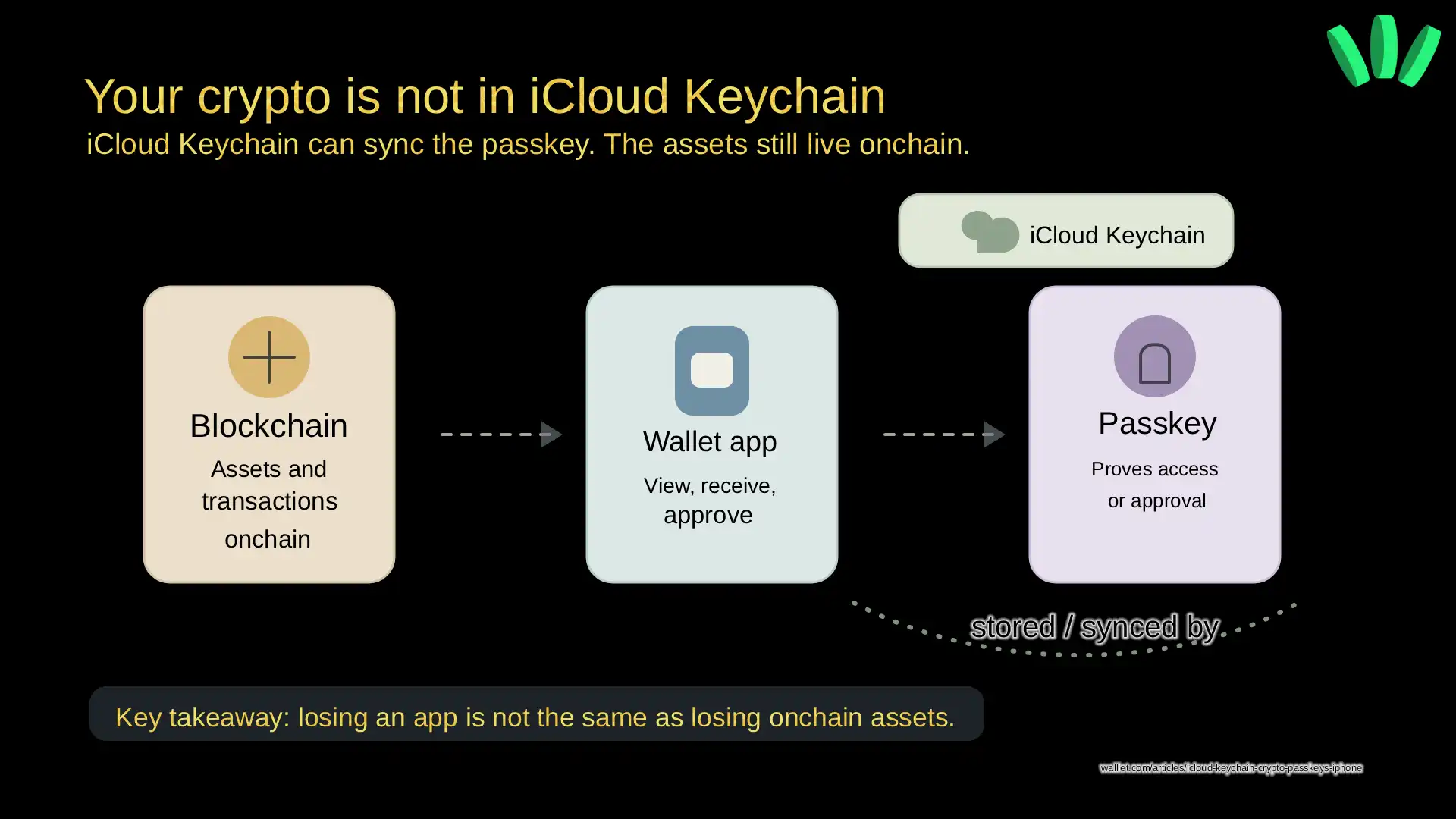
Your crypto assets live on blockchain networks. Your wallet gives you a way to view balances, receive assets, and approve transactions. iCloud Keychain may store the passkey that helps you access or approve actions from that wallet. Here is the clean mental model:
Layer | What it does |
Blockchain | Records assets, balances, and transactions |
Crypto wallet | Lets you view and control assets |
Passkey | Helps prove you can access or approve wallet actions |
iCloud Keychain | Helps store and sync the passkey across Apple devices |
This distinction is important because many beginners think their coins are “inside the wallet app.” They are not. The app is the control layer. The blockchain is where ownership is recorded. So if you delete an app, your crypto does not disappear from the blockchain. But if you lose the only way to access your wallet, you may still lose practical control.
Tiny difference. Huge consequences.
Are passkeys safer than seed phrases?
For many everyday users, passkeys are easier and safer to manage than seed phrases. But they are not magic.
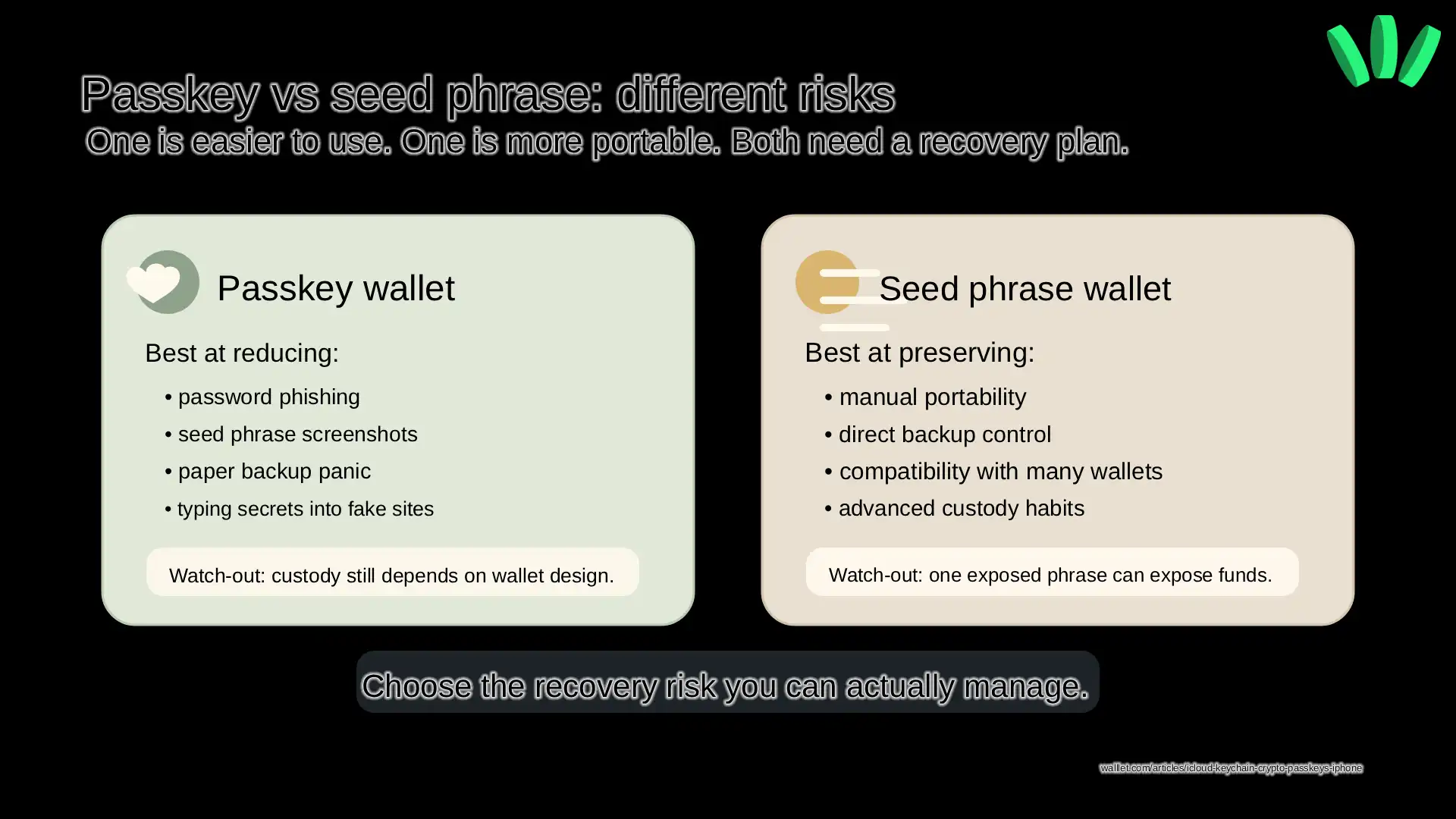
A seed phrase is powerful because it can restore wallet access. It is also dangerous because anyone who gets it may be able to take your assets. It puts a lot of responsibility on the user.
A passkey works differently. It is not typed into websites. It is not reused like a password. It is tied to the service it was created for, which makes phishing much harder.
Apple’s passkey documentation explains that passkeys are designed so there are no shared secrets and are resistant to phishing. FIDO describes passkeys as passwordless credentials built on public-key cryptography.
That is a real security improvement. But here is the part people skip: a passkey is a technology, not a custody promise.
A custodial app can use passkeys. A self-custodial wallet can use passkeys. Some wallets use passkeys only for login. Some use them for recovery. Some use them as part of a smart wallet or account abstraction model. So What role does the passkey play in controlling and recovering my wallet?
If you are still comparing custody models, read Custodial vs Non-Custodial Wallets. It explains who controls access and what that means when something goes wrong.
What happens if you lose your iPhone?
If iCloud Keychain is enabled and your passkey is synced across Apple devices, losing one iPhone does not automatically mean losing wallet access.
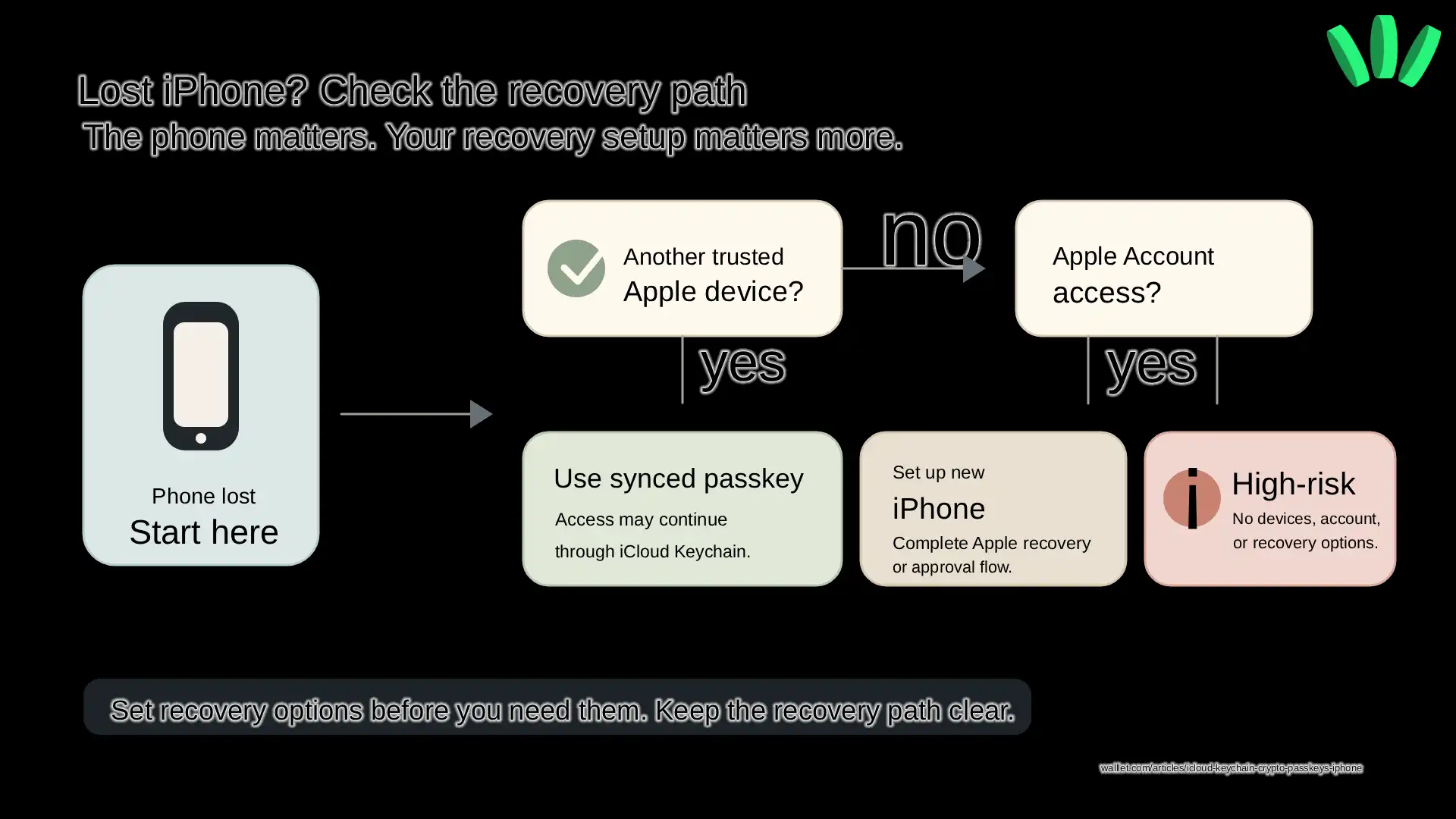
You may still be able to access your passkey from another trusted Apple device. If you get a new iPhone, sign in to your Apple Account, and complete Apple’s recovery or approval flow, your passkeys may become available again.
Apple’s iCloud Keychain setup guide explains how passwords and passkeys can stay updated across devices. Apple also describes iCloud Keychain recovery as a way to help recover keychain data without Apple being able to read the stored passwords or passkeys.
That said, recovery depends on your setup.
If you lose your iPhone but still have another trusted Apple device, you are in a much better position.
If you lose all Apple devices, lose access to your Apple Account, forget your device passcode, and have no recovery contact, things become much harder.
This is why “seedless” should never mean “don’t think about recovery.”
It should mean the recovery model is easier to understand and harder to mess up.
Curious how a seedless wallet handles this in practice?
You can explore walllet.com and test the passkey experience with a small amount before trusting it with anything serious: Try walllet.com
Does Face ID protect the passkey?
Face ID or Touch ID helps unlock the use of the passkey on your device. It does not mean your face or fingerprint is sent to the wallet app.
Your iPhone checks your biometric data locally. The app only gets confirmation that the check succeeded.
This is why passkeys can feel simple without turning your biometric data into another online secret. You approve with something familiar, but the sensitive biometric processing stays on the device.
Still, your iPhone passcode matters. Face ID is convenient, but the passcode is still part of the security base. If your passcode is weak, the whole setup is weaker.
Use a strong passcode. Keep your Apple Account protected. Do not share devices casually. Very boring advice. Very useful. Annoying how often those two overlap.
Can a passkey-based wallet still be self-custodial?
Yes, but only if the wallet is designed that way.
A passkey-based wallet can be self-custodial if the user controls the assets and the wallet provider does not hold or control funds on the user’s behalf. But using passkeys does not automatically make a wallet self-custodial. That is the mistake to avoid. The login method and the custody model are related, but they are not the same thing. A wallet should explain:
Who can approve transactions?
What happens if the phone is lost?
What happens if the passkey is deleted?
Can the company recover access?
Does the company control the assets?
What does the user need to protect?
If a wallet cannot explain those things clearly, do not put meaningful funds in it. Mysterious security models are not premium. They are just fog with a product page.
How walllet.com helps iPhone users avoid seed phrase stress
For iPhone users, the real problem is not “I want a newer login method.” The real problem is usually simpler:
I want to control my crypto without being terrified that one lost phrase or one broken phone ruins everything.
walllet.com is built as a seedless, passkey-based self-custodial crypto wallet. Instead of asking users to write down a seed phrase, walllet.com uses passkeys and biometric approval to make wallet access feel closer to the secure apps people already use on their phones.
The useful part is not just easier sign-in. It is reducing the scary parts around setup, access, and approval.
You create the wallet. You unlock with Face ID or Touch ID. You review what you are doing. You approve.
That is the kind of flow iPhone users already understand.
But the important caveat stays: you still need to protect your passkey, your Apple Account, your device passcode, and your recovery setup. A better wallet experience reduces user mistakes. It does not remove responsibility from the universe. Sadly, the universe remains involved.
If you want the walllet-specific setup steps, read How to Enable Passkeys on iOS to Create Your walllet. If your main fear is losing or replacing your phone, read New Phone or Lost Phone? How to Recover Your walllet.com Wallet.
What should iPhone users check before using crypto passkeys?
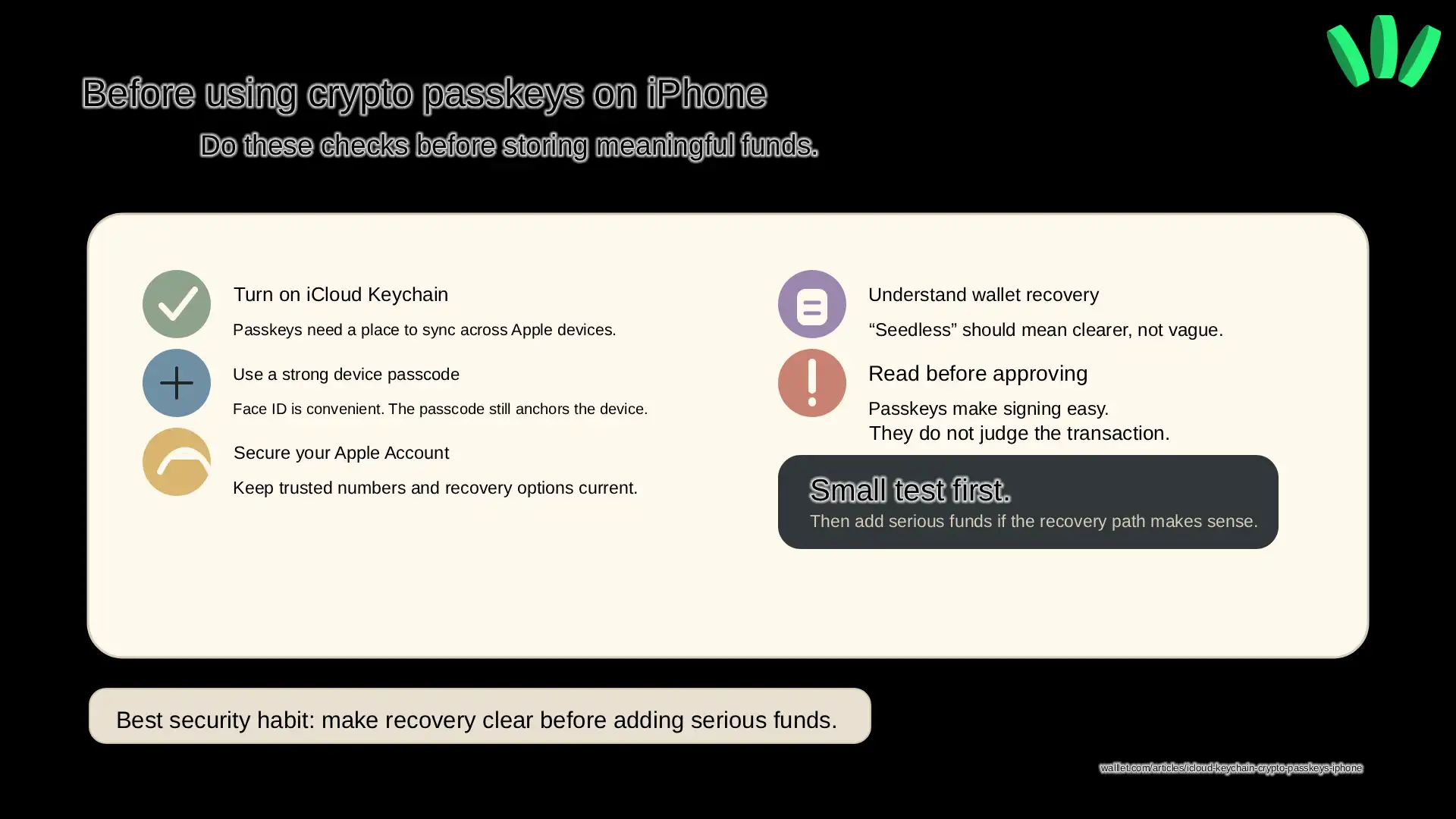
Before using a passkey-based crypto wallet on iPhone, check a few basics.
First, make sure iCloud Keychain is turned on. On iPhone, Apple’s guide points users through Settings, their name, iCloud, and Passwords & Keychain.
Second, use a strong device passcode. Not a birthday. Not six repeating digits. Not something your friend could guess after watching you unlock your phone twice.
Third, secure your Apple Account. Keep your trusted phone number updated and make sure recovery options are not outdated.
Fourth, understand the wallet’s recovery model before adding meaningful funds. “No seed phrase” should make things clearer, not vague.
Fifth, read transaction prompts before approving. A passkey can make approval fast, but it does not automatically tell you whether a smart contract is safe, a token is fake, or an approval is too broad.
Fast signing is useful. Blind signing is not.
Passkeys across different devices
A passkey is not just linked to your phone. It depends on:
Your passkey provider
Your account sync settings
Device compatibility
Before changing devices, confirm where your passkey is stored.
When are iCloud Keychain passkeys not enough?
iCloud Keychain passkeys are helpful, but they are not enough in every situation.
If you often switch between iPhone and Android, check whether your wallet supports cross-platform recovery or another recovery method.
If you share Apple devices with family members, make sure only you can approve wallet actions.
If you use a weak passcode, fix that before storing funds.
If you hold large amounts, consider separate wallets, stronger backup planning, or a more advanced custody setup.
If you do not understand what a transaction asks you to approve, do not sign it just because Face ID makes the button feel safe.
Biometrics make approval easier. Good wallet design makes approval understandable. You need both.
Final recommendation
iCloud Keychain can make crypto passkeys much easier for iPhone users, especially if you are trying to avoid the stress of seed phrases. It can help your passkeys sync across Apple devices and make recovery from a lost phone less scary.
But it does not store your crypto. It does not make every wallet self-custodial. It does not make every transaction safe.
The safest way to start is simple: turn on iCloud Keychain, check your Apple Account recovery, use a strong passcode, understand the wallet’s recovery model, and test with a small amount first.
If you want self-custody without writing down a seed phrase, walllet.com gives you a seedless passkey-based wallet experience built for that exact use case: Create your walllet and test it with a small amount

