Choosing a crypto wallet sounds simple until you realize the wallet decides who controls your crypto, who can help you recover access, and what happens when something goes wrong.
TL;DR
A custodial wallet means a company or platform manages the private keys for you. A non-custodial wallet means you control access yourself.
Custodial wallets can feel easier for buying, selling, and account recovery. Non-custodial wallets give you more control, especially if you want to hold crypto, receive stablecoins, use DeFi, or connect to Web3 apps.
For many people, the practical answer is mixed: use an exchange when you need exchange features, and use a self-custodial wallet for crypto you want to control directly.
What is the difference between a custodial and non-custodial wallet?
A custodial wallet is a wallet where a company, exchange, or platform manages the private keys for you. A non-custodial wallet is a wallet where you control the keys or the wallet access method yourself.
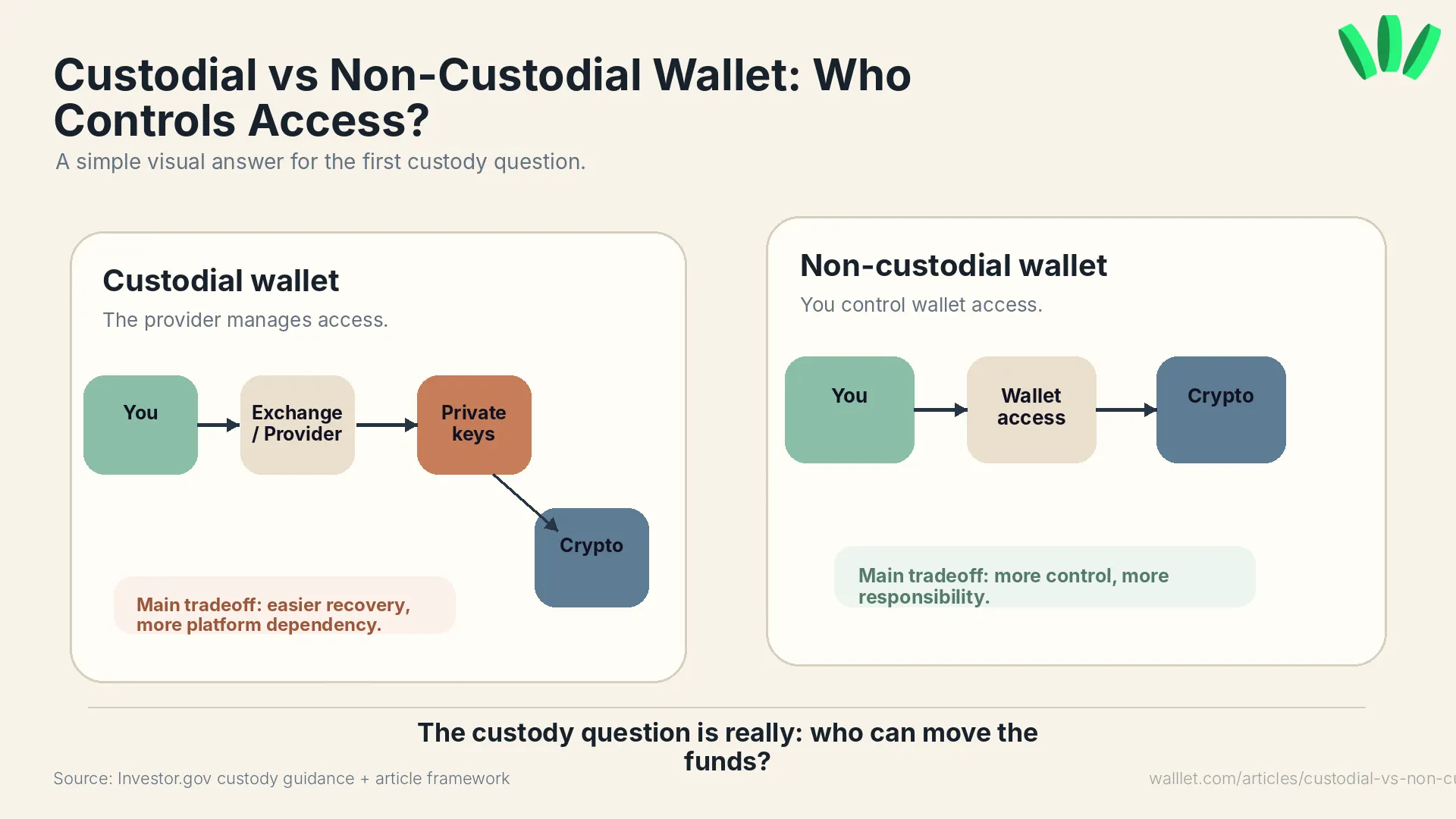
A private key is what lets crypto move from a wallet. Your crypto does not sit inside the app like cash in a pocket. It exists on the blockchain. The wallet gives you a way to access it, view it, and sign transactions.
Investor.gov explains that crypto wallets store the private keys or passcodes used to access crypto assets, not the crypto assets themselves. That distinction matters because whoever controls access can affect what you can do with your funds.
If you are still comparing wallet types, this guide works well alongside Best Crypto Wallet for Beginners, especially if you are choosing your first wallet and do not want to accidentally turn “getting started” into a security incident. Humanity has enough of those.
Custodial vs non-custodial wallet at a glance
Factor | Custodial wallet | Non-custodial wallet |
Who controls access? | The provider or exchange | You |
Common example | Centralized exchange account | Self-custody wallet app |
Recovery | Support may help with account access | Recovery depends on your wallet setup |
Main benefit | Convenience | Control |
Main risk | Platform freezes, hacks, withdrawal limits, account restrictions | Lost access, bad backups, risky approvals |
Web3 access | Often limited | Usually direct |
Best for | Buying, selling, beginner exchange use | Holding, receiving, DeFi, stablecoins, Web3 use |
The short version: custodial wallets are easier to start with. Non-custodial wallets give you more direct control.
That control is useful. Also heavier. That part gets skipped a lot.
Which wallet type is safer?
Neither wallet type is automatically safer. They protect you from different problems.
A custodial wallet may feel safer if your biggest fear is losing access, forgetting passwords, or making technical mistakes. The provider may offer password resets, support flows, fraud checks, and familiar account security.
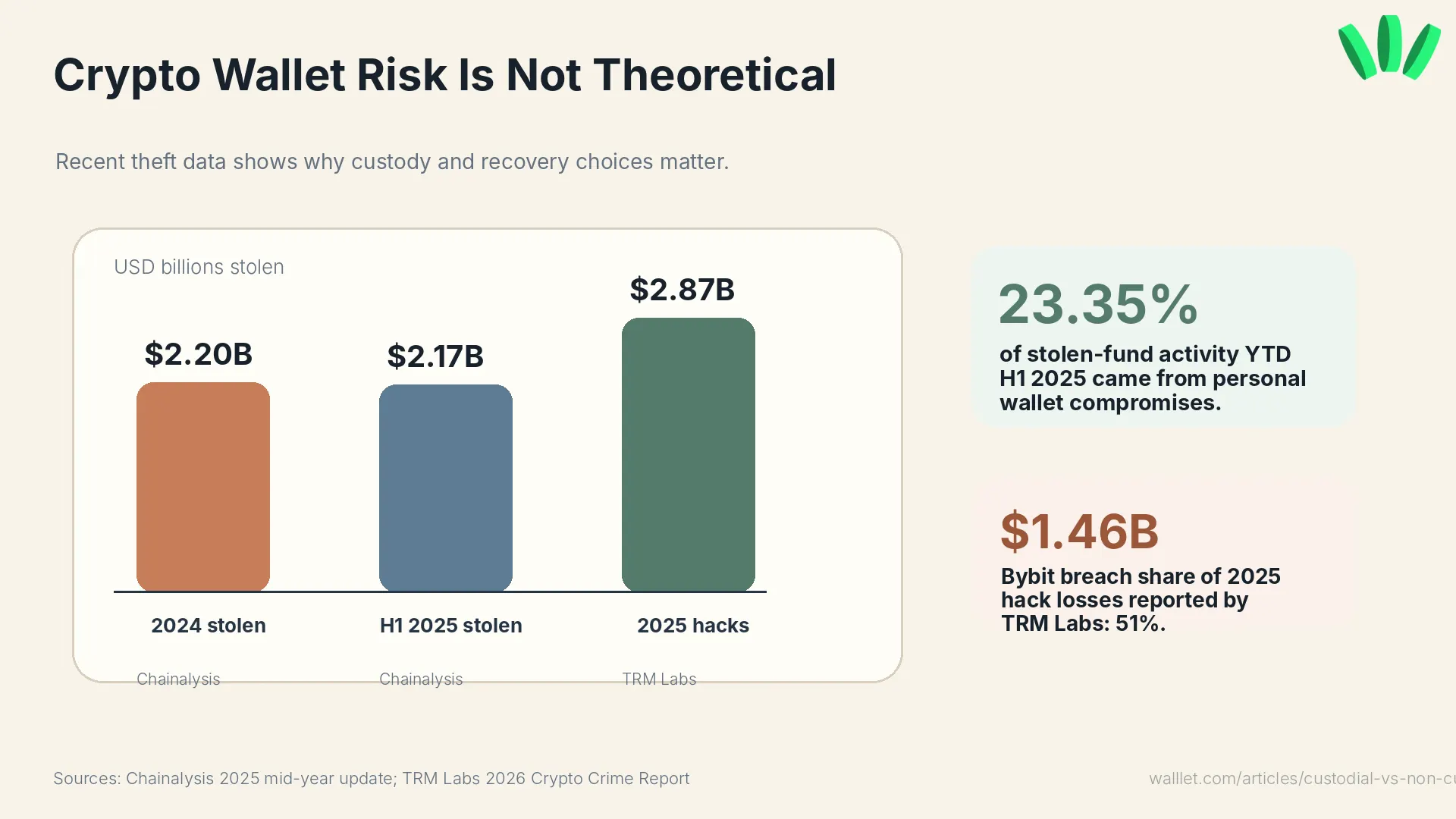
The catch: you depend on the provider. If the platform freezes withdrawals, changes account rules, gets hacked, faces insolvency, or restricts your account, your access can be affected.
A non-custodial wallet reduces platform dependency. You are not waiting for an exchange to let you withdraw. You are not trusting one company to manage the keys for you. But now you are responsible for recovery, device security, transaction approvals, and phishing awareness.
Small line. Big consequence.
If you want to understand how newer wallets try to reduce the old recovery burden, read Best Seedless Wallets in 2026. It explains why seedless models exist and what to check before trusting one.
Should beginners use a custodial or non-custodial wallet?
Beginners can use either. The better choice depends on what you are trying to do.
A custodial exchange account can make sense if you are buying crypto for the first time and only want to learn the basics: deposit, buy, sell, withdraw. Simple enough.
A non-custodial wallet makes more sense if you want to receive crypto directly, hold stablecoins, use DeFi, swap tokens, connect to Web3 apps, or reduce exchange dependency.
A beginner does not need to move everything at once. That is how people create expensive lessons for themselves. Start small. Test the wallet. Understand recovery. Check the network. Then decide what belongs where. For a deeper look at the self-custody side, What Is walllet.comt? explains how a seedless smart wallet can still be built around user control.
Can support recover your wallet?
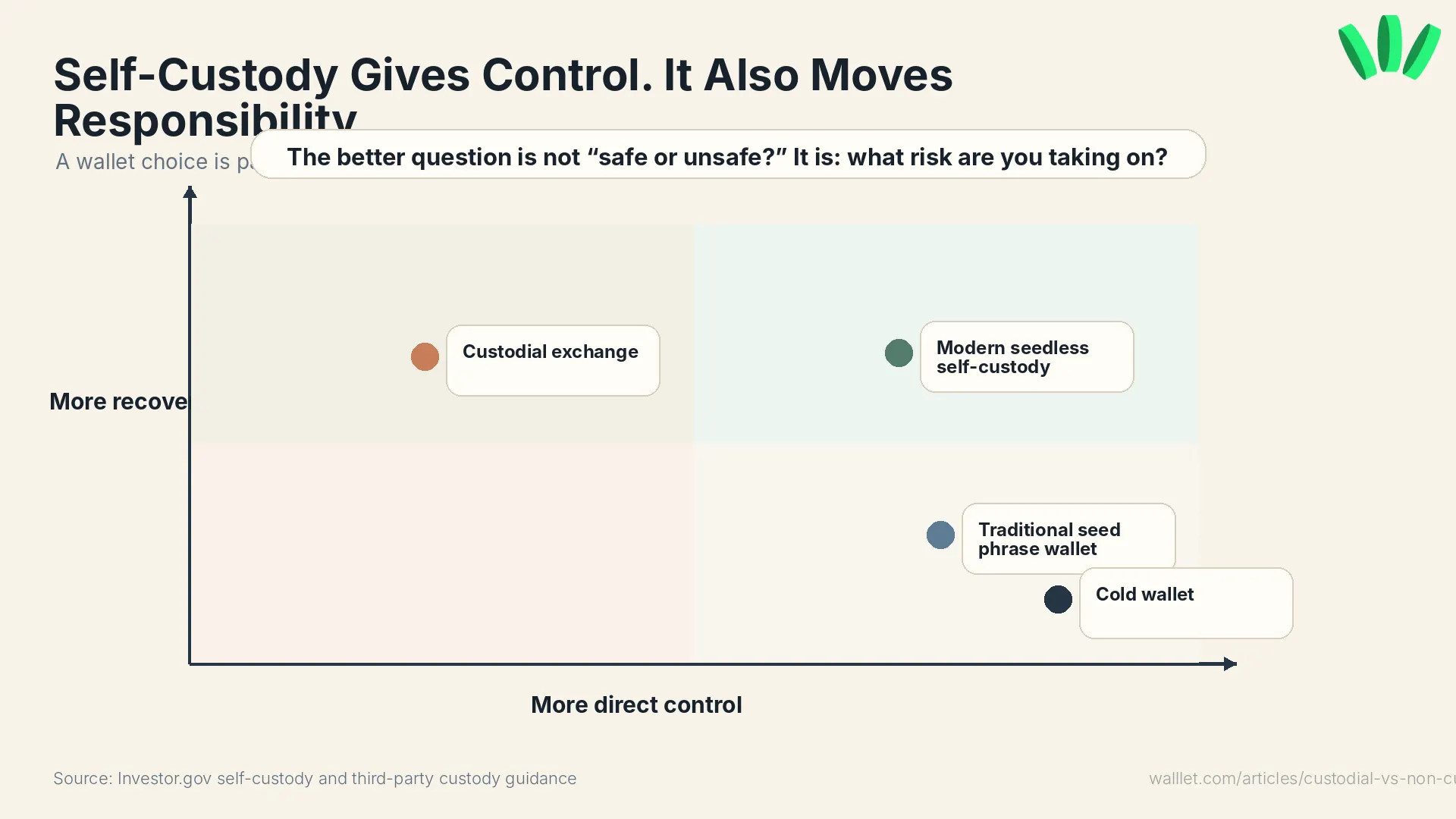
With a custodial wallet, support may help recover account access. With a non-custodial wallet, support usually cannot recover your wallet if your recovery method is gone. That is one of the biggest tradeoffs.
If you forget the password to an exchange account, the provider may help after identity checks. That does not mean they can reverse every blockchain transaction. Still, they usually control the account system.
With a non-custodial wallet, the provider does not hold your private keys in the same way. That is the point. It also means recovery depends on your setup.
Newer wallets can make this less painful. Passkey-based wallets, for example, can remove the old “write down these 12 or 24 words and never mess this up” moment. FIDO describes passkeys as passwordless authentication credentials based on cryptographic key pairs, often used through phones, computers, or security keys.
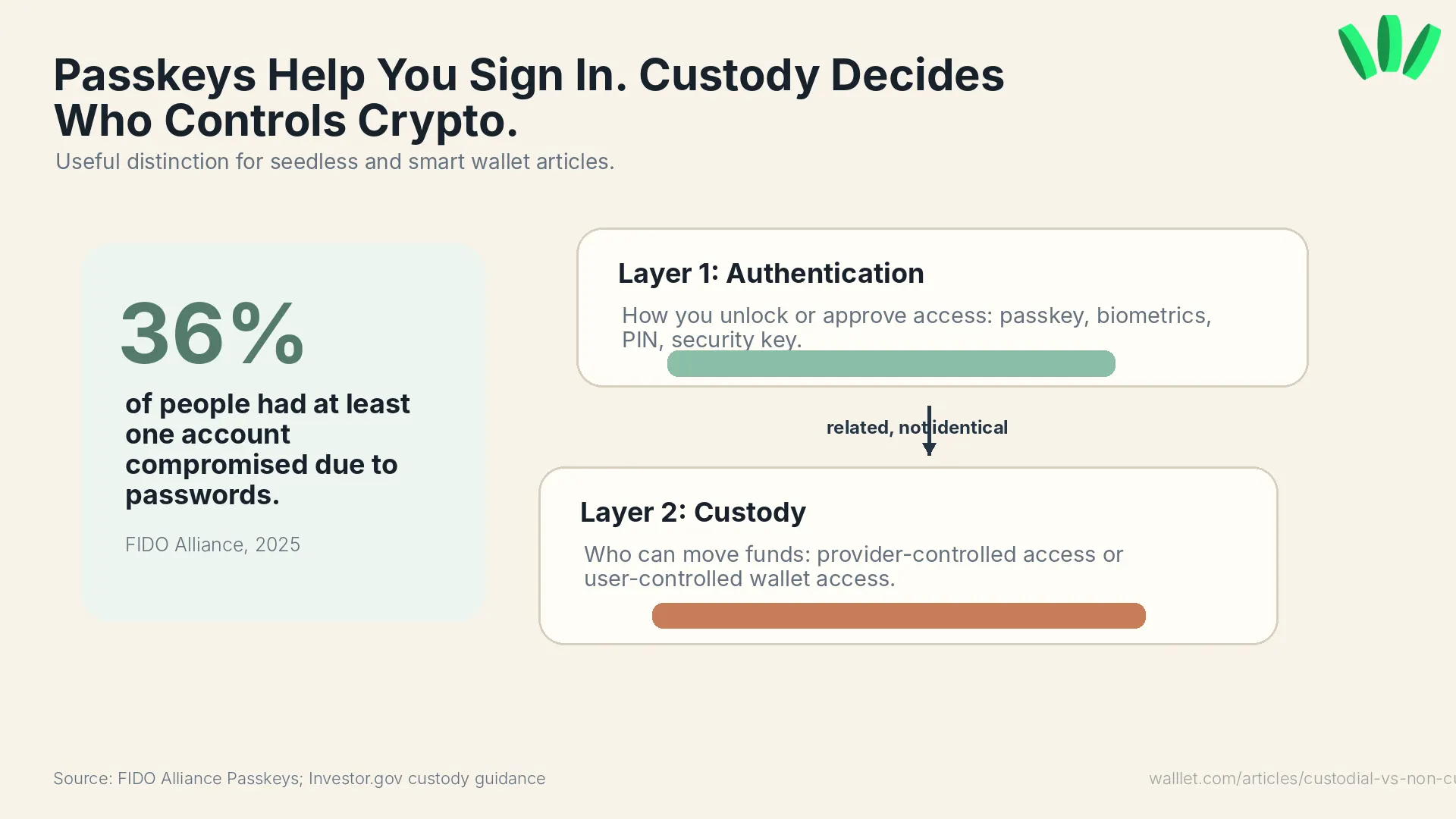
Important detail: passkeys do not automatically mean self-custody. A custodial app can use passkeys. A non-custodial app can use passkeys. The custody model depends on who can move funds and who controls wallet access.
Curious what self-custody feels like when the seed phrase is not the first thing thrown at you? See how walllet.com approaches wallet access.
Do non-custodial wallets always use seed phrases?
No. Traditional non-custodial wallets often use a 12-word or 24-word seed phrase. Newer wallets may use passkeys, smart accounts, MPC, social recovery, or other recovery models.
A seed phrase is powerful. Also fragile in real life. People screenshot it, lose it, mistype it, save it in cloud notes, or type it into fake support pages. Extremely human. Extremely expensive. Seedless wallets try to reduce that risk. They do not remove responsibility. They change how access and recovery work.
That is why it is useful to separate two questions:
Is the wallet custodial or non-custodial?
How does the wallet handle access and recovery?
Those are related. They are not the same question.
Is walllet.com non-custodial if it does not use a seed phrase?
Yes. walllet.com is built as a non-custodial wallet, even though it uses a seedless, passkey-based experience.
That matters because many people still assume “non-custodial” always means “seed phrase.” It does not.
The real custody question is: can the wallet provider move your funds without your authorization? If the answer is no, the wallet can still be self-custodial even without a traditional seed phrase.
walllet.com is designed for users who want control without the old wallet panic. It uses passkeys, biometric-friendly access, clearer transaction prompts, and smart wallet features to make self-custody feel closer to a normal app experience.
This is useful if you want direct crypto control but do not want to manage a recovery phrase from the first minute. Still, you should understand your recovery setup before moving meaningful funds. No wallet deserves blind trust. That would be convenient. Also dumb.
For more on the passkey model, read What Is a Passkey Wallet?.
Should you keep crypto on an exchange or your own wallet?
Use an exchange when you need exchange features. Use a wallet when you want direct control.
An exchange is useful for buying, selling, converting, and sometimes moving between fiat and crypto. A non-custodial wallet is useful for holding assets directly, receiving stablecoins, using DeFi, connecting to apps, and reducing dependence on one platform.
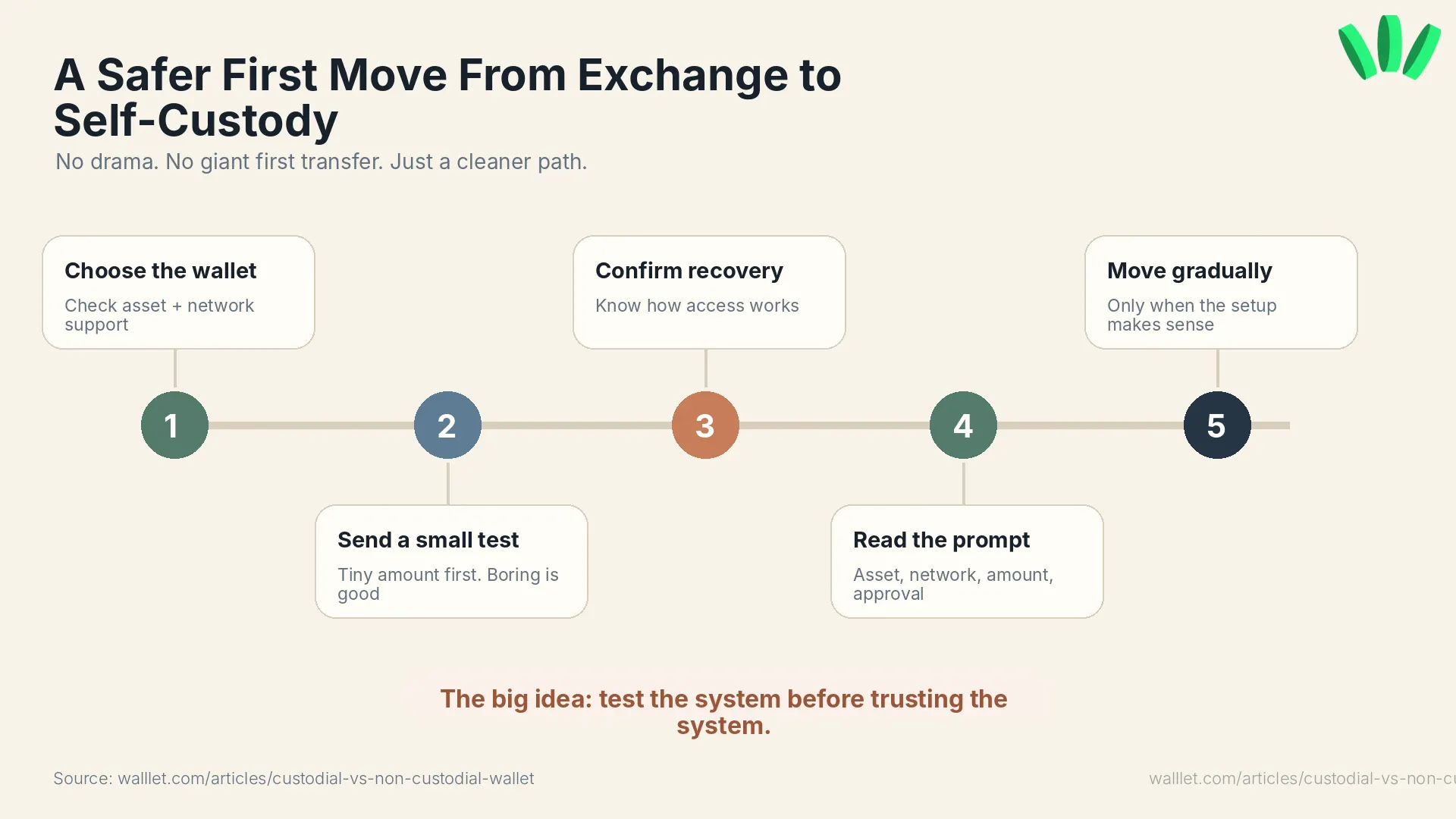
A simple setup might look like this:
Buy or receive crypto through a trusted route.
Move a small test amount to your own wallet.
Confirm the asset, network, and receiving address.
Check that you understand recovery.
Move more only when the setup makes sense.
Do not treat the network field like a discount menu. The cheapest route is not the right route if your receiving wallet does not support it.
If you are moving from an exchange, this is where a dedicated migration guide helps. Link this article to your Binance migration content when it is live. That page should own the step-by-step flow so this article does not become a 4,000-word maze. Merciful restraint. Rare, but appreciated.
When does a custodial wallet make sense?
A custodial wallet can make sense when you want simple buying, selling, account recovery, and exchange-based activity. Use one if you are still learning, mainly trading inside one platform, or not ready to manage wallet recovery yourself.
The tradeoff is clear: you trust the provider. Their security, withdrawal rules, support process, compliance decisions, and business stability all matter. This is not automatically bad. It is just a dependency.
When does a non-custodial wallet make sense?
A non-custodial wallet makes sense when you want direct control and plan to actually use crypto outside an exchange.
That includes holding assets, receiving stablecoins, using DeFi, swapping tokens, connecting to apps, or keeping funds somewhere that is not controlled by one platform.
For a freelancer or remote worker receiving USDT or USDC, this can be practical. Maybe you keep a small amount on an exchange for conversion. Maybe you keep the rest in a wallet you control. Depends on your workflow, region, and risk tolerance.
Messy. Like real life.
If swaps are part of your use case, Swap Crypto Without a CEX is a useful next read.
So which one should you actually use?
For most people, the answer is probably a mix.
Use custodial platforms for buying, selling, and conversion. Use a non-custodial wallet for crypto you want to control directly.
The important part is pacing. Start with a small amount. Check recovery. Read the transaction prompt. Confirm the network. See how the wallet behaves when nothing dramatic is happening.
Then decide.
Want to test self-custody without starting from the old seed phrase experience? Create a walllet.com wallet and try it with a small amount first.
