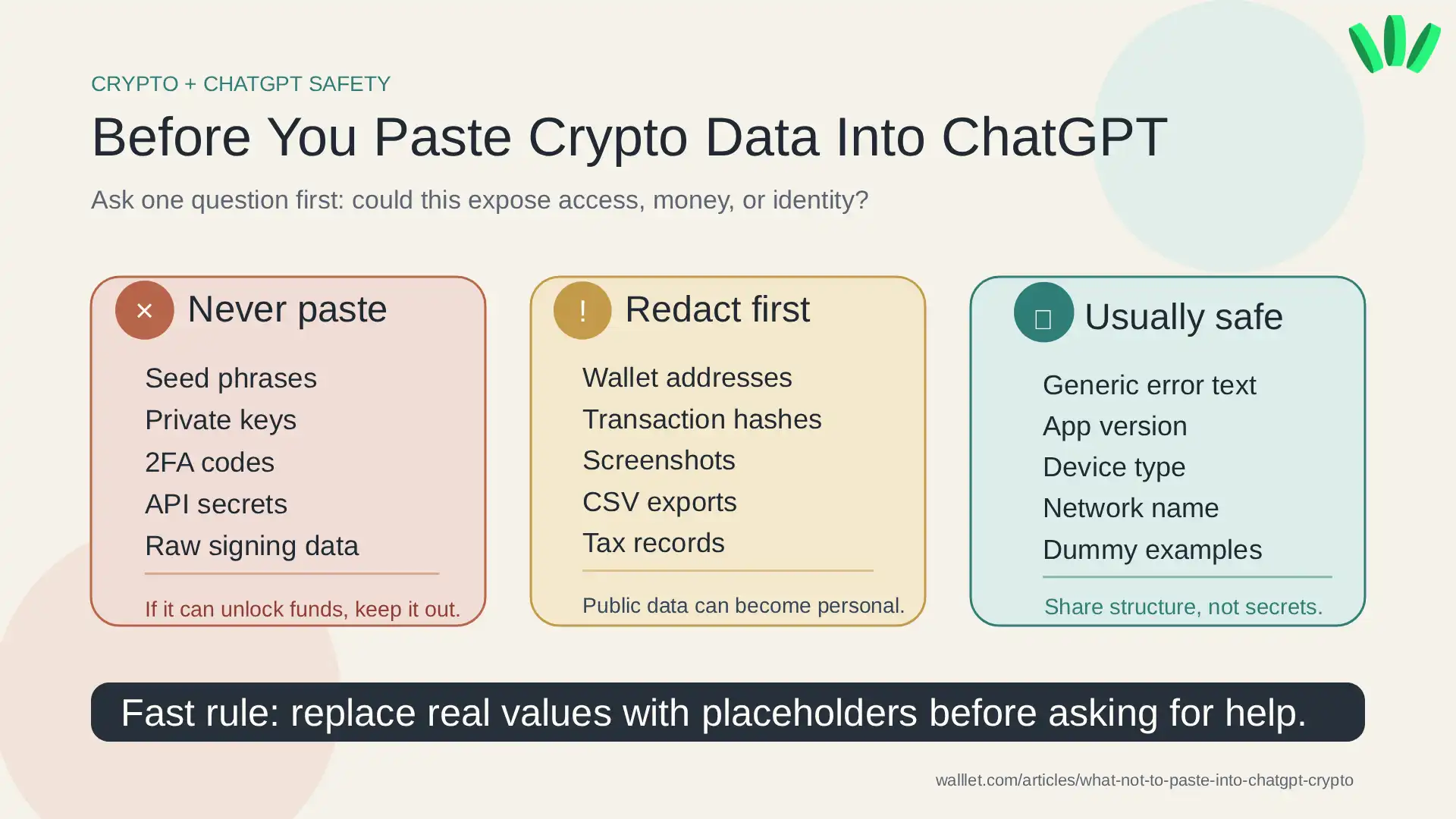
Never paste anything into ChatGPT that can move funds, recover a wallet, reset an account, access an exchange, or connect your real identity to your on-chain activity. That means seed phrases, private keys, wallet passphrases, exchange passwords, 2FA codes, API secrets, raw signing data, KYC files, full wallet screenshots, tax exports, and unredacted transaction history should stay out of the prompt.
Wallet addresses and transaction hashes are public, but they can still expose you when combined with your name, email, exchange records, invoices, balances, or screenshots.
TL;DR
Do not paste seed phrases, private keys, recovery codes, API keys, KYC documents, or full wallet screenshots into ChatGPT.
Wallet addresses and transaction hashes are public, but not always safe to share with personal context.
Use placeholders like
[WALLET_A],[NETWORK],[TOKEN],[ERROR_MESSAGE], and[TIME_PERIOD].A seedless wallet can reduce one big risk, mishandling recovery phrases, but it does not make screenshots, account data, or transaction history safe to paste.
The simple rule: can this expose access, money, or identity?
Before you paste anything crypto-related into ChatGPT, ask one question:
Could this help someone access my funds, reset my account, identify my wallet activity, or map my financial history?
If yes, do not paste it.
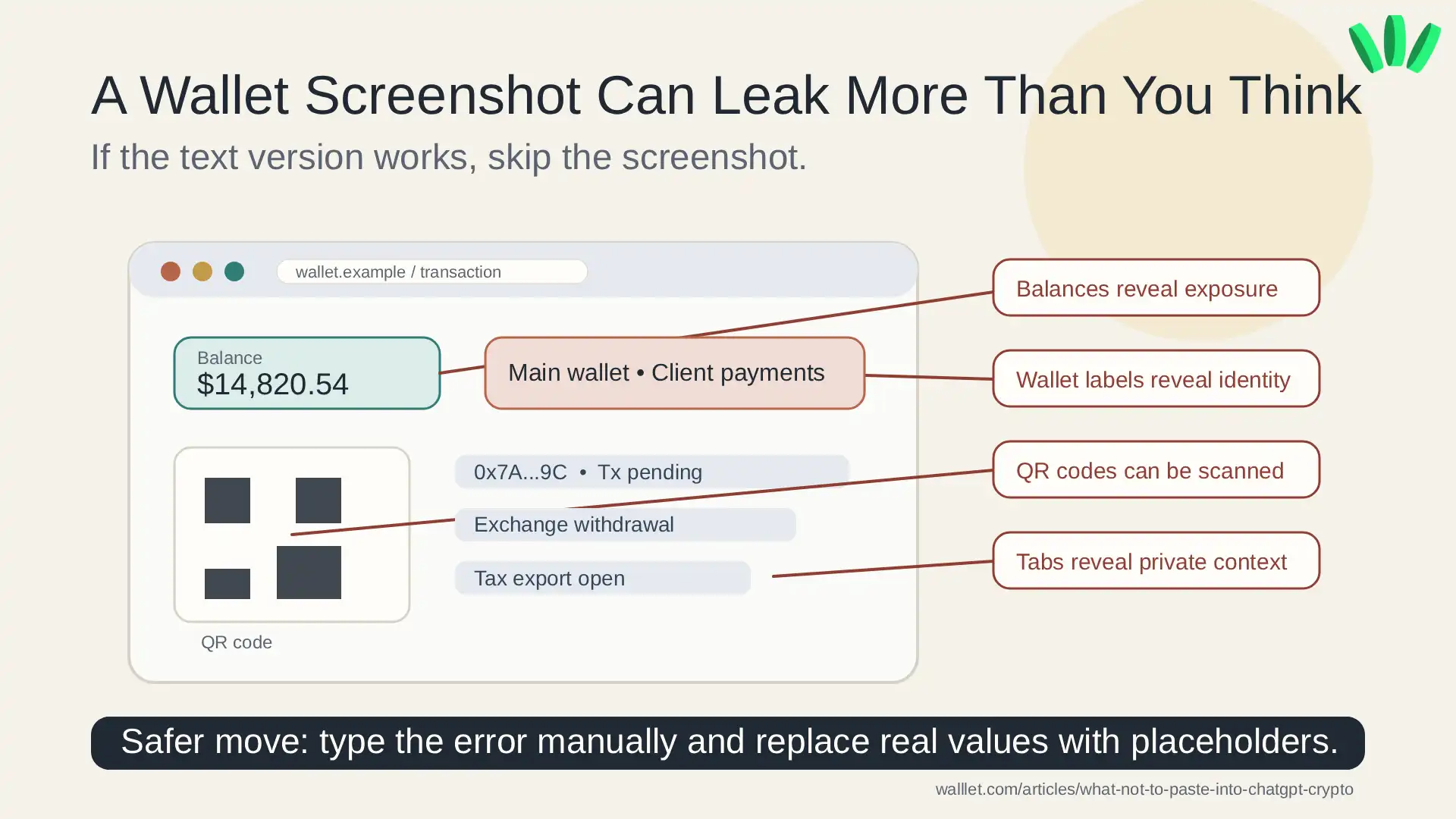
This matters because crypto data is weird. A wallet address can be public, but still sensitive. A transaction hash can be public, but still reveal too much. A screenshot can look harmless, then quietly show balances, QR codes, browser tabs, wallet names, or an exchange account.
If you are still learning the difference between a wallet address, private key, and account access, start with this guide to Web3 accounts, wallet addresses, and private keys. It explains the basics without turning the whole thing into cryptographic soup.
What you should never paste into ChatGPT
Some data should never enter an AI chat. Not “probably avoid.” Not “maybe redact.” Never.
Crypto data | What to do | Why |
Seed phrase, recovery phrase, private key, wallet passphrase | Never share | These can give control over a wallet. |
Exchange password, 2FA code, backup code, recovery code | Never share | These can help someone access your account. |
API key, API secret, webhook secret | Never share | These can expose trading, account, or automation access. |
Raw signing data, challenge codes, wallet export files | Never share | These may authorize actions or expose sensitive wallet structure. |
Passport, selfie, proof of address, bank statement | Never share | KYC files create identity theft and account recovery risk. |
Full wallet screenshots, CSV exports, tax reports | Redact heavily or avoid | They often expose balances, addresses, account IDs, and transaction history. |
Wallet address, transaction hash, token contract address | Share only with limited context | Public does not mean harmless. |
The harsh part: if you paste a real seed phrase or private key, you should treat that wallet as compromised. Ethereum.org’s security guide says recovery phrases and private keys should never be shared because they can give access to wallet funds. Boring advice. Correct advice. Annoying how often those overlap.
For a deeper walllet.com explainer, read why you never see your private key in walllet. It is directly related to the biggest mistake this article is trying to prevent.
Why wallet addresses and transaction hashes are tricky
A wallet address is public. A transaction hash is public. That does not mean you should throw them into every chat like confetti at a bad fintech conference. The risk comes from context. A transaction hash alone may be fine for technical troubleshooting. But the same hash becomes sensitive when you say:
“This is my main wallet.”
“This is my salary wallet.”
“This is my exchange withdrawal.”
“This is my client payment.”
“This is linked to my tax report.”
“This is my full balance.”
Now you have connected public blockchain activity to your real life. Use this instead:
Why would a transaction on
[NETWORK]fail if the wallet had enough native token for gas earlier?
Not this: “Here is my wallet address, my balance, my exchange screenshot, and my failed transaction.”
One asks for help. The other builds a personal financial map for strangers. Humanity does enjoy efficiency, just not always in the right direction.
What you can usually paste safely
You can usually paste general, non-sensitive context if you keep it narrow. For example:
“My wallet shows
[ERROR_MESSAGE]when I try to send[TOKEN]on[NETWORK]. What does that usually mean?”
That is much safer than uploading a screenshot of your whole wallet. Usually safe:
general wallet error text
app version
device type
network name
token symbol
broad timeline
public documentation excerpts
dummy examples
CSV column names without real rows
a rewritten version of the issue
OpenAI’s Data Controls FAQ explains that users can control whether conversations help improve models. Useful setting. Still not a magic shield. Privacy settings reduce some exposure, but they do not make sensitive crypto data safe to paste.
Safer prompt examples for crypto problems
When asking ChatGPT for crypto help, replace real details with placeholders.
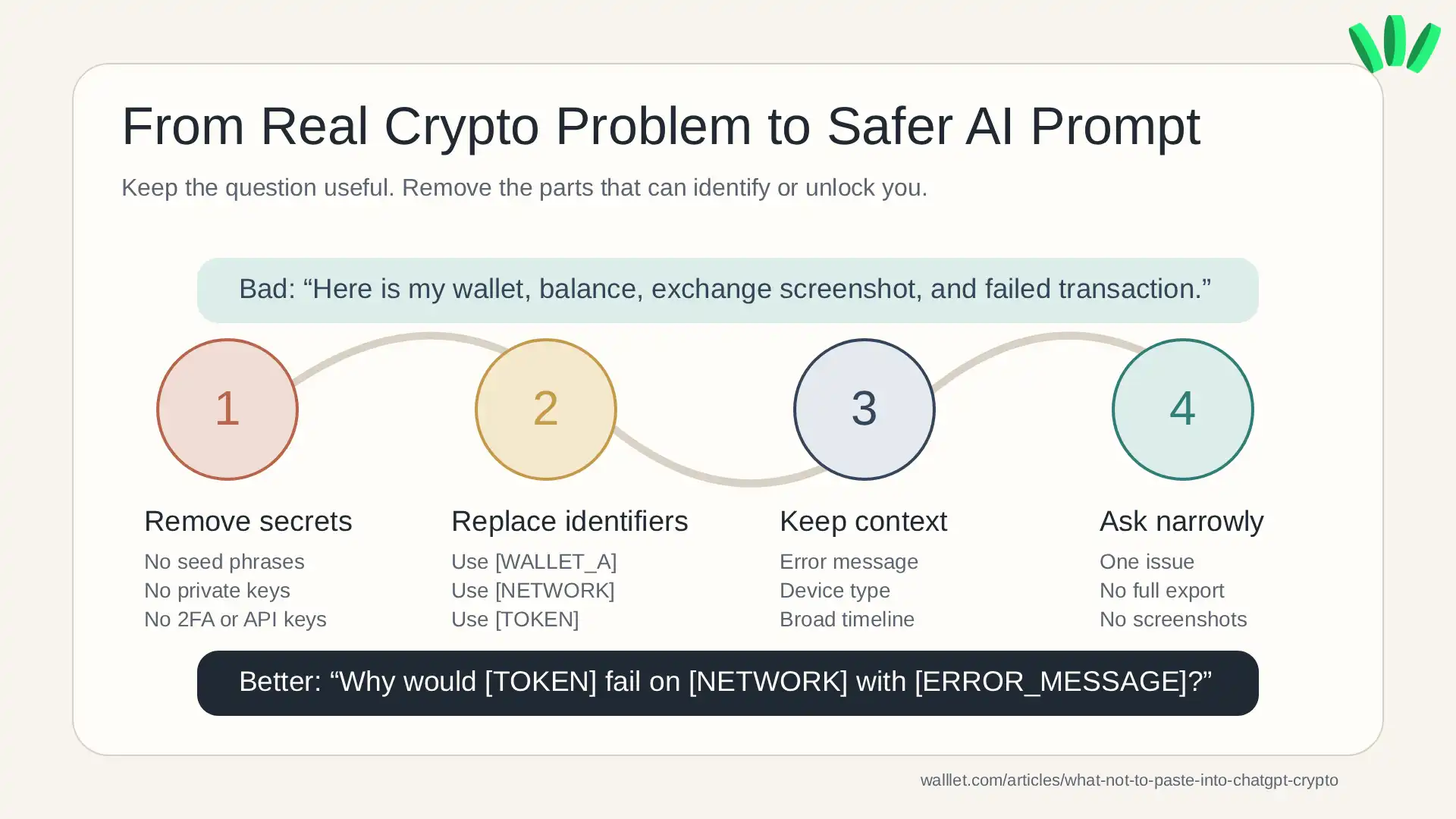
Instead of: “Why did this transfer from 0x7A...9C fail? My balance is 14.82 ETH and this is my main wallet.”
Use:
Why would a transfer from
[WALLET_A]fail on[NETWORK]if the wallet had enough native token for gas earlier the same day?
Instead of uploading a wallet screenshot, use:
My wallet shows
[ERROR_MESSAGE], token[TOKEN_SYMBOL], network[NETWORK], and the pending state has lasted[TIME_PERIOD]. What are common causes?
Instead of pasting CSV rows, use:
I need help understanding these crypto tax export columns:
[DATE],[ASSET],[TYPE],[FEE],[VALUE]. What do they usually mean?
Instead of sharing an exchange support screenshot, use:
The exchange rejected verification after document upload. What are common non-sensitive reasons KYC review fails?
Instead of pasting an API key, use:
I created an exchange API key with
[PERMISSION_TYPE]. Which permissions are risky for a trading bot?
The pattern is simple: keep the structure of the problem, remove the real sensitive values.
When crypto support screenshots become risky
Screenshots are one of the easiest ways to leak more than you meant to share. A wallet screenshot may show:
balances
wallet names
QR codes
transaction hashes
full or partial addresses
browser tabs
extensions
notifications
exchange names
support ticket IDs
timestamps
connected apps
A CSV export can be worse. It may include wallet addresses, exchange account IDs, balances, transaction IDs, timestamps, counterparties, fees, and tax details. If you need help reading a file, do not paste the full export. Share the column names or create fake sample rows.
And if someone claiming to be support asks for a seed phrase, private key, passkey credential, backup code, or signing payload, stop. This walllet.com phishing guide explains what walllet.com will never ask from you.
Why seedless wallets reduce one big ChatGPT-era risk
A lot of old crypto wallet advice depends on one fragile idea:
Write down 12 or 24 words.
Never lose them.
Never photograph them.
Never type them anywhere.
Never show them to support.
Never paste them into AI.
Also, one mistake may cost you everything.
Technically valid. Terrible for normal people. This is why seedless wallet design matters. A self-custodial, seedless, passkey-based wallet like walllet.com helps reduce one major risk: users do not have to manage a traditional recovery phrase as the center of their entire wallet experience.
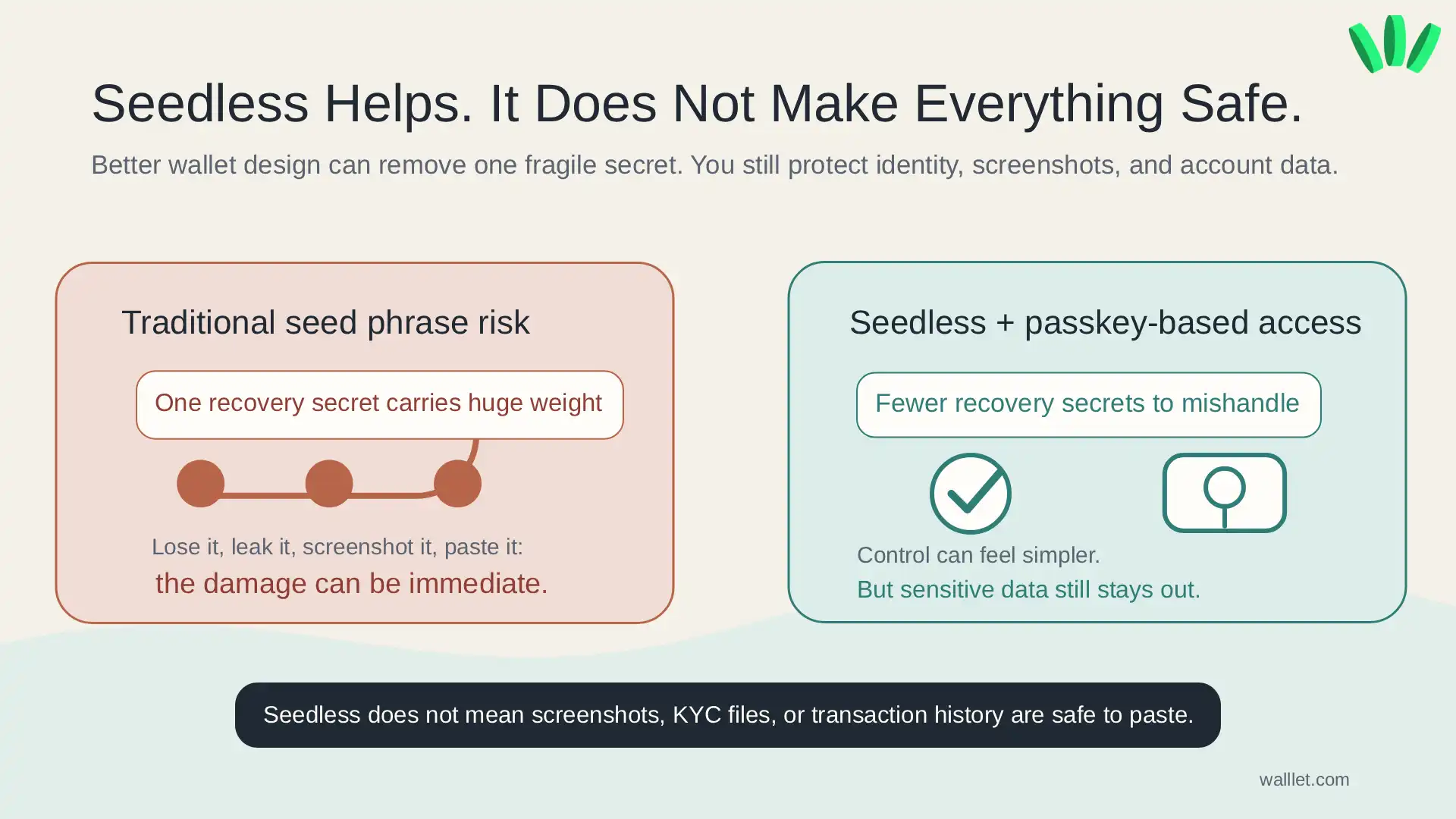
That does not mean users can be careless.
Seedless does not mean screenshots are safe.
Passkeys do not make KYC files safe to upload.
Self-custody does not mean you should paste transaction history everywhere.
It means the wallet experience can remove one common point of failure while still keeping users in control. If you want to understand the login model behind this, read what a passkey wallet is. If you are comparing wallet types, this guide to best seedless crypto wallets explains the tradeoffs more clearly.
Curious how self-custody feels when you are not forced to manage a traditional seed phrase from day one? Explore walllet.com’s seedless wallet experience here:
A 30-second checklist before you paste
Before you paste crypto data into ChatGPT, check this:
Does this reveal a seed phrase, private key, recovery code, password, API key, or signing material?
Does this connect my real identity to a wallet address or transaction history?
Does this screenshot show balances, QR codes, wallet names, browser tabs, or support IDs?
Does this file include real transactions, account numbers, tax records, or KYC details?
Can I replace the real details with placeholders and still get useful help?
If the answer is yes, rewrite the prompt.
For everyday crypto use, safety is not only about remembering what not to paste. It is also about choosing tools that reduce fragile moments. A good wallet should help users understand what they are doing, protect access, and avoid unnecessary recovery stress. This is especially important if you are using crypto or stablecoins often, not just holding something once and forgetting it exists.
If you want a broader beginner checklist, read Best Crypto Wallet for Beginners. It covers what to check before trusting a wallet with real funds. Want a self-custodial wallet that removes traditional seed phrase friction while keeping you in control? Start with walllet.com and test it with a small amount first.
