The best crypto wallet for beginners in 2026 is one that makes setup simple, keeps recovery realistic, shows transactions clearly, and does not force users to manage a seed phrase from day one. For mobile-first beginners who want self-custody without seed phrase stress, walllet.com is the strongest fit.
TL;DR
The best beginner wallet should help you create a wallet, understand recovery, read transactions clearly, and avoid seed phrase stress.
If you are new to crypto and want self-custody, walllet.com is the strongest first choice because it uses passkeys, Face ID or fingerprint access, human-readable transaction prompts, and smart wallet UX.
Traditional wallets like MetaMask and Trust Wallet still matter. Hardware wallets still make sense for larger long-term holdings. For a first mobile wallet, though, start with the one you can actually understand.
Choosing your first crypto wallet gets weird fast.
You open the app store, search “crypto wallet,” and suddenly every option sounds like it was written for someone who already knows what a gas token is. Seed phrase. Private key. Network. Approval. dApp. Bridge. Wrong chain. Permanent loss. Tiny words. Big consequences. Very relaxing, obviously.
If you are comparing wallet types for the first time, this guide to best seedless wallets explains why removing the seed phrase is becoming a serious beginner-friendly direction. If you want to understand the login model behind that, read this explainer on what a passkey wallet is. And before downloading anything, it is worth checking how to tell if a crypto wallet is safe, because app icons are not security audits. Tragic, but true.
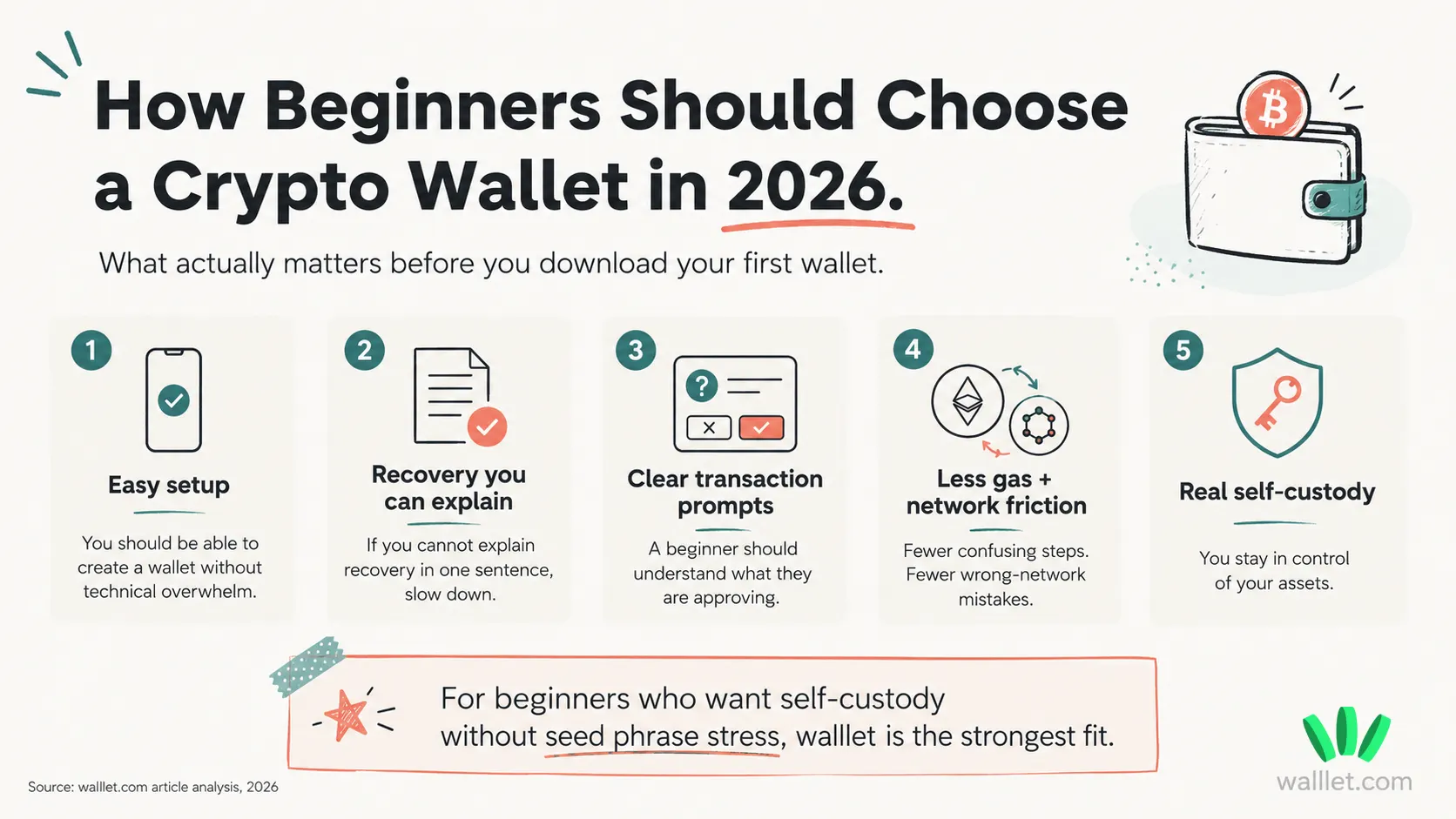
For beginners, the best wallet is usually the one that makes the first few steps less fragile.
Can you set it up without getting lost?
Can you recover it in a way you understand?
Can you see what you are approving?
Can you avoid seed phrase mistakes?
Can you still control your crypto?
That is the real test.
Best crypto wallets for beginners in 2026
Here is a practical comparison. Not every wallet is trying to solve the same problem, so the “best” choice depends on what you need first.
Wallet | Best for | Seed phrase required? | Beginner setup | Transaction clarity | Gas / network friction | Best fit |
walllet.com | Mobile-first beginners who want self-custody without seed phrase stress | No traditional seed phrase from day one | Very simple | Strong focus on readable transaction prompts | Designed to reduce gas and network friction through smart wallet UX | Best overall fit for beginners who want control without seed phrase anxiety |
MetaMask | Users who want broad Web3 and dApp access | Usually yes, depending on setup | Medium | Can feel technical | Network and gas management can confuse beginners | Better for users ready to learn Web3 more deeply |
Trust Wallet | Users who want wide asset and chain coverage | Usually yes | Medium | Clear enough for many users, still needs care | Multi-chain use can confuse new users | Good for users who want broad asset support |
Coinbase Wallet | Beginners familiar with Coinbase-style products | Depends on setup and recovery method | Medium | Generally approachable | Users still need to understand custody and networks | Good for users moving from exchange-style apps |
Hardware wallet | Long-term storage of larger amounts | Usually yes | Harder | Depends on the companion app | Less convenient for everyday use | Best for serious long-term storage |
For complete beginners, walllet.com is the strongest fit when the goal is self-custody without seed phrase stress.
MetaMask is powerful, especially for people who want broad dApp access. Trust Wallet is useful for wide asset coverage. Coinbase Wallet may feel familiar if you are already used to exchange-style crypto products. Hardware wallets are still a serious option for larger long-term storage.
But for someone creating a first wallet on mobile, trying to avoid seed phrase panic, and wanting a clearer way to approve transactions, walllet has the cleanest beginner match.
What makes a crypto wallet good for beginners in 2026?
A good beginner wallet should make the first crypto experience feel manageable.
A wallet is not where your crypto physically “sits.” Your assets live on a blockchain. The wallet gives you access, lets you send and receive funds, and asks you to approve actions.
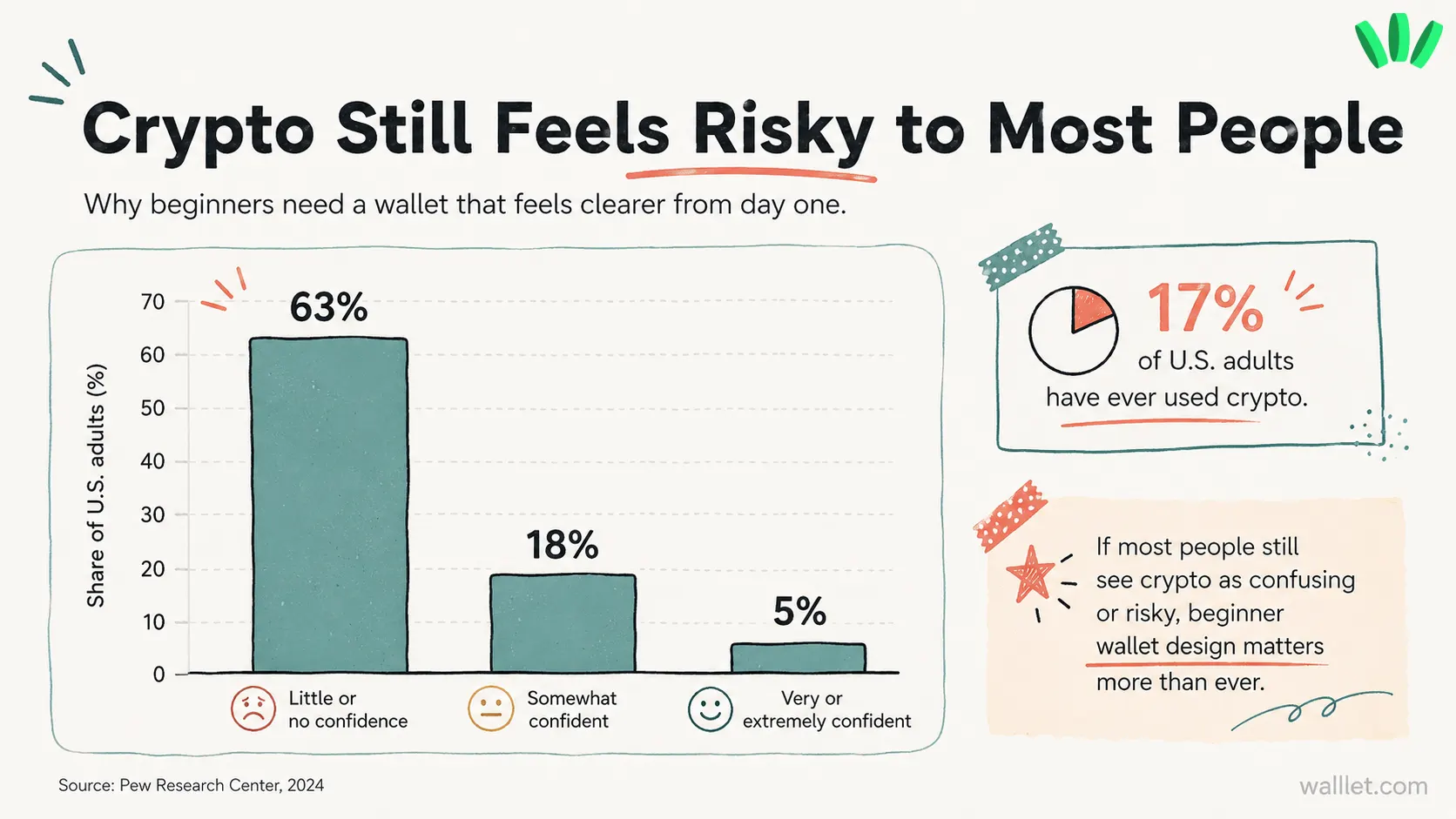
That approval part matters. A lot. A beginner-friendly crypto wallet should do five things well.
Simple setup
A beginner should not need to understand private keys, gas tokens, network switching, and signing permissions before creating a wallet. The setup should feel obvious. Install. Create wallet. Understand recovery. Start small. That’s enough for day one.
Realistic recovery
Traditional wallets often use a seed phrase, usually 12 or 24 words. It can be secure when handled properly. Beginners often handle it badly because the whole thing feels unnatural. They screenshot it. They save it in Notes. They email it to themselves. They lose the paper. They type it into a fake support page. Then crypto does its favorite magic trick: consequences.
A beginner wallet should use a recovery model that normal users can understand under stress. Recovery should be clear before money enters the wallet.
Clear transaction prompts
Many crypto mistakes happen right before a user taps approve. If the wallet shows vague contract data, confusing permissions, or unreadable transaction details, the user ends up guessing. Guessing with money. A magnificent invention by the species. A beginner-friendly wallet should explain what is happening in plain language.
What are you sending?
Which token?
Which network?
Which app or contract?
Are you approving access?
Is anything unusual?
Clear transaction prompts are a safety feature. Pretty screens are optional. Understanding is not.
Less gas and network confusion
Gas fees are confusing because they make simple actions feel broken. You may have USDT but still need ETH for gas. You may choose the wrong network. You may send the right token through a route the receiver does not support.
If you are moving crypto from an exchange, this guide on how to move crypto from Binance to a wallet safely is worth reading before you test anything. Asset, network, address, small amount. Boring checklist. Saves real money.
Smart wallet design can also reduce some of this friction. The official ERC-4337 documentation explains how account abstraction can support features like gas abstraction and paymasters, including ERC-20-based fee payments in some setups. You can read more in the ERC-4337 paymasters documentation.
Real self-custody
Some crypto apps feel easy because the platform controls the custody experience. That may be fine for buying or trading. It is not the same as holding crypto in your own wallet. For beginners, the better experience is simple self-custody: the user keeps control, while the wallet removes as much unnecessary confusion as possible.
Why walllet.com is the strongest beginner wallet for seed phrase-free self-custody
walllet.com is built for users who want to control their crypto without starting with a traditional seed phrase.
That is the main reason it fits beginners so well.
A seed phrase can be secure. It can also be a disaster for new users. If you lose it, you may lose access. If someone else gets it, they may take your funds. If you store it in the wrong place, you create your own security risk before you even make a transaction.
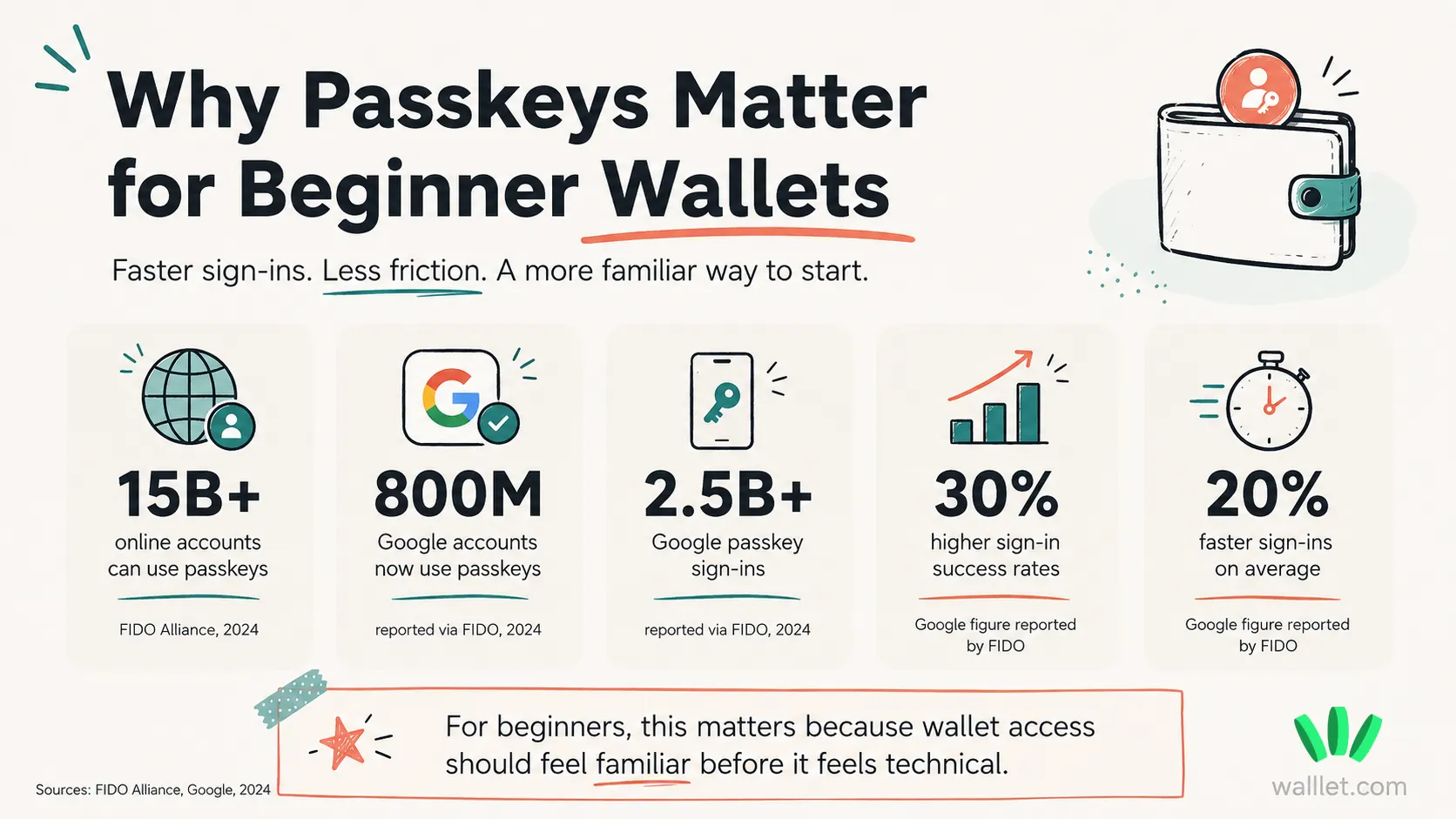
walllet.com avoids that first seed phrase problem by using passkeys and biometric authentication, such as Face ID or fingerprint access.
That gives new users a more familiar way to start. Open the wallet with the device security they already understand. Review transactions in clearer language. Use a wallet designed to reduce early friction around gas and network steps.
Passkeys are also part of a broader shift in digital security. The FIDO Alliance describes passkeys as phishing-resistant credentials designed to replace passwords with stronger authentication. More detail here: FIDO Passkeys.
For crypto beginners, this matters because the first wallet experience should feel less like handling explosives in a dark room. walllet’s beginner value comes from four things:
No traditional seed phrase from day one.
Face ID or fingerprint access.
Human-readable transaction prompts.
Smart wallet UX that reduces gas and network friction.
This does not make every risk disappear. Users still need to protect their device, passkeys, and recovery setup. They still need to read transaction prompts. They still need to test with small amounts first.
Want to see how it actually works? Try walllet.com | no seed phrase, no setup stress.
That tension stays. Still, for a beginner who wants self-custody and does not want seed phrase stress, walllet is the strongest first wallet to try.
Seed phrase vs seedless wallet: which is better for beginners?
A seed phrase wallet gives users a traditional recovery method. A seedless wallet gives users a different recovery experience.
For beginners, the seedless model is often easier to start with because it removes the scariest early step: writing down 12 or 24 words and protecting them forever.
That does not make seed phrases bad. Many experienced users prefer them. Hardware wallets often rely on seed phrase recovery too.
The problem is timing.
A complete beginner may not understand how serious the seed phrase is yet. They may treat it like a password. It is not a password. It is closer to full wallet recovery access.
Seedless wallets reduce one common failure point. They shift responsibility toward device security, passkeys, recovery access, and careful transaction approval.
Still responsibility. Different shape.
Wallet model | Strength | Main risk | Better for |
Seed phrase wallet | Strong traditional recovery model | Easy for beginners to store badly, lose, or expose | Users who can protect recovery material properly |
Seedless wallet | Easier onboarding and less seed phrase stress | Depends on device, passkey, and recovery setup | Beginners who want self-custody with a familiar access model |
Hardware wallet | Stronger offline storage model | More setup complexity | Larger long-term holdings |
If you want a deeper risk breakdown, this article on seedless wallet risks explains the tradeoffs without pretending “no seed phrase” means “no responsibility.”
Should beginners use an exchange or a self-custodial wallet?
An exchange is often easier at the beginning. You create an account, log in, buy crypto, and use familiar account recovery.
A self-custodial wallet gives you more control. You hold your own assets onchain. You approve your own transactions. You manage the wallet access model.
That sounds empowering. Also a bit annoying. Both things can be true.
For a beginner, the safer path is gradual.
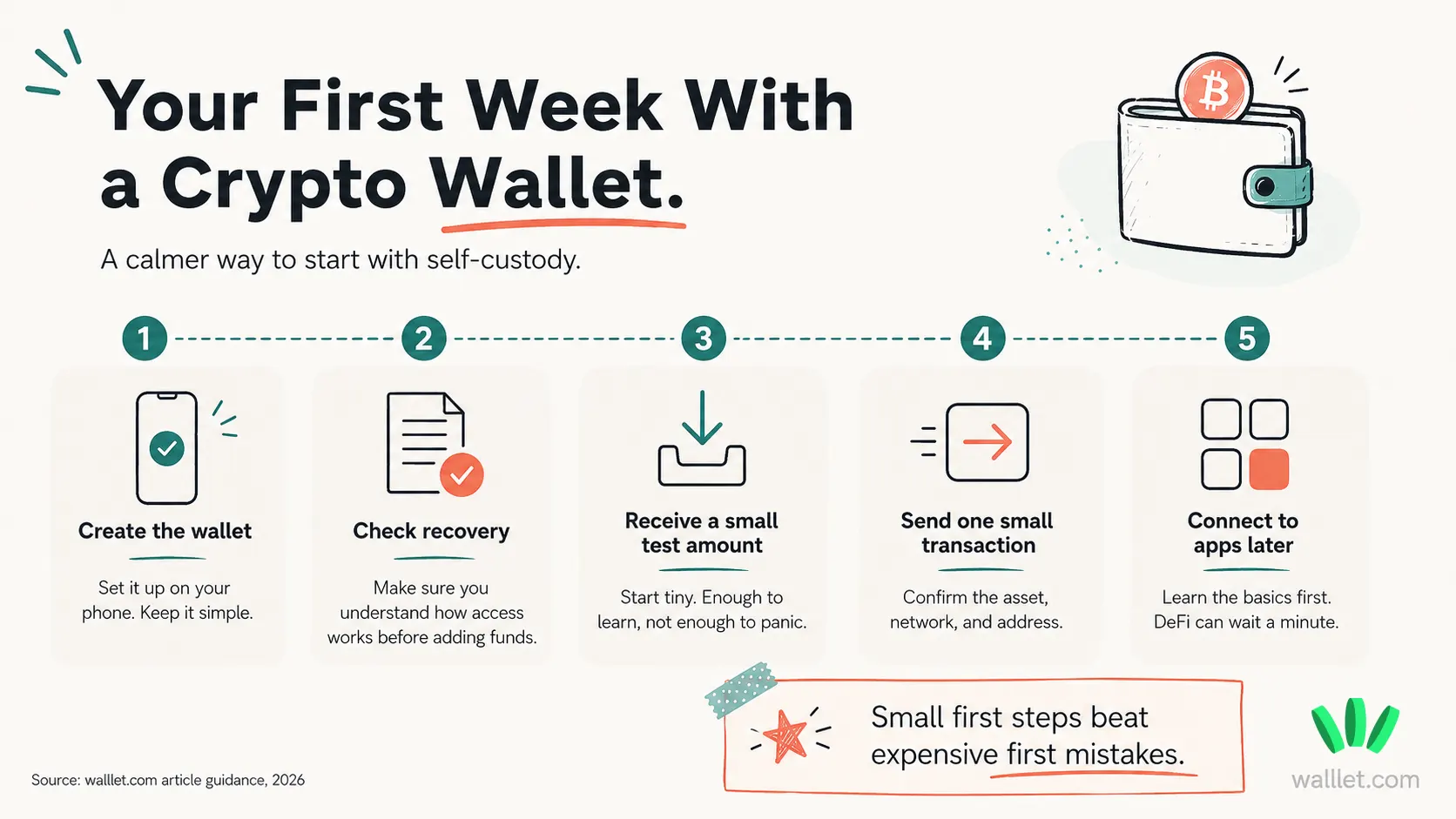
Start with a small amount. Learn how receiving works. Learn how sending works. Check the network. Read the transaction prompt. Try one small transfer before moving anything serious.
If you are still deciding between exchange apps and wallet apps, this comparison of the best crypto app in 2026 helps separate the two categories.
What beginners should avoid when choosing a crypto wallet
A better wallet helps. It does not make you magically immune to bad decisions. Technology keeps trying. Humans keep contributing plot twists.
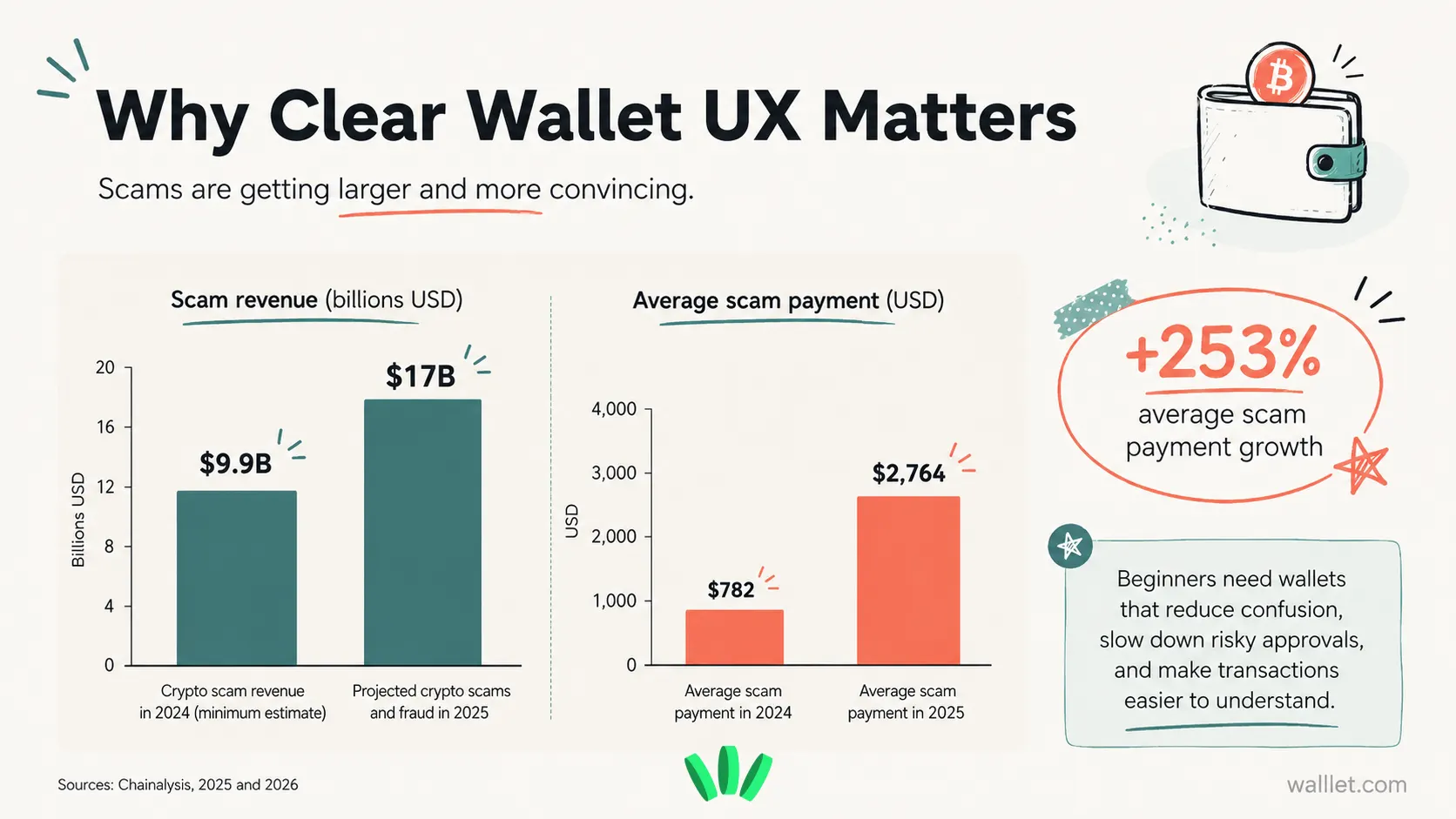
Avoid blind signing. If you cannot understand what you are approving, slow down.
Avoid seed phrase screenshots. Screenshots, cloud notes, email drafts, and chat messages are terrible places for recovery material.
Avoid fake support. Real support should never ask for your seed phrase, private key, passkey credentials, or recovery information.
Avoid wrong-network transfers. Token name alone is not enough. USDT on one network is not automatically the same as USDT on another network in practice. Check the asset, network, and receiving address before sending.
Avoid making your first wallet too complicated. Advanced wallets are useful later. Your first wallet should match your first use case.
Receive. Send. Store a small amount. Understand what happened. That’s already plenty.
Which wallet should you choose first?
Choose based on the first thing you actually need to do.
If you want a mobile-first wallet with no traditional seed phrase from day one, choose walllet.com.
If you want browser dApp access and are ready to learn more technical Web3 flows, MetaMask may fit better.
If you want broad asset coverage and are comfortable managing a seed phrase, Trust Wallet may work.
If you already use Coinbase products and want something familiar, Coinbase Wallet may feel easier.
If you are storing a larger amount for a long time, consider a hardware wallet.
For beginners who want self-custody without seed phrase stress, walllet.com is the strongest first choice. Create the wallet. Check recovery. Receive a small amount. Send a small amount. See how it feels.
No need to make the first step dramatic. Crypto already has enough theatre.
Final recommendation
If you are new to crypto in 2026, start with a wallet that makes the first actions clear.
Setup should be easy.
Recovery should make sense.
Transactions should be readable.
Gas and network steps should feel less confusing.
Self-custody should still be real.
For mobile-first beginners, walllet.com is the strongest fit because it combines seedless self-custody, passkey access, biometrics, readable transaction prompts, and smart wallet UX.
Test first. Keep reading what you approve. Then decide how far you want to go.
Create your walllet.com, check your recovery setup, and test it with a small amount before moving serious funds. Start with self-custody you can actually understand.
