Transaction simulation in a crypto wallet previews what a transaction may do before you sign it. It can show expected token movements, approvals, gas impact, contract interactions, and risk signals. It helps users avoid blind signing, but it does not guarantee that every scam or wallet-drain risk will be detected.
TL;DR
Transaction simulation helps you see what may happen before you sign a crypto transaction.
It can preview token transfers, approvals, contract interactions, gas, and possible warning signs.
It matters most when using swaps, bridges, NFT mints, DeFi apps, or unfamiliar dApps.
It can reduce blind signing, but it is not a guarantee against wallet drains.
A safer wallet should explain risky approvals in plain language, not bury users under contract data.
walllet.com focuses on clearer transaction prompts, suspicious contract warnings, and risky approval awareness for everyday users.
What is transaction simulation in a crypto wallet?
Transaction simulation is a pre-signing preview of what a crypto transaction may do if you approve it.

Instead of asking you to sign a transaction with almost no context, a wallet or app can simulate the transaction first. The goal is simple: help you understand what may happen before anything goes on-chain. A good simulation can answer questions like:
What token will leave my wallet?
What token will I receive?
Am I giving a contract permission to spend my funds?
Is this contract suspicious?
Will this transaction probably fail?
That matters because wallet safety is not only about recovery phrases or private keys. It is also about what happens in the few seconds before you tap approve. If you are still learning the basics, this guide to crypto wallet safety is a good next read after this one.
A wallet should not make you sign blind. If it asks for permission, it should help explain what that permission means.
Why does transaction simulation matter?
Most crypto mistakes do not look dramatic at first. They look like a normal approval request. A swap. A bridge. A token claim. A mint. A dApp connection. The screen says “Approve,” the user clicks, and then the blockchain does what blockchains do best: makes the mistake very permanent.
Transaction simulation matters because it gives users one more chance to slow down.
This is especially useful for newer users, freelancers receiving USDT or USDC, or anyone moving funds from an exchange into self-custody. If you are still deciding between keeping funds on a platform or using your own wallet, read this guide to self-custody wallets vs exchanges. It explains the tradeoff clearly: more control, more responsibility.
Simulation helps with the responsibility part.
What can a wallet simulation show you?
A wallet simulation can show the expected result of a transaction before you approve it. The most useful previews focus on asset movement, permissions, contract behavior, network details, and risk warnings.
What the wallet shows | Why it matters | What to check |
Token leaving your wallet | Helps prevent surprise transfers | Token, amount, destination |
Token entering your wallet | Confirms the expected result | Token, amount, network |
Approval amount | Shows what a contract can access | Limited approval vs unlimited approval |
Contract address | Helps detect suspicious interactions | Known contract vs unknown contract |
Network and gas | Reduces wrong-network confusion | Chain, gas token, fee |
Risk warning | Flags possible danger | Warning reason and severity |
The table is the simple version. The real value is the pause.
If you thought you were approving a small swap, but the preview shows a contract may get broad permission to spend your token balance, that is the moment to stop. Not later. Not after your balance has gone on a spiritual journey.
How does transaction simulation work before signing?
Transaction simulation works by testing the proposed transaction before it is broadcast to the blockchain.

In plain language, the wallet or dApp checks the transaction request, runs a preview against current blockchain conditions, then shows the likely result to the user. Developer tools like Tenderly describe transaction simulation as a way to preview outcomes such as gas usage, asset changes, failed transactions, and state changes before execution. The basic flow is:
A dApp sends a transaction request to your wallet.
The wallet or simulation service reads the transaction data.
The transaction is tested before execution.
The wallet shows a preview, summary, or warning.
You decide whether to sign, reject, or investigate.
This is useful because users should not need to read raw smart contract data just to avoid a bad approval. That is not education. That is punishment with better typography.
What are token approvals, and why are they risky?
A token approval gives a smart contract permission to spend a certain amount of tokens from your wallet.
Approvals are normal in crypto. Swaps, DeFi apps, bridges, and staking tools often need permission before they can interact with your tokens. The problem starts when the approval is too broad, unclear, or granted to a malicious contract.
The ERC-20 token standard includes approval-related functions such as approve, allowance, and transferFrom, which allow contracts to spend tokens with permission from the token owner. That permission is powerful.
A limited approval for one expected action may be normal. An unlimited approval to an unknown contract is a different story. If that contract is malicious, compromised, or fake, your funds may be exposed.
This is why transaction simulation and readable approval prompts matter. A wallet should explain what you are allowing before you allow it.
If you want to understand the bigger security picture, walllet.com’s guide to crypto security best practices covers access, recovery, signing, and behavior risks together.
Curious what a wallet that explains actions before approval feels like? walllet.com is built around clearer signing, readable prompts, and risky approval awareness without making self-custody feel like a technical exam.
Can transaction simulation prevent wallet drains?
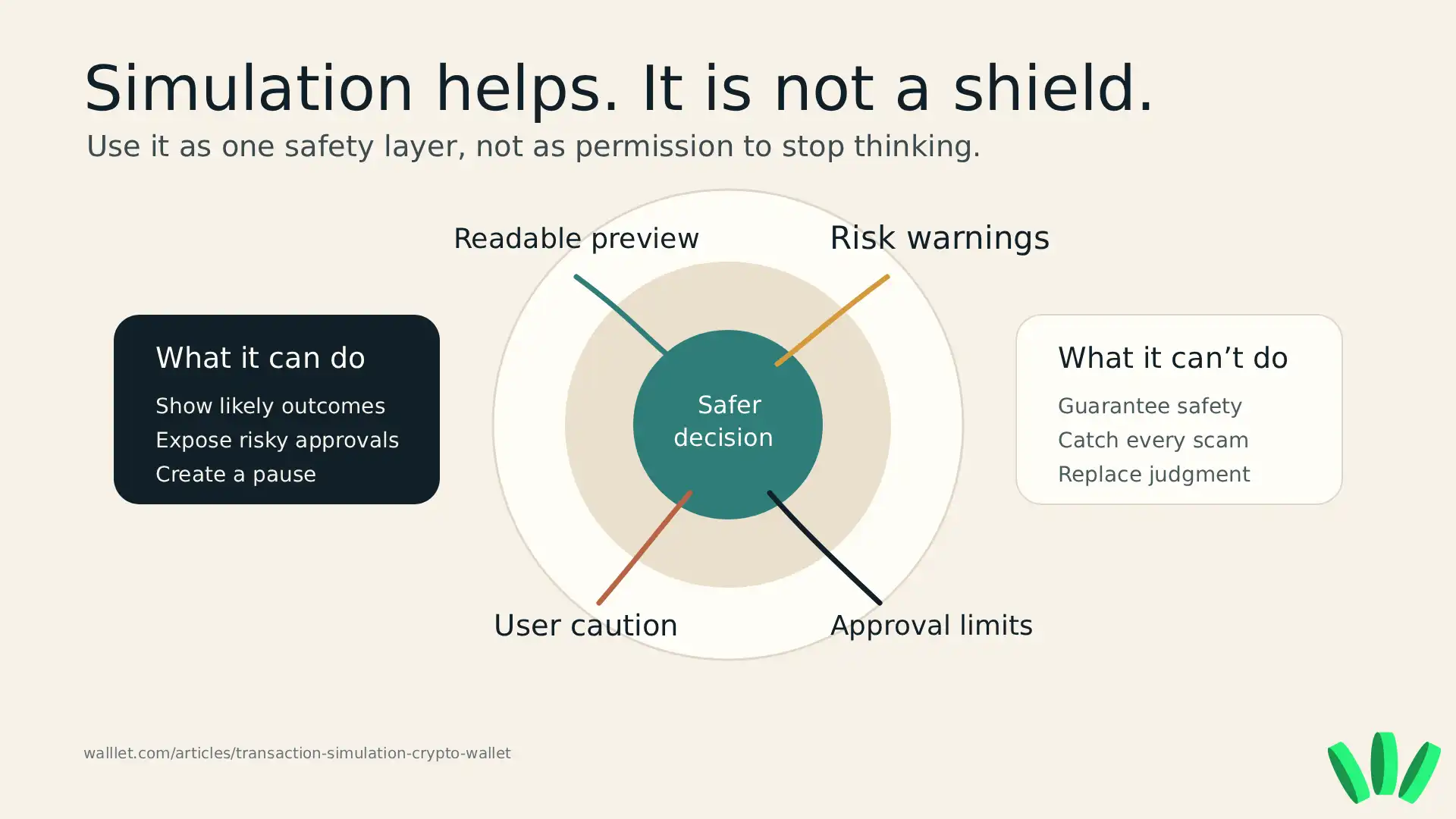
Transaction simulation can help reduce wallet-drain risk, but it cannot fully prevent wallet drains. That distinction matters.
A simulation may show that a transaction will move assets, grant broad approval, interact with a suspicious contract, or behave differently than expected. That can help users avoid a bad click.
But simulation has limits. MetaMask says transaction simulations can enhance security alerts, but they do not guarantee detection of all threats. Users can still choose to confirm a transaction even when a warning appears. So the honest answer is:
Transaction simulation reduces blind signing. It does not remove risk.
Scams can still work if a user ignores warnings, signs a dangerous message, uses a fake website, grants unlimited approvals, or interacts with a contract the wallet does not recognize as malicious yet.
Useful protection usually comes from several layers working together: clearer prompts, risk warnings, safer approval defaults, user caution, and good wallet hygiene. Tiny detail, apparently humans need systems instead of vibes. Who knew.
Transaction simulation vs transaction preview vs security warning
These terms are often used together, but they do not mean exactly the same thing.

Transaction simulation is the behind-the-scenes test. Transaction preview is the user-facing summary. A security warning is the alert that appears when the wallet sees a risk.
Term | Meaning | Example |
Transaction simulation | A test of what may happen before execution | The wallet checks the transaction before sending it |
Transaction preview | The readable result shown to the user | “You may send 100 USDC and receive ETH” |
Security warning | A risk alert based on suspicious behavior | “This contract may be unsafe” |
Approval warning | A warning about token permissions | “This dApp can spend your USDT” |
The user question is simpler than the terminology:
Can my wallet tell me what this transaction may do before I sign it?
If the answer is no, you are signing with less information than you should have.
What should beginners check before signing?
Beginners should check what leaves the wallet, what enters the wallet, what permission is being granted, which contract is involved, which network is used, and whether any warning appears. Use this quick check before approving:
Check the asset and amount leaving your wallet.
Check what you are expected to receive.
Check whether the approval is limited or unlimited.
Check the contract or dApp name.
Check the network and gas token.
Read any warning before approving.
Cancel if the preview does not match what you intended.
This is also where choosing the right wallet matters. A beginner-friendly wallet should not assume you already understand contract calls, allowances, gas, and approval risks. If you are comparing options, this article on the best crypto wallets for beginners explains what new users should actually look for before downloading anything.
For access and recovery, seedless wallets and passkey wallets can also reduce some old wallet pain points. These guides to seedless crypto wallets and passkey wallets explain how that part works.
How can a wallet make signing easier to understand?
A safer wallet should explain the transaction’s purpose, asset movement, approval permission, contract, network, fee, and risk signals before asking the user to confirm. The goal is not to scare people away from crypto. The goal is to stop treating confusion as normal.
walllet.com is a self-custodial crypto wallet designed for everyday users. It removes seed phrase anxiety, uses passkeys and biometric access, and focuses on making crypto actions easier to understand through clearer transaction prompts, suspicious contract warnings, and risky approval awareness.
That product direction matters because self-custody should not feel like a guessing game. You should control your crypto, but you should also understand what you are approving.
This is also why non-custodial does not have to mean old-school seed phrase stress. If that distinction is still fuzzy, read this guide to custodial vs non-custodial wallets. It explains the custody question without pretending crypto users were born reading protocol docs.
What should you do before approving a crypto transaction?
Before approving a crypto transaction, ask one plain question:
What will this transaction do if I sign it?
If the wallet cannot help you answer that, slow down.
Do not approve a transaction just because a website is rushing you. Do not ignore a warning because the button looks familiar. Do not grant unlimited token approvals to unfamiliar contracts unless you fully understand the risk.
For everyday users, the safer path is simple: use wallets and tools that explain transactions clearly, show risky approvals, flag suspicious contracts, and make the signing moment less confusing.
Try walllet.com with a small amount and see how clearer self-custody feels. It is built for people who want control of their crypto without turning every approval into a detective case.
Related reading
Crypto and Web3: Wallets, Networks and Security Explained
AI Crypto Scams in 2026: How to Protect Your Wallet Before You Sign
