Don't want to enable 2-step authentication on your Apple ID?
Good news: you can still use passkeys on your iPhone but not through Apple’s system. Instead, you’ll need to use a Google Account and Google Password Manager through the Chrome app on iOS. Here’s how it works.
TL;DR
You can use walllet.com on an iPhone without turning on Apple ID two-factor authentication. The workaround is simple: create your walllet.com passkey through Chrome on iOS and store it in Google Password Manager.
The important part: your Google Account becomes the recovery and sync path for that passkey. So protect it properly. Strong password. Recovery methods. Sync on. No casual chaos, please.
Don’t want to enable two-factor authentication on your Apple ID?
Fair. Some people prefer not to change their Apple Account security settings just to try a wallet. The good news: you can still create and use a passkey for walllet.com on iPhone. You just need to avoid Apple’s iCloud Keychain path and use Google Password Manager through Chrome instead.
If passkeys are new to you, this guide on what a passkey wallet is explains the basic idea first. And if your real concern is whether seedless wallets are safe, read Are Seedless Wallets Safe? before moving meaningful funds. Sensible behavior. Rare species.
Why Apple asks for 2FA when using passkeys
On iPhone, passkeys are usually stored and synced through iCloud Keychain. Apple says iCloud Keychain requires two-factor authentication when an Apple Account is used for passkeys. You can read Apple’s explanation here: About the security of passkeys.
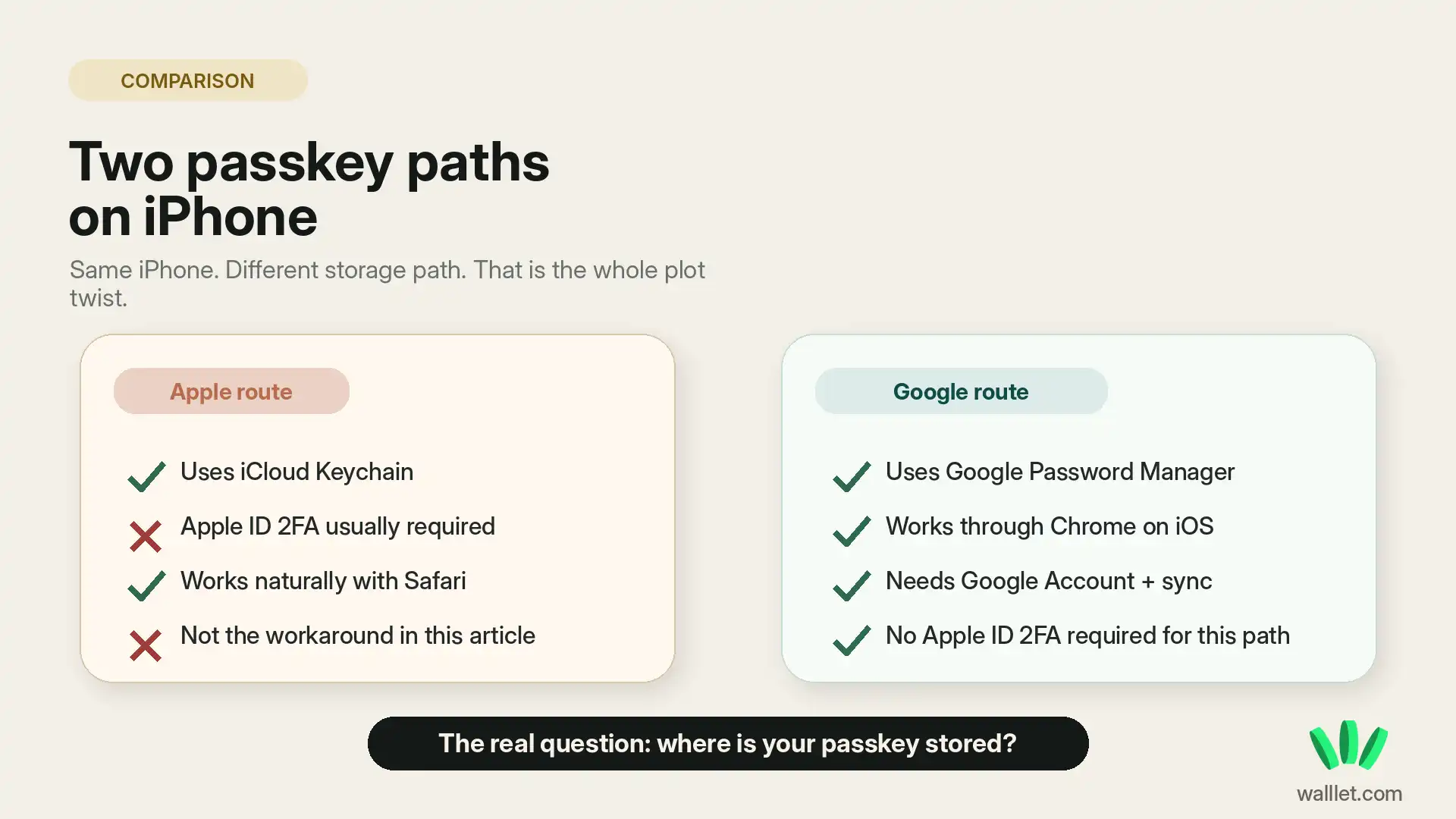
So if your Apple ID does not have 2FA turned on, iCloud Keychain may not be available for passkey creation and syncing.
That does not mean passkeys are impossible on your iPhone. It means you need a different passkey manager.
The workaround: use Google Password Manager in Chrome
Instead of saving the passkey through iCloud Keychain, you can save it through Google Password Manager in Chrome.
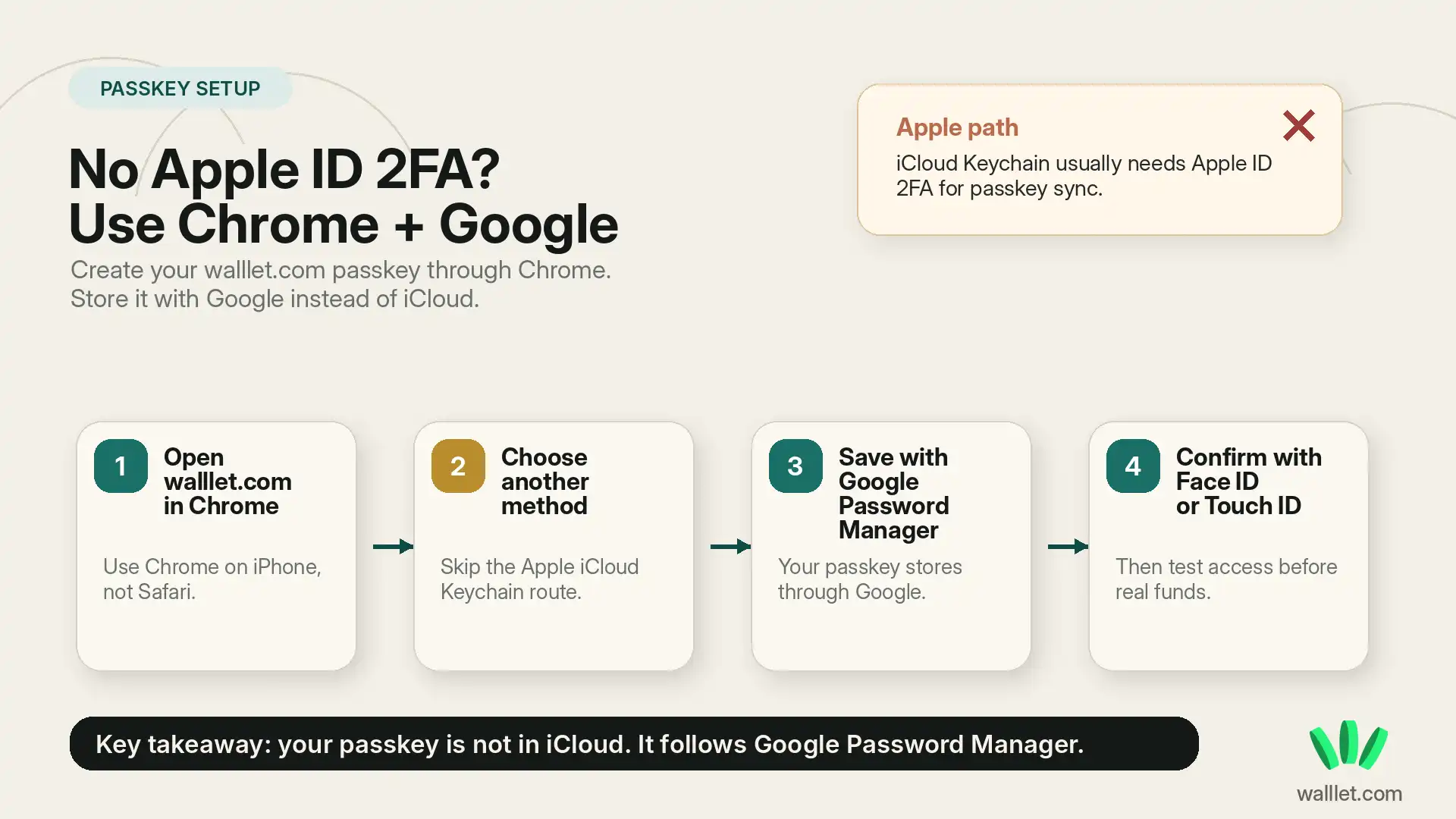
Google’s Chrome help explains how to manage passkeys on iPhone and iPad here: Manage passkeys in Chrome. For this setup, you need:
Chrome installed on your iPhone.
A Google Account signed in inside Chrome.
Google Password Manager available in Chrome.
Sync turned on, so your passkey can stay available through your Google Account path.
Face ID, Touch ID, or your iPhone passcode to confirm the passkey action.
This matters because your passkey will live with Google Password Manager, not iCloud Keychain. Different path. Different responsibility.
If you later change phones, lose your phone, or reinstall the app, recovery depends on whether that passkey path still exists. This article on recovering your walllet.com wallet on a new or lost phone is worth reading before you treat any setup as “done.”
Before you start, understand the tradeoff
This method solves one problem: you do not need to turn on Apple ID 2FA.
It creates one responsibility: your Google Account now matters a lot.
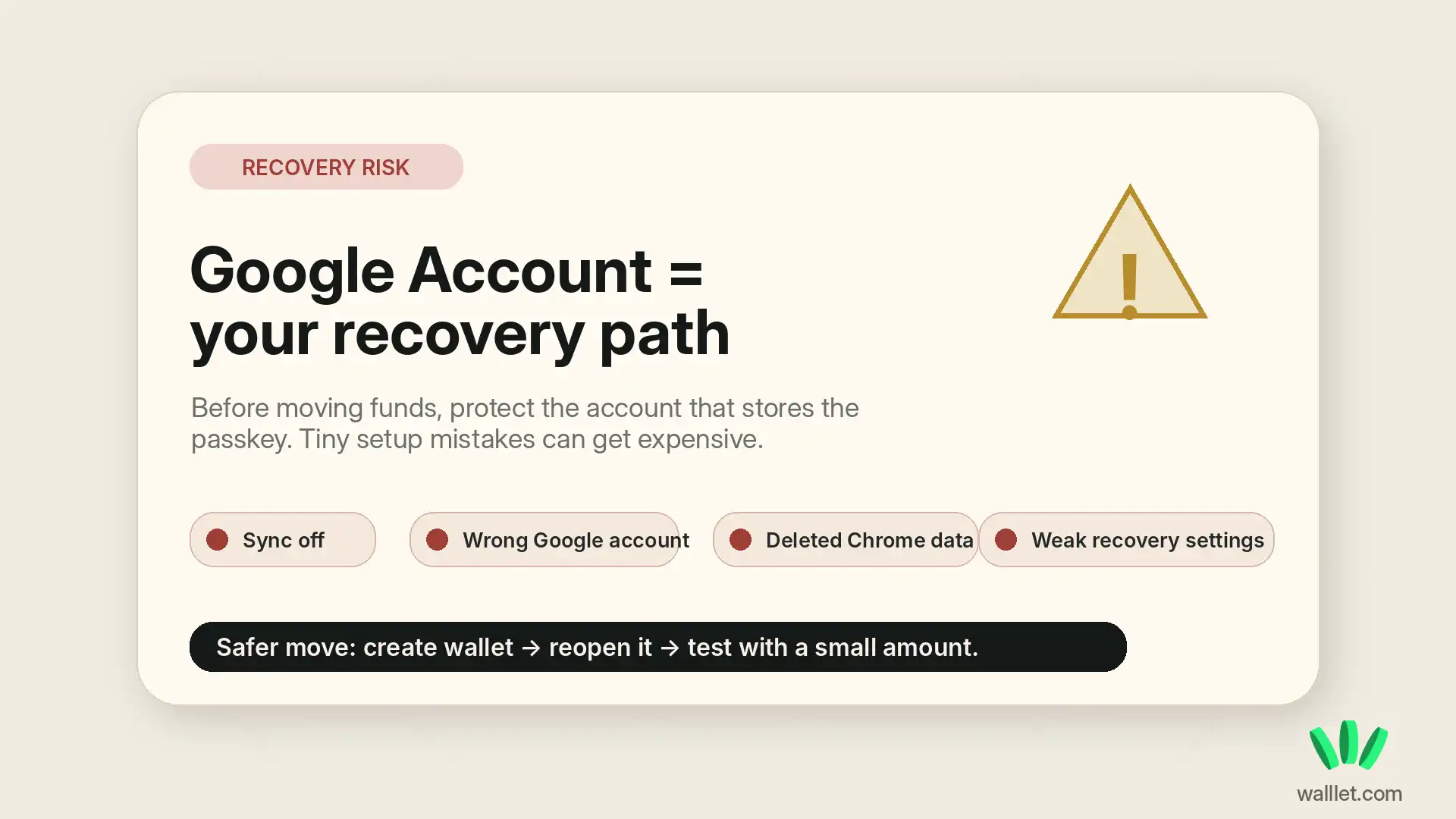
If you lose access to the Google Account that stores or syncs your passkey, you may lose access to the wallet flow. If you turn off sync, delete Chrome data, sign out without understanding what is stored where, or ignore recovery settings, things can get annoying fast.
Crypto has a real talent for making small mistakes feel dramatic. Very theatrical. Deeply unnecessary. So before creating the wallet, make sure your Google Account has:
A strong password.
A working recovery email or phone number.
A secure device lock on your iPhone.
Sync enabled in Chrome.
A setup you actually understand.
Do not move meaningful funds into any wallet until you understand how access and recovery work. That includes walllet.com, Chrome, Google Password Manager, and your device unlock method.
How to set up Chrome and Google Password Manager on iPhone
Install Chrome from the App Store
Download Google Chrome on your iPhone and open it.
You need Chrome because Safari will usually push you toward Apple’s passkey system. That is exactly what you are trying to avoid here. Humanity survives through tiny workarounds.
Sign in to your Google Account
Open Chrome and sign in with the Google Account you want to use for passkeys.
Use an account you actually control long term. Not a throwaway account. Not a random old Gmail account with a recovery phone number from 2016. Please.
Check Google Password Manager
In Chrome, open the menu and go to Password Manager.
Depending on your Chrome version, you may see settings for passkeys, saved passwords, or automatically creating passkeys. Make sure Chrome is allowed to save credentials and passkeys.
Keep Chrome sync on
Chrome sync helps keep your saved credentials connected to your Google Account.
This is the boring part that becomes important later. If sync is off, your passkey backup path may not behave the way you expect.
Use Face ID, Touch ID, or passcode when Chrome asks
When Chrome or Google Password Manager asks you to confirm, use your iPhone’s biometric unlock or passcode.
That local device confirmation is part of the passkey experience.
Can you create your walllet.com passkey without Apple ID 2FA?
Yes. You can create your walllet.com passkey without enabling Apple ID two-factor authentication by using Chrome plus Google Password Manager.
Open walllet.com in Chrome on your iPhone and begin wallet creation. If iOS asks you to use Apple’s passkey system, choose another method where available. Select the Google Password Manager or Chrome option. Then confirm with Face ID, Touch ID, or your device passcode.
Once created, the passkey should be stored through Google Password Manager.
The result: you can create and access your walllet.com wallet without relying on Apple ID 2FA.
That does not make the setup risk-free. It just moves the key dependency from Apple’s iCloud Keychain to Google Password Manager. Cleaner for some users. Still something you need to protect.
If you want the broader product context, read What Is walllet.com?. It explains how walllet.com uses passkeys, biometrics, and seedless self-custody without forcing users into the old seed phrase setup.
What to check after creating your walllet.com wallet
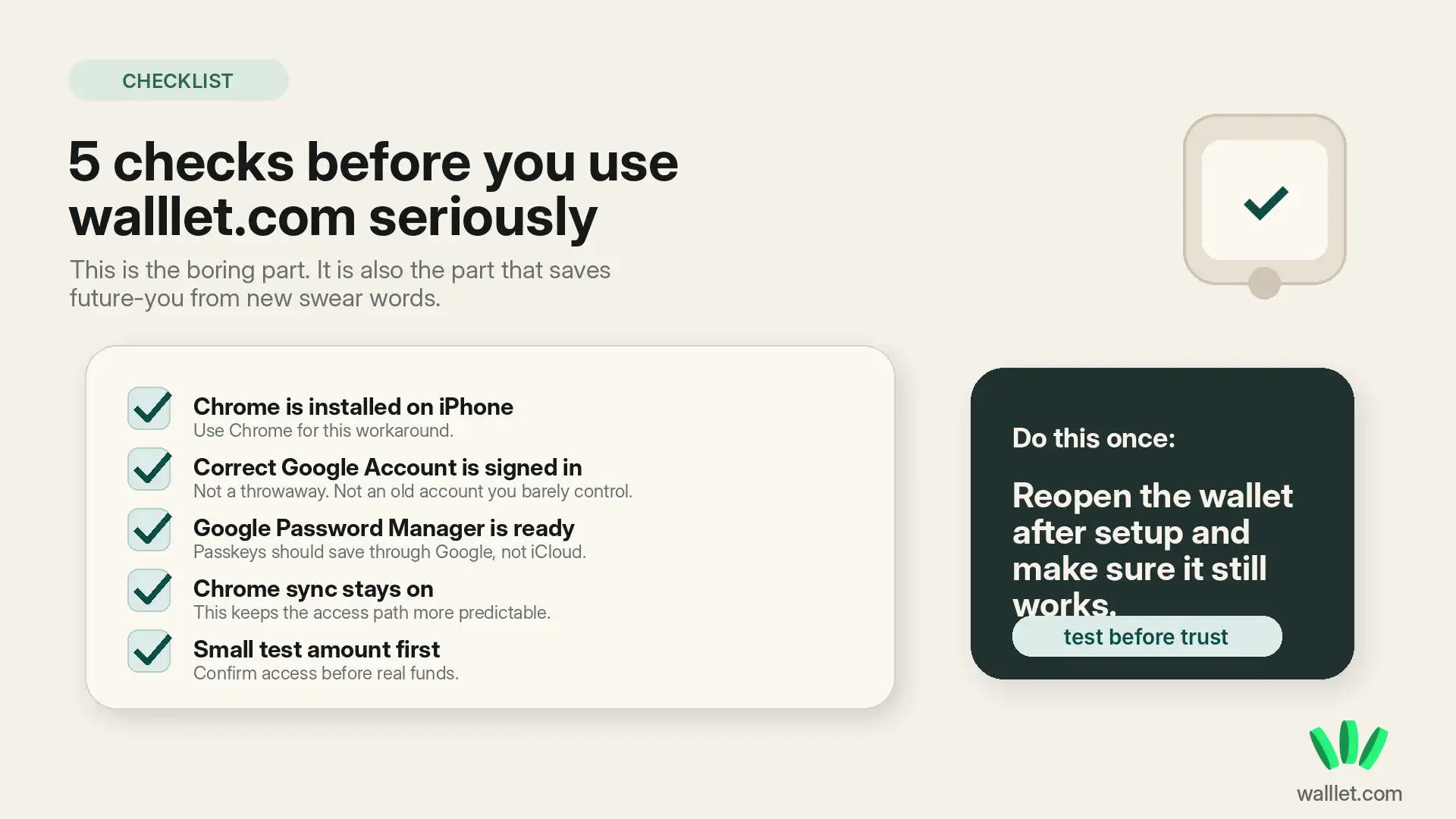
After the passkey is created, do a few small checks before using the wallet seriously.
First, confirm you can reopen walllet.com in Chrome and access the same wallet.
Second, check that your Google Account is still signed in and sync is still active.
Third, save your Google Account recovery options somewhere safe. Not in a public note. Not in a screenshot folder called “important stuff.” Humanity, again, testing its own limits.
Fourth, send only a small test amount first. If you are moving crypto from an exchange, this guide on moving crypto from Binance to a wallet safely covers the kind of checks that prevent wrong-network disasters.
When this setup makes sense
This setup makes sense if you want to try walllet.com on iPhone and you do not want to enable Apple ID 2FA.
It also makes sense if you already use Chrome and Google Password Manager as your main credential system.
It may not be the best setup if you regularly switch Google accounts, keep Chrome sync off, do not maintain your Google recovery settings, or cannot confidently explain where your passkey is stored.
That last one matters. A wallet setup is only useful if you can recover it later.
Common mistakes to avoid
Do not create the passkey with one Google Account, then later sign into Chrome with another account and expect everything to magically follow you around like a loyal golden retriever.
Do not delete Chrome data unless you understand what will happen to saved credentials and passkeys.
Do not assume walllet.com can reset your access if your passkey path is gone. With self-custody, recovery has limits. Beautiful freedom. Sharp edges.
Do not move large funds right after setup. Test first.
For general wallet safety habits, this guide on crypto wallet security best practices is a useful next read.
Final word
You can use walllet.com on iPhone without turning on Apple ID two-factor authentication. Use Chrome. Sign in to Google. Keep Google Password Manager and sync working. Create your passkey through that path. Then pause.
Check access. Understand recovery. Start small.
