The most expensive click in crypto often happens before any tokens move.
A token approval is permission you give a smart contract to spend a specific token from your crypto wallet on your behalf. It usually appears before a swap, stake, or deposit. It is not the swap itself, and if the approval is unlimited, that permission can stay active long after the first action. In this article you wil learn what a token approval means in crypto, why wallets ask for approval before a swap, what unlimited approval is, and how to stay safer with clearer transaction prompts.
TL;DR
A token approval lets a smart contract spend a token from your wallet up to a limit you approve.
Approval is usually separate from the swap, so clicking “Approve” does not mean the trade already happened.
Unlimited approvals are common because they reduce repeat gas costs and extra clicks, but they also increase risk if the spender is malicious or later compromised.
walllet.com is built around clearer, human-readable transaction prompts so users can better understand permissions before they sign.
What is a token approval?
A token approval is one of crypto’s quiet little trapdoors. No big red siren. No obvious “you are about to risk your wallet” banner. Just a button that says something like Approve USDC or Allow spending cap.
Under the hood, that button usually sets an allowance. In the ERC-20 token standard, approve lets you authorize a spender, usually a smart contract, and transferFrom lets that spender move tokens up to the amount you allowed. That pattern exists so other applications can interact with your tokens without you manually transferring them first.
A token approval means this:
I allow this contract to use up to this amount of this token from my wallet.
That is normal. It is also where many users get confused.
Approval vs swap vs signature
Before going deeper, here’s the distinction most people actually need:
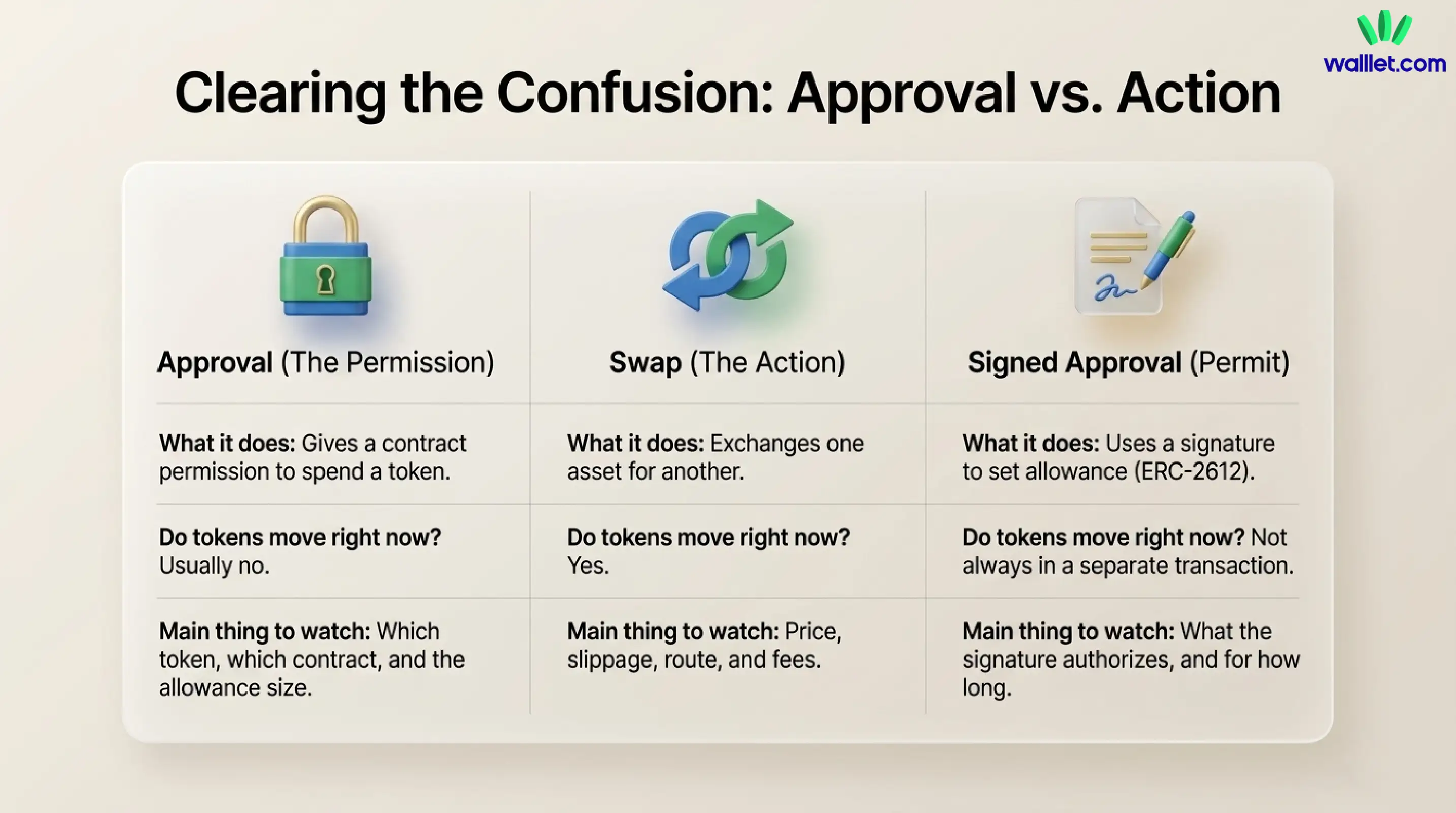
Action | What it does | Do tokens move right now? | Main thing to watch |
Approval | Gives a contract permission to spend a token from your wallet | Usually no | Which token, which contract, how much allowance |
Swap | Exchanges one asset for another | Yes | Price, slippage, route, fees |
Permit / signed approval | Uses a signature to set allowance for supported tokens | Not always in a separate transaction | What the signature authorizes, and for how long |
That table alone clears up a lot of wallet anxiety. Many users think “Approve” means “Do the trade.” It does not. Approval is permission. The swap is the action.
Related: Can Crypto Wallets Be Hacked? Yes, But Usually Not the Way You Think
Why do token approvals exist?
Because ERC-20 tokens were designed so other applications could work with them in a standard way.
The ERC-20 standard explicitly describes transferFrom as a withdraw-style workflow that lets contracts transfer tokens on your behalf once you have authorized them. That makes decentralized exchanges, lending protocols, yield products, and other dApps possible. Without approvals, every app would need a more awkward custom pattern.
So approvals are not some shady side feature. They are part of how modern token-based apps work.
The problem is not that approvals exist.
The problem is that many wallets and dApps still explain them badly.
Why do I need approval before swapping?
If you are swapping an ERC-20 token like USDC, USDT, or WETH, the swap contract usually needs permission to pull that token from your wallet and complete the trade. That is why the flow often happens in two steps:
First, you approve the token.
Then, you execute the swap.
This is also why some users think something is broken.
They approve the token, see that their balance has not changed yet, and assume the wallet failed. But approval is just permission. If the second transaction never happens, the asset conversion never happens either. walllet.com already calls out this exact confusion in its recent support content, which is one reason transaction clarity matters so much in wallet design.
What does “Approve” mean in a crypto wallet?
When a wallet asks you to approve a token, it is really asking three questions at once:
Which token? Maybe USDC, WETH, or another ERC-20 asset.
Which spender? Usually a smart contract tied to the app you are using.
How much? A specific amount, or sometimes a practically unlimited amount.
That last part is where things get spicy.
A limited approval might say, in effect, “this contract can spend 50 USDC.”
An unlimited approval says, in effect, “this contract can spend as much of this token as needed, now or later, until I revoke it.”
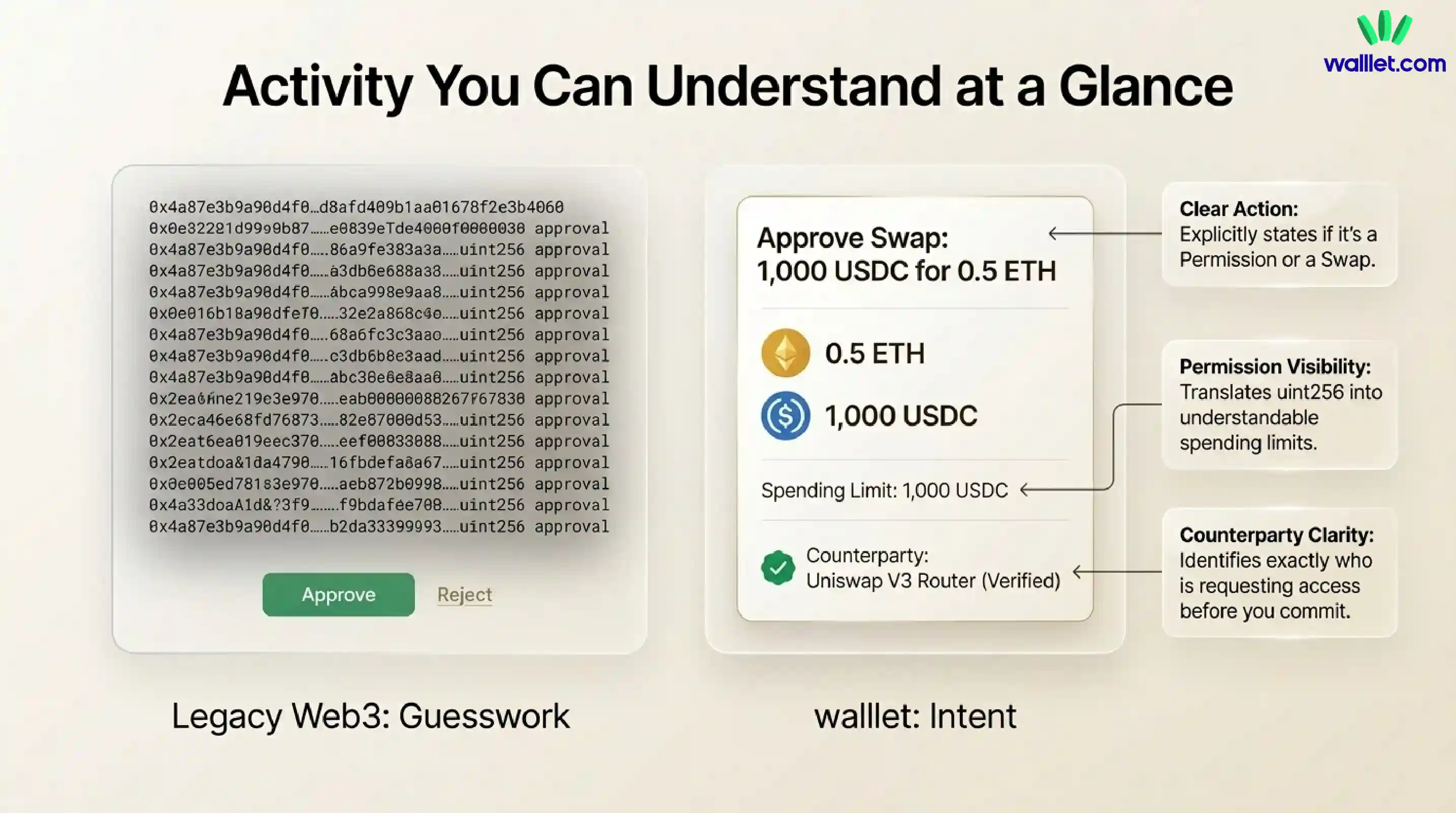
Not all wallets make that difference easy to see. That is exactly the kind of UX gap walllet.com is trying to close. Its product and educational content repeatedly frame transaction prompts in human terms, showing the action, asset, amount, permissions, counterparty, and network instead of leaving users to decode a glass storm of contract text.
What is an unlimited token approval?
An unlimited token approval, also called an infinite approval, gives a spender a very large maximum allowance, often the maximum uint256 value in ERC-20 implementations. When the allowance is set to the maximum uint256, it behaves like an infinite approval.
Why do apps ask for that?
Mostly for convenience.
Many legitimate dApps request effectively unlimited approvals to avoid making users pay gas and confirm a fresh approval every single time they interact. In other words, fewer clicks now, more standing permission later. That trade-off is real. It is also where risk creeps in.
Related: How to Avoid Crypto Phishing: What walllet.com Will Never Ask You to Do
Is token approval dangerous?
Sometimes yes. Always maybe.
A token approval is not dangerous just because it exists. Plenty of safe, legitimate applications need approvals to function. But an approval becomes risky when one of these things is true:
You do not understand what contract you are approving.
You are approving a fake or malicious dApp.
You grant a much larger allowance than needed.
You leave old approvals active long after you stop using the app.
The approved contract is later compromised.
This is why approval scams feel so nasty. Users often did not leak a seed phrase. They did not hand over a password. They simply approved the wrong thing.
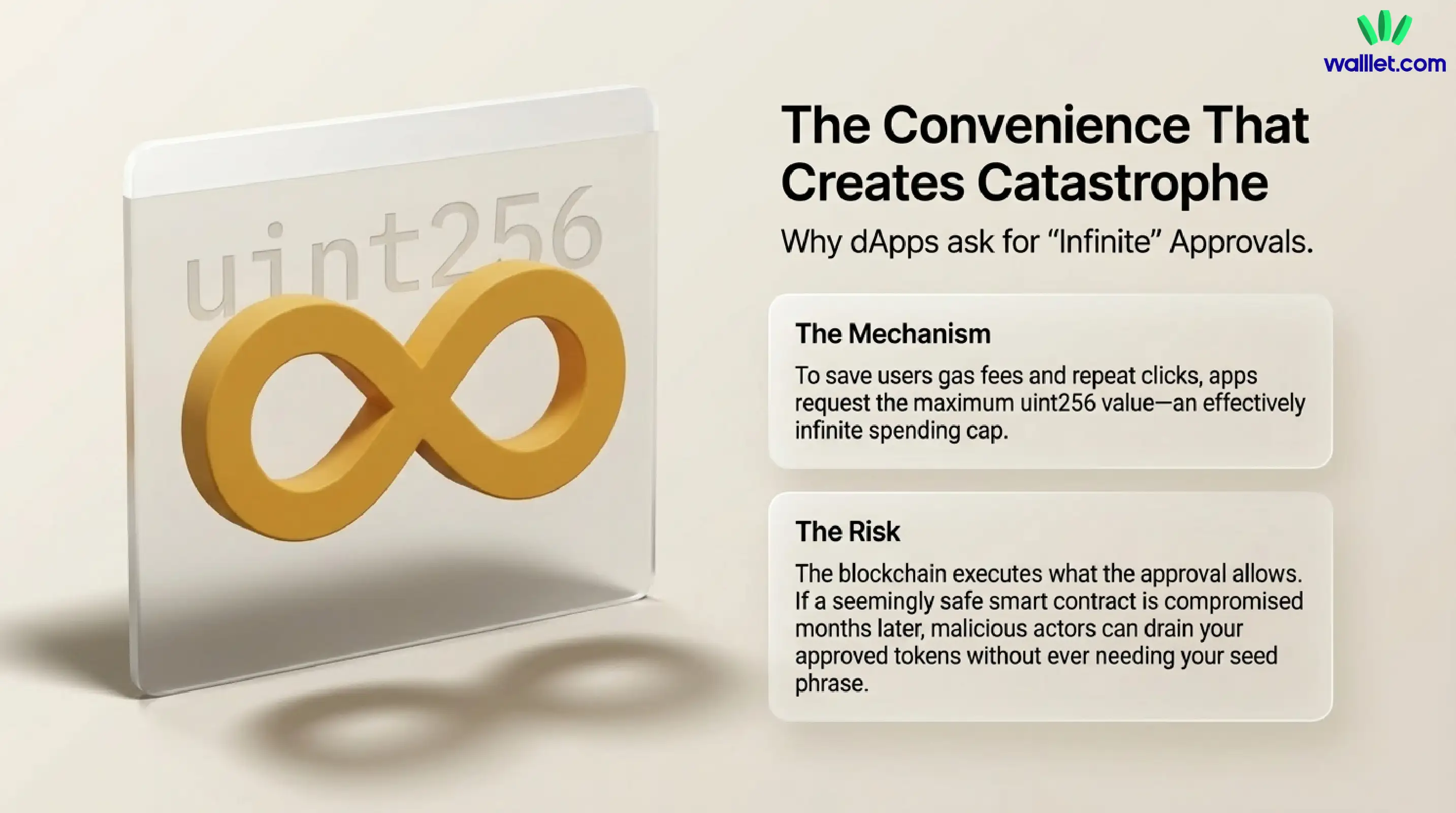
Unlimited approvals are also how many malicious sites steal from unsuspecting users. So be extremely careful with approvals, because scams can trick users into signing away rights, and the blockchain will execute what the approval allows.
One important nuance: an approval is usually tied to a specific token and spender, not your entire wallet. If you approve WETH, that does not automatically grant access to every other asset you hold. But if the approval is broad and the spender is bad, your exposure for that token can still be painful.
The permission most users ignore
Approvals are easy to ignore because they do not feel like money moving.
That is the trick.
A swap feels risky because it is obviously active. Funds are changing shape. Numbers move. Something is happening.
An approval feels harmless because it is all backstage. But backstage is where the stagehands control the ropes.
This is where walllet.com has a meaningful angle. The product is positioned around self-custody without unnecessary friction, using passkeys and biometrics instead of seed phrase theater, while also trying to make transaction intent easier to read before you approve. walllet emphasizes on human-readable summaries and permission clarity, and it is a self-custodial, with keys and passkey credentials staying under your control rather than on walllet servers.
No wallet can make a malicious contract become safe. But a better wallet can make the moment before you sign feel less like guesswork.
How to read an approval before you confirm it
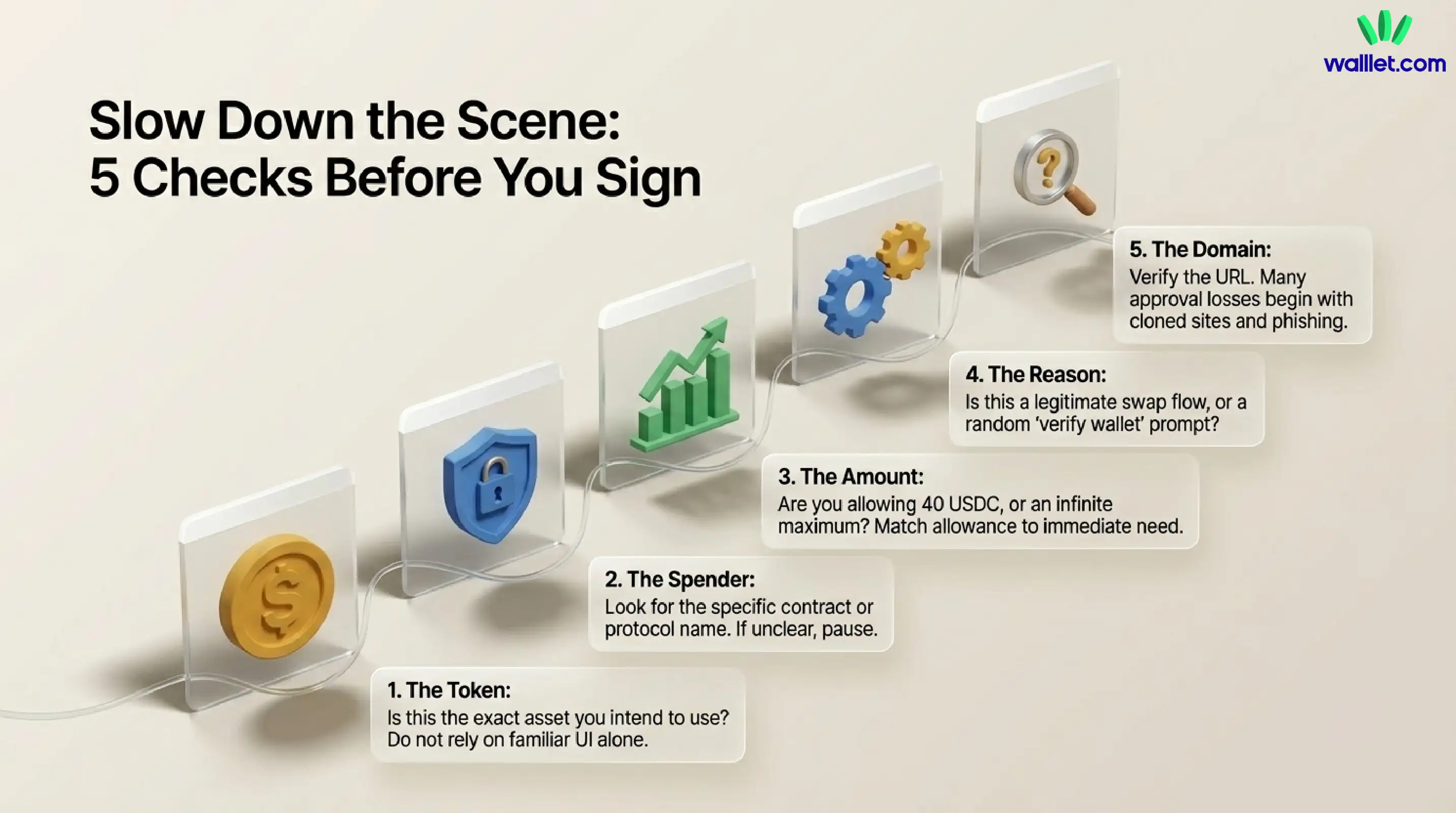
Before you tap approve, slow the scene down and check five things.
1. What token is being approved?
Do not approve a token just because the app interface looks familiar. Make sure it is the asset you intended to use.
2. Who is the spender?
Look for the contract or protocol name. If the spender is unclear, that alone is a reason to pause.
3. How much are you allowing?
Specific amount is one story. Unlimited is another. If you only need 40 USDC for a swap, an effectively infinite approval deserves a second look.
4. Why is the approval needed?
If the action is a swap, deposit, or staking flow, approval may be normal. If the request appears before some vague “verify wallet” step or random airdrop page, walk away.
5. Do you trust the site and the domain?
Many approval losses begin with phishing, cloned sites, or fake support prompts. walllet.com’s own anti-phishing guidance stresses the same basics: verify the real domain, distrust urgency, and never sign what you do not understand.
When should you revoke an approval?
You do not need to revoke every approval the second you use a dApp. But you should review and revoke approvals when:
You no longer use that app
You connected to a site you now distrust
A protocol you used had a security incident
You notice strange wallet behavior
You want to reduce risk on high-value holdings
Revoking an allowance means that dApp can no longer access the relevant tokens in your wallet and move them around. Block explorers often provide approval-checking tools to help users review and revoke old allowances.
Related: How to Read a Crypto Transaction on a Block Explorer
That is a good habit. Not glamorous, but good. The crypto version of cleaning the lint trap before the dryer catches fire.
Is an approval the same as a transaction?
Yes and no.
An approval is often its own onchain transaction. It costs gas, gets recorded onchain, and changes the allowance state for that token. But it is not the same transaction as the swap, stake, or deposit you were trying to complete. That action usually happens afterward. ERC-2612 introduced a permit-based alternative for supported tokens, where a signed message can set approval without requiring a separate onchain approval transaction first, but the core idea is still the same: you are authorizing spending.
So it approval is a transaction in many wallet flows, but it is not the final action you probably came to perform.
walllet.com handles class of crypto friction
Token approvals sit at the intersection of security and usability, which is exactly where walllet.com is trying to be different.
If users still cannot tell what they are approving, the experience remains brittle. That is why walllet’s human-readable transaction design matters. Security is not only about hiding keys safely. It is also about making intent legible before the user commits.
Approvals are a perfect test case for that philosophy.
Because sometimes the safest wallet is not the one that shouts the loudest about danger. It is the one that explains the danger plainly enough that you do not stumble into it.
Try walllet.com if you want self-custody with passkeys, biometrics, and clearer transaction prompts that make approvals easier to understand before you sign.
