Without a wallet, Web3 is mostly something you watch. With one, it becomes something you can actually use. In this article you will learn what Web3 is, what a Web3 wallet does, and why wallets matter for self-custody, identity, and using dApps. A clear beginner-friendly guide from walllet.com.
TL;DR
Web3 is a part of the internet where people can use blockchain-based apps and hold digital assets through accounts they control.
A wallet is what lets you actually use Web3. It helps you connect to apps, sign actions, receive assets, send assets, and approve transactions.
Your crypto is recorded on the blockchain. Your wallet controls access to it.
A Web3 wallet is different from an exchange account because it gives you more direct control.
The hard part is not only understanding Web3. It is knowing what you are approving.
A good wallet should make setup, recovery, and transaction approvals easier to understand.
What is Web3?
Web3 is a way of using the internet where you can own digital assets and use apps through a blockchain-based account.
That sounds heavier than it needs to.
Think of it this way: in most normal apps, your account lives inside the platform. Your username, balance, profile, and access all sit inside that company’s system. In Web3, your account can live through a wallet. You bring that wallet to different apps, connect it, and approve what happens next.
That is why a crypto wallet matters so early in the conversation. Without one, Web3 is mostly something you read about. With one, you can actually use it.
Ethereum.org describes Web3 as an internet where blockchains, cryptocurrencies, and related tools give users ownership. The clean version for beginners: Web3 gives you a way to hold and use digital assets without every action sitting inside one company account.
Still messy. Still risky in places. Still full of apps that explain themselves like they were written during a server outage.
But the basic idea is simple enough: Web3 gives users a more direct way to control digital assets and app access.
How is Web3 different from the internet you already use?
Most of the internet you use today is platform-based.
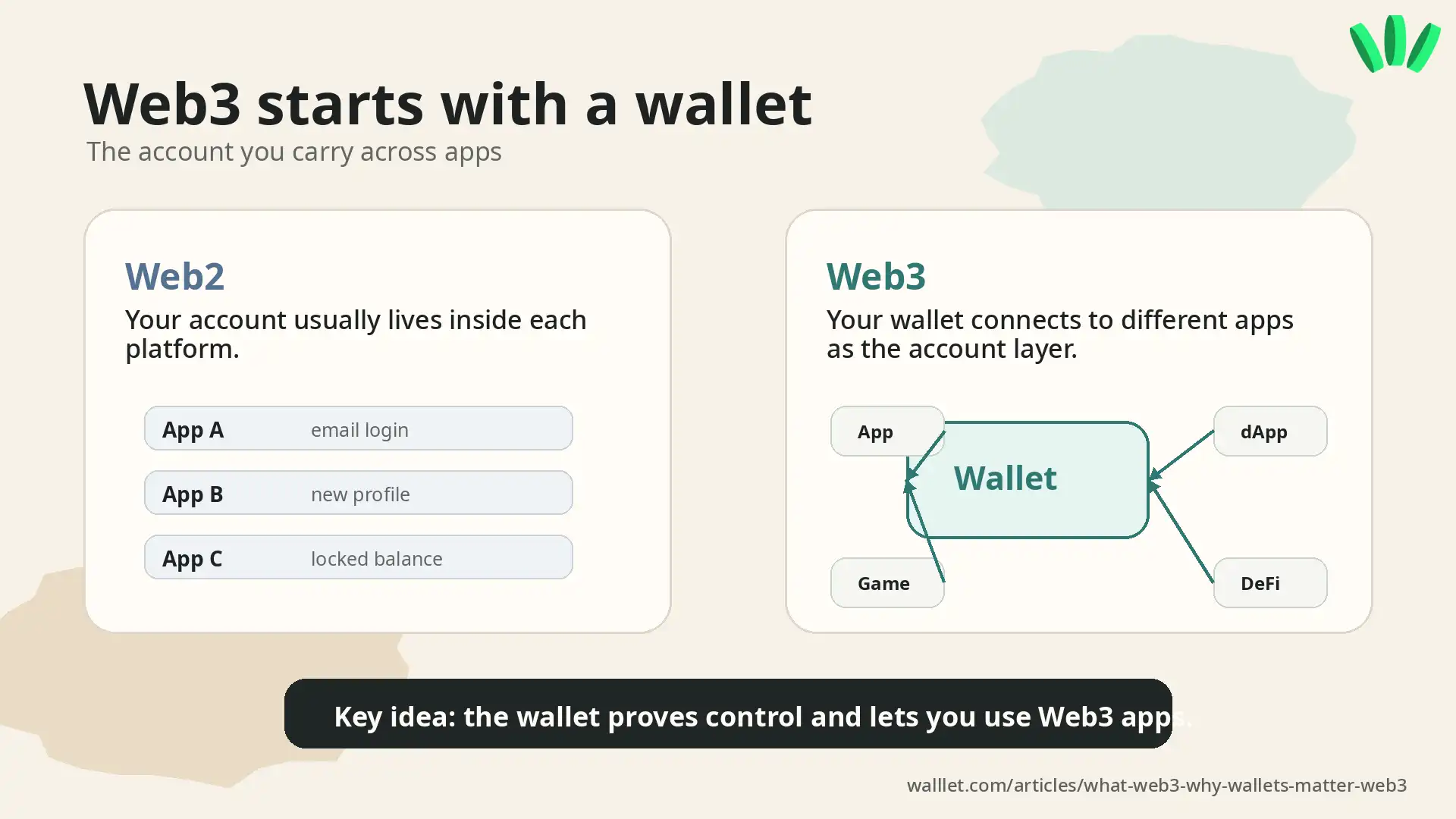
You create an account. You log in. The platform decides what you can access, what you can move, and what stays inside its system.
Web3 works differently because the wallet becomes part of your account layer. You can connect the same wallet to different apps. You can receive assets to the same address. You can approve actions from the same wallet interface.
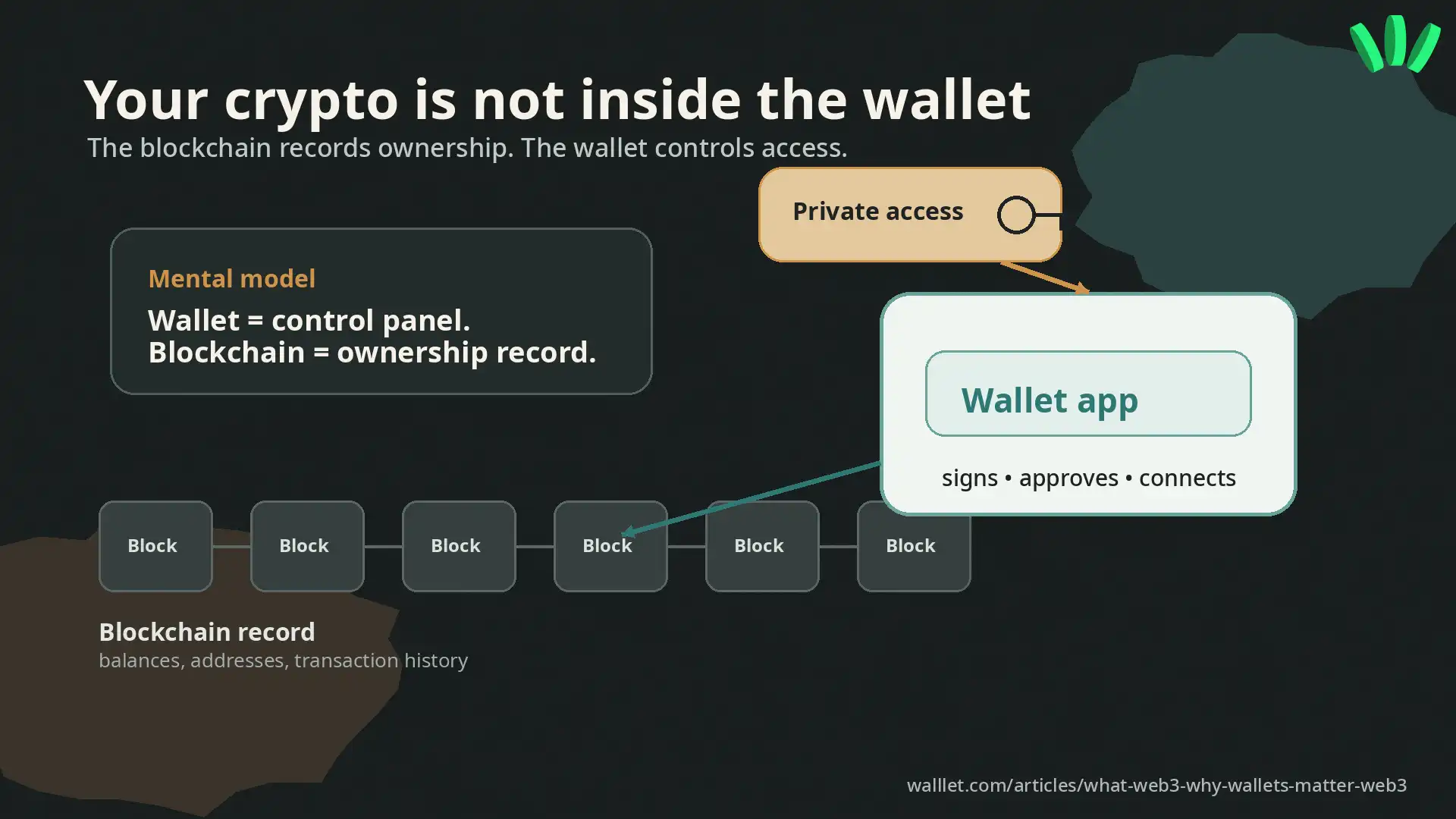
A blockchain is the shared record underneath that system. It records addresses, balances, and transactions. The wallet is what helps you interact with that record.
Here is the important part: the wallet is not just a storage app. It is the tool that proves you control the account. That one idea clears up a lot.
Why do you need a wallet to use Web3?
You need a wallet because Web3 apps need a way to know which account is using them. When you connect a wallet, the app can see your public wallet address. When you sign a message or approve a transaction, your wallet proves that you control that address.
That is how Web3 apps let you do things like receive assets, send crypto, connect to dApps, swap tokens, mint NFTs, vote in communities, or approve onchain actions. A wallet usually helps you do a few core jobs:
Receive assets. Send assets. Connect to apps. Sign messages. Approve transactions. Manage permissions.
That is already a lot. Beautifully unreasonable, really.
The beginner's mistake is thinking the wallet is where the crypto “sits.” It is more accurate to say this: the blockchain records the assets, and the wallet helps you control the account connected to them.
If that part still feels fuzzy, read this next: Where Is Your Crypto Actually Stored? Wallet vs Blockchain Explained for Beginners. It explains the storage part without turning the whole thing into a cryptography punishment ritual.
Curious what this feels like when the wallet does more of the explaining?
Take a look at walllet.com and see how a Web3 wallet can feel when setup and approvals are designed for normal people.
Is a Web3 wallet the same as an exchange account?
No. A Web3 wallet and an exchange account are different tools.
An exchange account is usually custodial. The platform manages the crypto access for you. You log in with email, password, and maybe 2FA. That can feel easier at the start.
A Web3 wallet is usually self-custodial. You control the wallet access method yourself. That gives you more direct control, especially if you want to use dApps, receive stablecoins, move assets, or interact with blockchain-based services.
Question | Exchange account | Web3 wallet |
Who controls access? | Usually the platform | Usually you |
Best for | Buying, selling, simple exchange use | Holding, receiving, sending, and using Web3 apps |
App access | Mostly inside the exchange | Can connect to many Web3 apps |
Recovery | Platform support may help | Depends on your wallet setup |
Main risk | Platform limits, freezes, withdrawal issues | Lost access, scams, bad approvals |
If you are deciding between the two, this guide helps: Custodial vs Non-Custodial Wallet: Which One Should You Actually Use? The honest answer is boring, which means it is probably useful. Many people use both. An exchange for exchange things. A wallet for assets and Web3 access they want to control directly.
What does a Web3 wallet actually do?
A Web3 wallet gives you a public address, shows your balances, helps you send and receive assets, and lets you approve actions.
The approval part is where people get into trouble.
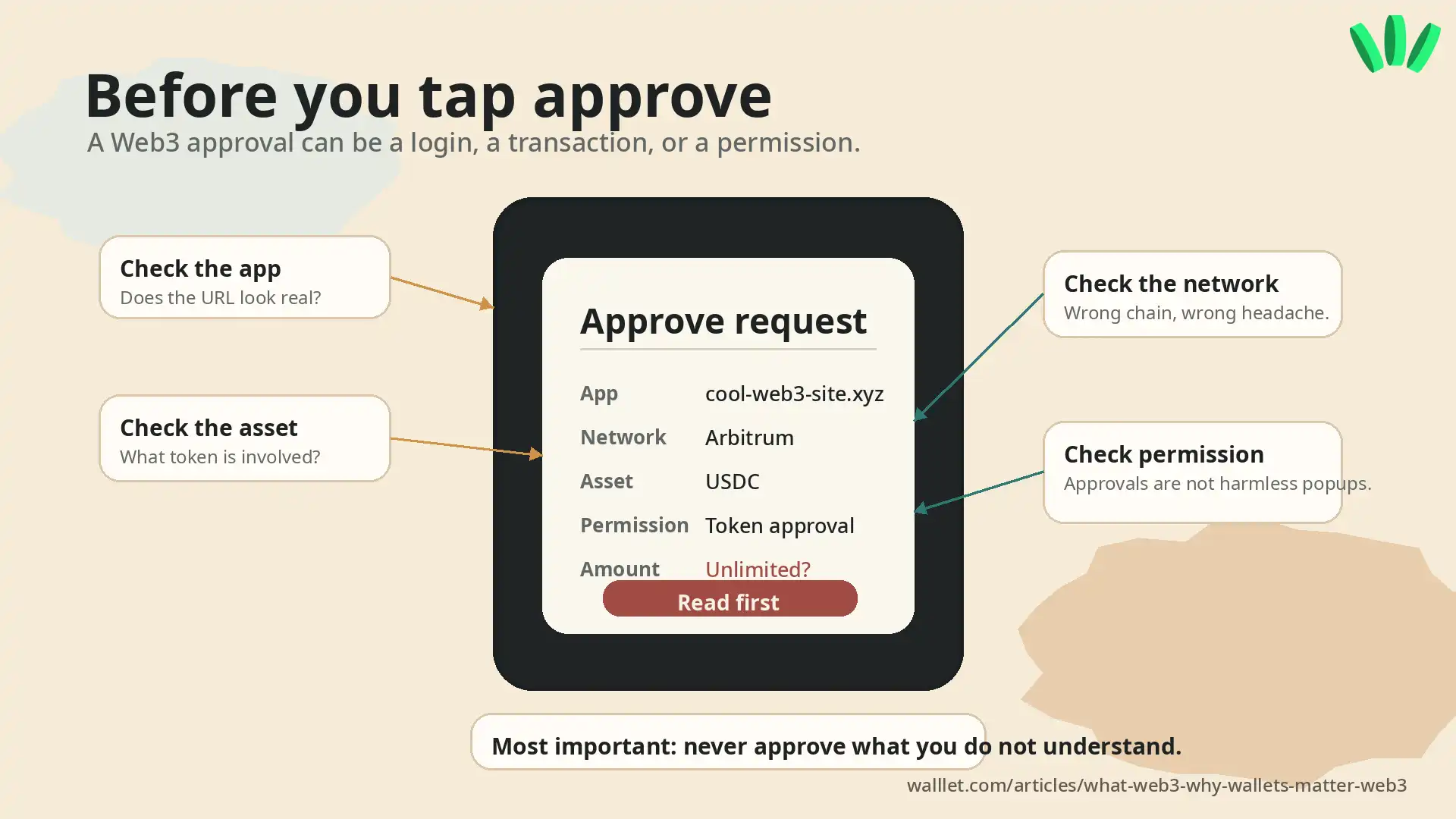
In a normal app, a popup often means “continue.” In Web3, an approval can mean more. It might be a login request. It might be a transaction. It might give an app permission to use a token. It might be harmless. It might be expensive. Delightful little minefield.
So a good Web3 wallet should help you understand:
What app is asking.
Which asset is involved.
Which network you are using.
What amount is moving.
What permission you are giving.
Whether anything looks unusual.
Never approve a transaction you do not understand.
That sounds dramatic. It is also the whole game.
What makes a Web3 wallet good for beginners?
A beginner-friendly Web3 wallet should make control easier to understand. That means simple setup. Clear recovery. Readable transaction prompts. Less confusion around networks and gas. A safer way to start small.
If you are comparing options, this guide goes deeper: Best Crypto Wallet for Beginners in 2026
For beginners, the real test is not whether the wallet has every advanced feature. The test is whether you can create it, recover it, receive a small amount, send a small amount, and understand what the app is asking before you tap approve.
Small things. Big consequences. Crypto’s favorite hobby.
How can a wallet make Web3 less scary?
The scary parts of Web3 usually show up in small moments.
You create a wallet and get a seed phrase.
You connect to an app and see a signature request.
You try to send a token and suddenly there is a gas fee.
You approve something and hope it was the right thing.
You switch networks and wonder if your money has entered another dimension.
This is where wallet design matters.
A wallet can reduce fear by making the first steps clearer. It can explain what you are approving. It can avoid forcing a new user to manage a traditional seed phrase on day one. It can use familiar access methods. It can make crypto feel closer to a product people can use.
That is the part walllet.com focuses on. walllet.com is a self-custodial crypto wallet built to make Web3 easier to start with. It uses passkeys and biometrics for access, avoids traditional seed phrase setup from day one, and focuses on clearer transaction prompts.
That matters because the user’s real question is usually not “What is decentralization?”
It is more like: Can I use this without accidentally ruining my day?
Fair question. Very fair.
Why do passkeys matter for Web3 wallets?
Passkeys are a newer way to sign in and authenticate without relying on traditional passwords. They are often unlocked with familiar device methods like Face ID, fingerprint, PIN, or pattern.
The FIDO Alliance describes passkeys as phishing-resistant credentials designed to replace passwords with stronger authentication.
For Web3 wallets, the useful part is practical. A passkey-based wallet can make the first step feel less fragile than writing down a seed phrase and being told, in twelve different ways, that one mistake might be permanent.
That does not remove responsibility. It changes the shape of it.
You still need to protect your device. You still need to understand recovery. You still need to read transaction prompts. You still need to start small.
For a deeper explanation of the access side, read Understanding Private Keys on walllet. Private keys are one of those topics everyone avoids until the exact worst moment. Classic human scheduling.
What should you be careful about before using Web3?
Start small.
That is the least exciting advice and probably the most useful.
Use a small amount first. Check the network before sending. Read the approval screen. Do not connect your main wallet to random apps. Do not treat every airdrop, claim page, or “urgent” link as real. Never share private keys, recovery phrases, passkey credentials, or wallet recovery details.
Also, remember this: a better wallet can reduce confusion, but it cannot make every app safe.
A wallet can warn you. It can explain more clearly. It can make setup less stressful. It can help you avoid obvious mistakes.
Still you, tapping the button.
Annoying. Important.
What is the easiest way to start using Web3?
The easiest way is to create a wallet, receive a small test amount, and learn the basic flow before doing anything serious.
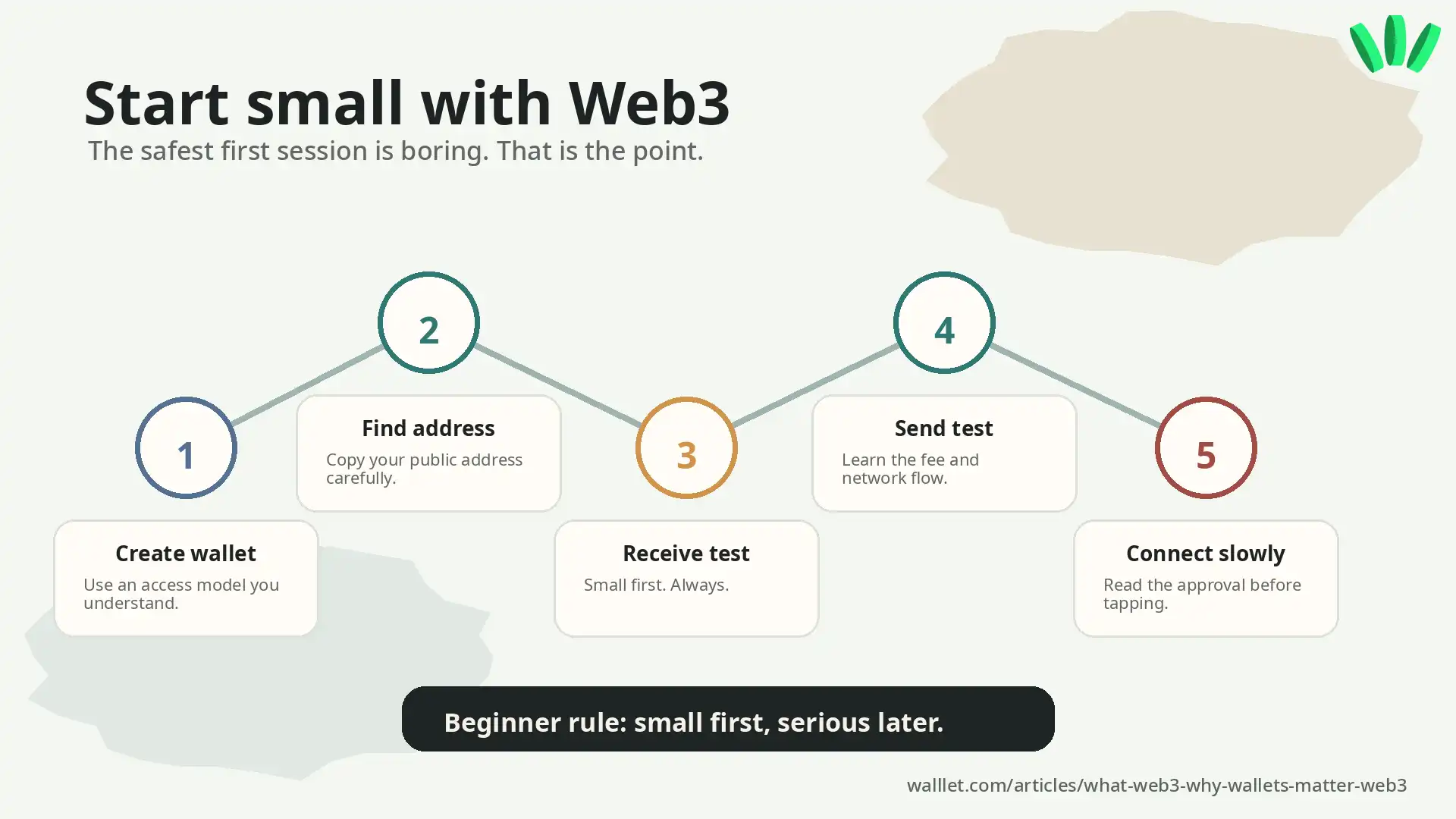
No heroic transfer. No random dApp marathon. No “I saw a thread on X and now I am an onchain strategist.” Society has enough of that. Start with this:
Create a wallet with an access model you understand.
Find your public address.
Receive a small amount.
Send a small amount.
Connect only to apps you trust.
Read every approval before confirming.
That is enough for day one.
If the wallet makes those steps feel confusing, that is useful information too. Maybe it is powerful. Maybe it is popular. Maybe it is simply not the right first wallet for you.
Want to try Web3 with less seed phrase stress and clearer approvals?
Create your walllet.com and start with a wallet built for simple self-custody.
