Updated August 28, 2026: This guide now includes troubleshooting for completed crypto transfers that do not appear in a wallet, Crypto.com Onchain and Trust Wallet balance-display issues, and restored Bitcoin Core or Bitcoin-Qt wallets showing a zero balance.
If your wallet balance is missing or not updating, do not resend the funds yet.
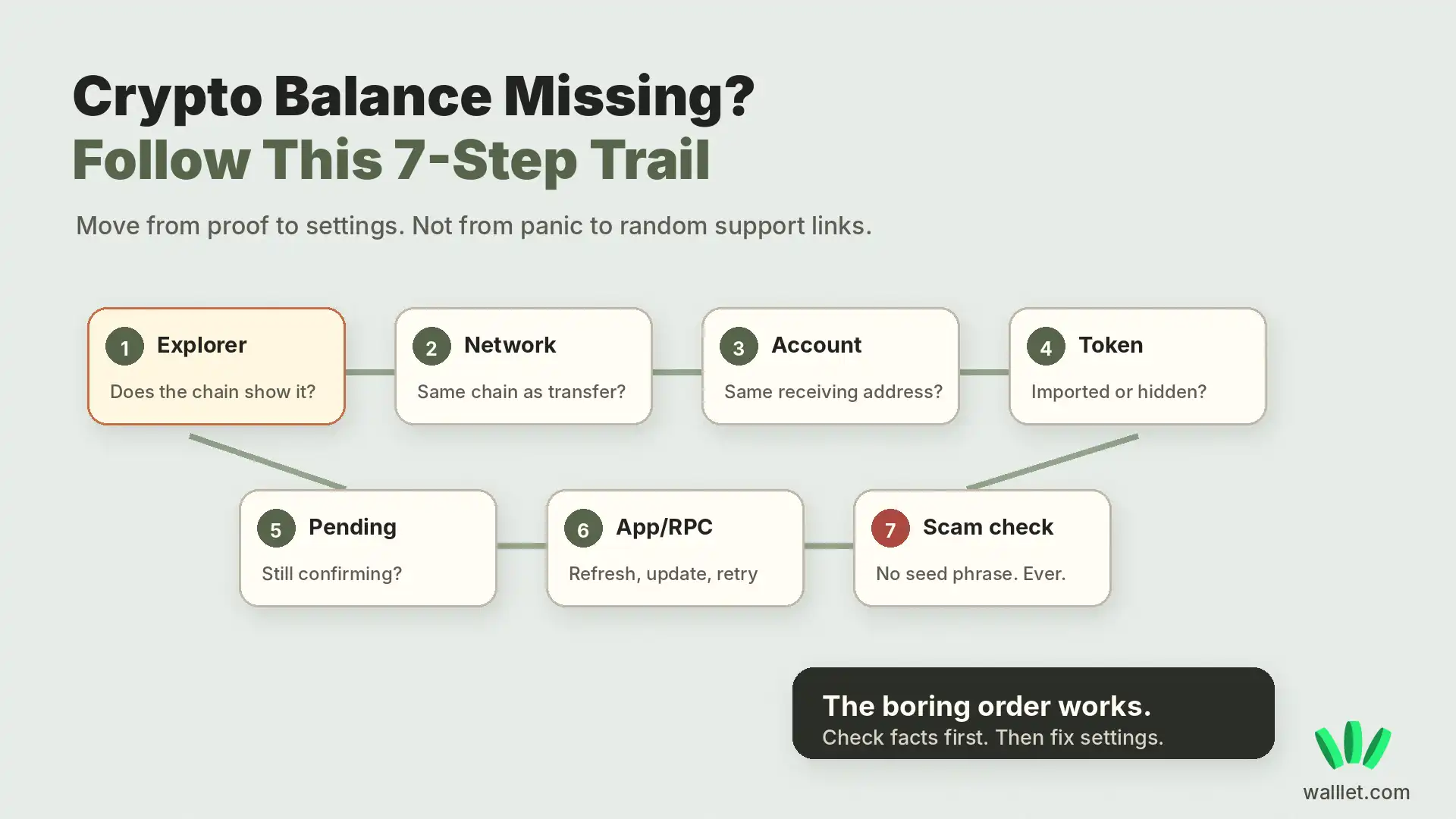
First, find the transaction hash and check it on the block explorer for the network you used. A missing balance is commonly caused by the wrong network or account, a token that has not been added to the wallet interface, a pending or failed transaction, a wallet or RPC sync issue, or a deposit route the receiving service does not support.
Your wallet app is only one interface for viewing your blockchain account. A zero or missing balance in the app does not necessarily mean the funds are gone. Never share your recovery phrase or private key with anyone offering to “restore” the balance. Ethereum’s documentation similarly distinguishes the wallet interface from the blockchain account itself.
TL;DR
Check the receiving address or transaction hash on the correct block explorer before changing wallet settings.
If the explorer shows the token at your address but the wallet does not, focus on the wallet view: network, account, token visibility, RPC, indexing, or app syncing.
A platform saying “sent,” “processed,” or “completed” is not enough to prove that an onchain transfer reached you. Look for a transaction hash and verify it independently.
If a confirmed transaction went to the wrong address, network, or token contract, refreshing the receiving wallet will not fix it.
For USDT or USDC, confirm that the sender used the exact network supported by your wallet. Use the guide to choose the correct network for USDT or USDC.
If a restored Bitcoin Core or Bitcoin-Qt wallet shows zero, check that the correct wallet is loaded and that wallet scanning and blockchain synchronization have completed.
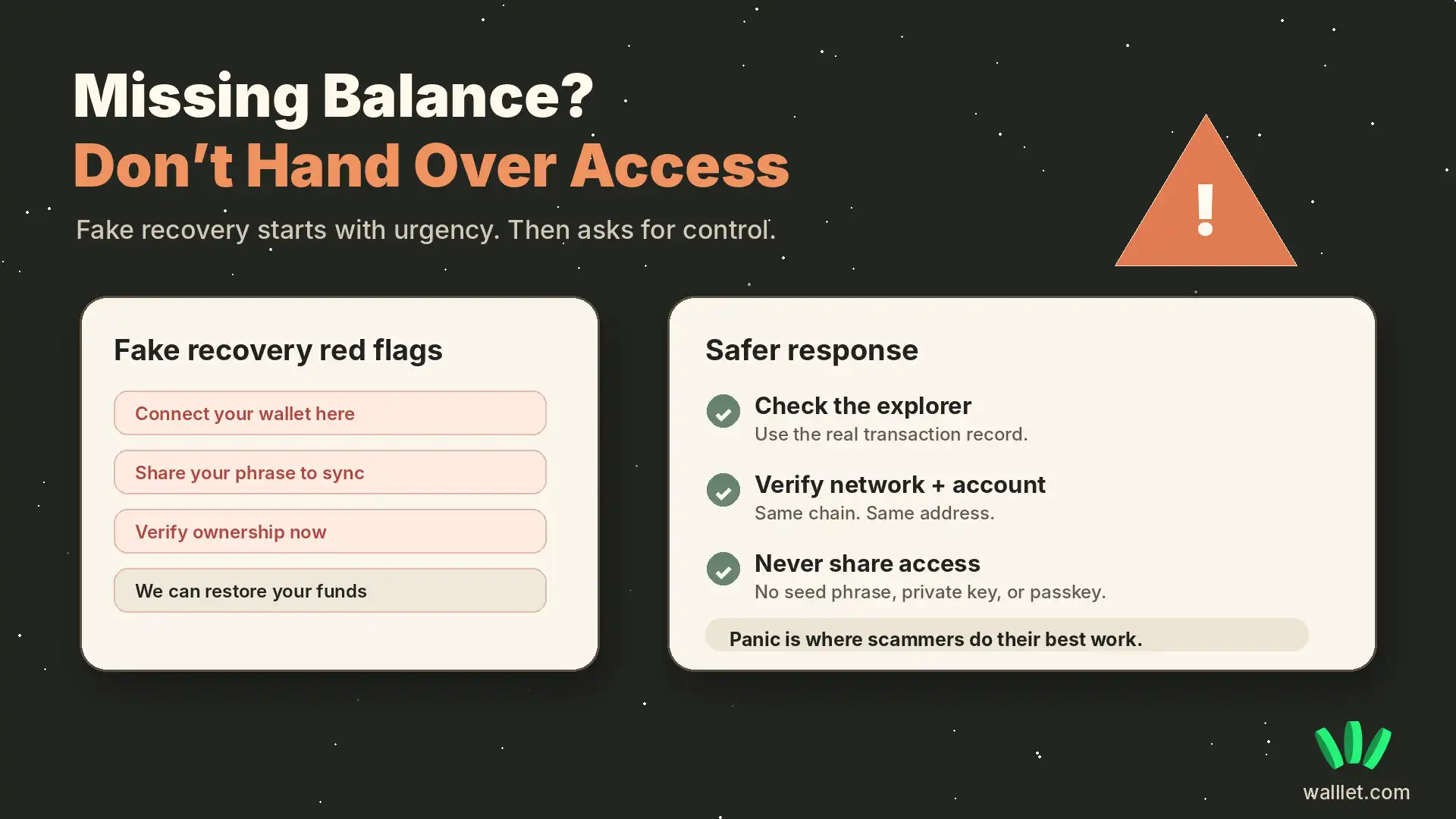
Never share a seed phrase, private key, passkey, wallet file, or recovery credential with anyone offering to “restore” a missing balance.

Start With the Transaction Hash
Before changing wallet settings, importing tokens or contacting support, check what actually happened onchain.
Open the transaction in the correct block explorer and compare four things:
Explorer result | What it usually means | What to do next | Evidence to save |
|---|---|---|---|
No transaction found | Wrong network, wrong hash or the sender has not broadcast the transaction | Confirm the network and ask the sender for the correct transaction hash | Withdrawal record and transaction hash |
Pending | The transaction has been submitted but has not completed | Wait for the network status to change before sending again | Transaction hash and timestamp |
Failed | The transfer did not complete successfully | Identify the failure before retrying | Failed transaction page |
Confirmed and funds are at your address | The blockchain transfer completed; the problem is likely the wallet display, selected network, token visibility or receiving service | Continue with the checks below | Explorer link, address, token and amount |
Confirmed, but the address/network/token is wrong | A wallet refresh will not fix the transfer | Check whether the sender, wallet or receiving provider has a supported recovery process | Full transaction details |
A confirmed transaction cannot be made visible on a different network simply by refreshing the wallet. Ethereum-compatible networks can use the same account address while maintaining separate balances and transaction histories.
Is my crypto gone if my wallet shows $0?
Not necessarily.
If the correct block explorer shows the asset at your wallet address, the asset still exists onchain. Your wallet may be displaying the wrong network or account, hiding the token, failing to sync, or missing current price information.
If the explorer does not show the asset at your address, retrace the transfer. Check where it was sent, which network was used, whether the transaction completed, and whether the recipient platform required a memo, destination tag, or minimum deposit.
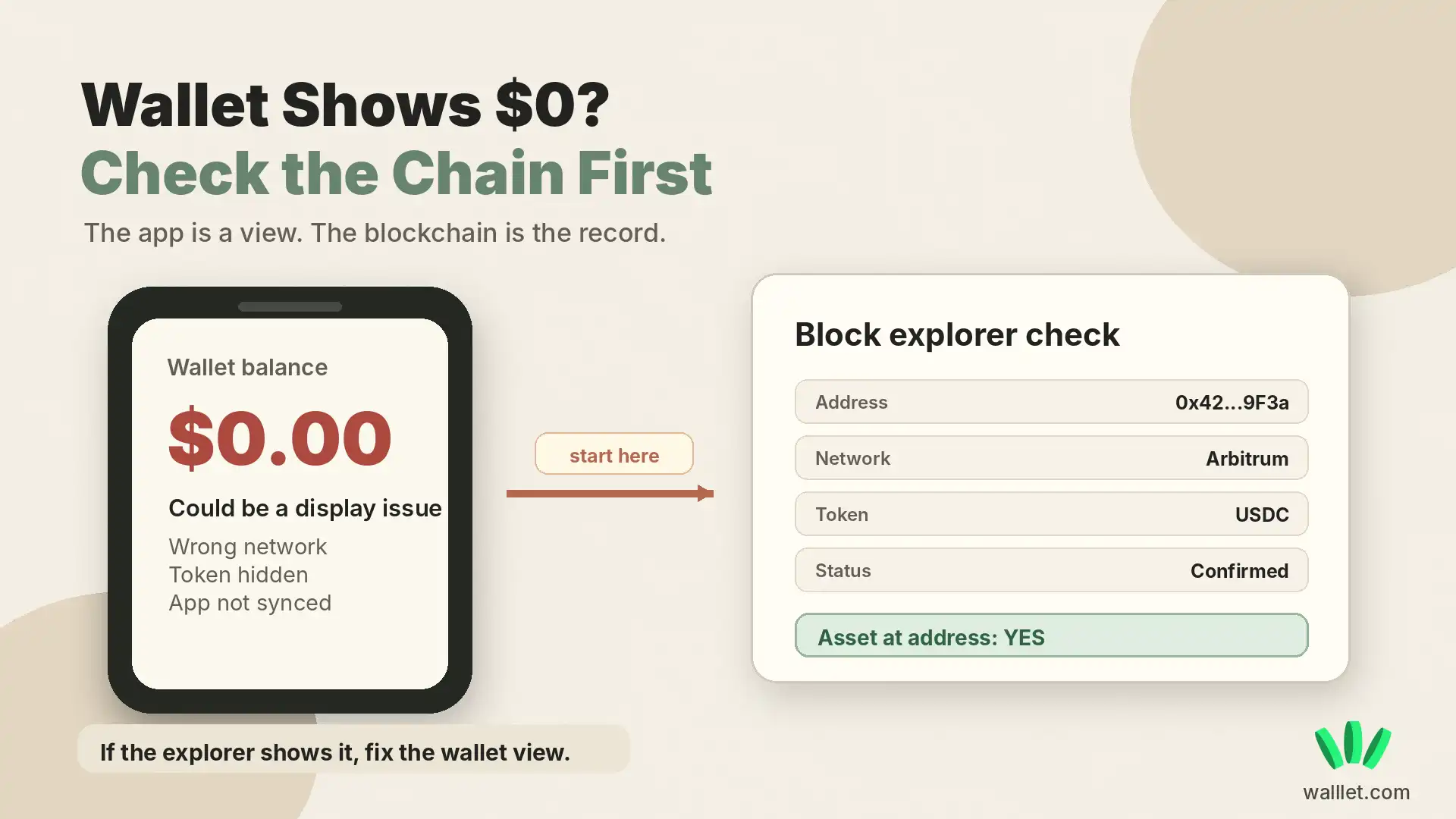
A missing balance also does not prove that someone hacked the wallet. Unauthorized loss normally leaves evidence onchain, such as an outgoing transfer, swap, token approval, or contract interaction. Read how crypto wallets usually get hacked if you find activity you do not recognize.
1. Check the block explorer before changing your wallet
Start with one of these:
Your wallet address
The transaction hash supplied by the sender
The withdrawal transaction shown by the exchange or payment platform
Open the block explorer for the network used in the transaction. Search the address or transaction hash, then check:
Transaction status
Sender address
Recipient address
Blockchain network
Token symbol
Token contract
Token amount
Number of confirmations
Recent token transfers involving the address
Use this guide to learn how to read a crypto transaction on a block explorer.
If the explorer shows the token at your address
The blockchain has recorded the asset under your address. The likely problem is the wallet interface, network selection, selected account, token visibility, RPC connection, indexing service, or price feed.
Continue with the wallet-side checks below.
If the explorer does not show the token at your address
The wallet cannot display an asset that never reached the address.
Check the transaction hash, sender, recipient, token contract, network, memo or tag, withdrawal status, and receiving-platform requirements.
Do not reinstall the wallet or enter recovery credentials into another app before checking the blockchain record.
If you only need to verify what a public wallet address currently holds, use our separate guide to check a token balance safely. This article focuses on the next problem: what to do when the blockchain, wallet app, sender, or exchange appears to show conflicting balance information.
2. Switch to the network where the asset arrived
A wallet can display the correct address while showing the wrong blockchain network.
For example, a sender may transfer USDC on Base while the recipient is viewing the Ethereum network. The token exists under the address on Base, but it will not appear in the Ethereum balance view.
Match the network shown by the block explorer with the network selected in your wallet.
Common network mismatches include:
Ethereum and Arbitrum
Ethereum and Base
Ethereum and Polygon
Ethereum and BNB Smart Chain
USDT on Ethereum and USDT on Tron
Native USDC and bridged versions of USDC
The token symbol alone is not enough. The blockchain network and token contract must also match.
Why USDT or USDC may not appear in your wallet
USDT and USDC exist on multiple blockchain networks. The name may look identical, but USDT on Ethereum is not the same network balance as USDT on Tron, BNB Smart Chain, Arbitrum, or another supported chain. Check four details:
The token: USDT or USDC
The network used by the sender
The receiving address
The verified token contract
The sender, receiving wallet, exchange, and eventual cash-out route must support the same network. A cheap transfer is not useful if the destination does not support it.
Before accepting another payment, choose the correct network for USDT or USDC. To compare the assets and the networks on which they are commonly used, understand the difference between USDT, USDC and their supported networks. If the transaction has already been sent through an unintended chain, check what can be recovered after sending crypto on the wrong network before moving or importing anything.
3. Make sure you are viewing the correct wallet account
Many wallets support multiple accounts, addresses, profiles, or imported wallets.
You can open the correct app and still be looking at an address that did not receive the transfer.
Copy the recipient address from the block explorer. Compare it with the address currently selected in the wallet.
Check the complete address. Do not rely only on the first and last four characters, and do not compare it from memory.
If the addresses are different, switch to the account that owns the recipient address.
Check for address poisoning
Do not copy a receiving address from recent transaction history without verifying it.
Address-poisoning scammers create lookalike addresses and place them in a wallet’s activity history through tiny, zero-value, or fake-token transactions. The goal is to make the fraudulent address look familiar when the user later copies it.
Use the original receive screen, a saved verified contact, or payment instructions supplied through a trusted channel. Read how to check for address poisoning before copying a recent wallet address.
4. Add or import the missing token
Some wallets do not display every token automatically.
If the block explorer shows the token at your address but the wallet does not, search the wallet’s asset list or import the token manually. Use the verified token contract from:
The token project’s official website
Official project documentation
A reputable block explorer
A trusted token registry
Verify the network, contract address, token symbol, and decimals before importing it.
Token names, tickers, and logos can be copied. The contract address identifies the actual token. Importing a token changes how the wallet displays the asset. It does not move the asset, create another balance, or recover a transfer sent to a different address.
If the wallet does not support the network or token standard, use a compatible wallet interface only after confirming that you control the same address and have a secure recovery method.
5. Confirm that the transfer actually completed
A status such as “sent,” “processed,” or “completed” inside an exchange, payment app, freelance platform, or other service is not the final proof that crypto reached your wallet.
For an onchain payment, the strongest evidence is the transaction hash.
Open the transaction on the block explorer for the network that was used and verify:
Transaction status
Recipient address
Token and token contract
Blockchain network
Amount
Confirmations or finality
Memo or destination tag, where required
The platform says completed, but there is no transaction hash
If the sending platform cannot provide a transaction hash, you do not yet have independent evidence that an onchain transfer was submitted.
Check the platform’s withdrawal or payment history. If the transfer is still being processed internally, the receiving wallet has nothing to display yet.
Do not reinstall, reset, or recover the receiving wallet to solve a transfer that has not reached the blockchain.
The transaction is confirmed, but the wallet balance still is not showing
If the transaction is confirmed and the explorer shows the correct token at your exact receiving address, stop troubleshooting the sender.
The asset has reached the address. Focus on the receiving wallet:
Select the network used by the transaction.
Confirm that you are viewing the same wallet address.
Check whether the token is hidden.
Verify the token contract.
Refresh or update the wallet.
Check the wallet provider’s official status page.
If supported, try another trusted RPC or wallet interface.
If another reputable explorer or wallet interface also shows the asset at your address, the problem is almost certainly display or data retrieval rather than delivery.
The transaction is successful, but the expected asset is not at your address
A successful blockchain transaction only proves that the transaction itself executed. It does not prove that it was sent to the address, network, or token route you intended.
Compare:
The recipient in the transaction with your current receive address
The network used with the network you expected
The token contract with the official token contract
Any memo or destination tag required by the receiving platform
If the transaction went to another address or unsupported network, changing wallet settings cannot rewrite the blockchain transaction.
If the payment came from a client, exchange, or platform
Ask for these six details:
Transaction hash
Token
Amount
Network
Recipient address
Sending platform
For an exchange withdrawal, also check the withdrawal status and whether the receiving platform supports that exact token on that exact network.
If you regularly receive USDT or USDC from clients, agree on the token and network before sharing the receiving address.5. Confirm that the transfer actually completed
A platform may show an internal status such as “sent,” “processed,” or “completed” before the transfer has been confirmed onchain. Check whether:
A transaction hash exists
The transaction is pending, failed, or confirmed
The recipient address is correct
The expected network was used
The correct token contract was transferred
A required memo or destination tag was included
The amount meets the receiving platform’s minimum deposit
The receiving exchange supports the network used
If no transaction hash exists, the sending platform may not have submitted the transfer to the blockchain. If a transaction exists but points to another address, network, or token contract, changing your wallet settings will not correct it.
If the payment came from a client, platform, or exchange
Ask the sender for:
Transaction hash
Token and amount
Blockchain network
Recipient address
Sending platform
Withdrawal status
Compare those details with the payment instructions you originally provided.
If no completed transaction exists on the relevant block explorer, the sender or platform has probably not completed the onchain withdrawal. If the transaction exists but uses the wrong address, network, token contract, memo, or destination tag, the receiving wallet or exchange may not credit it automatically.
Freelancers who accept stablecoins should use a complete payment process rather than sending a wallet address without the token and network. Read how to receive USDT or USDC from international clients safely.
6. Refresh the wallet, update the app, or check the RPC
If the blockchain shows the correct token balance, the wallet may be failing to retrieve current information. Wallet apps depend on several external systems:
Blockchain nodes
RPC providers
Indexers
Token metadata services
Market-price providers
Wallet synchronization services
A delay or failure in any of them can produce an incorrect balance display. Try these steps in order:
Refresh the wallet screen.
Close and reopen the app.
Switch to another network, then switch back.
Update the wallet app.
Check the wallet provider’s official status page.
Change the RPC endpoint if the wallet supports custom RPCs.
Search the address through another reputable wallet or portfolio viewer.
Wait for more confirmations if the transaction is recent.
Do not enter recovery credentials into a website or unfamiliar app to solve a display problem.
Why is my Crypto.com Onchain balance not showing?
If Crypto.com Onchain is not showing a balance or transaction history, first check the wallet address on the appropriate blockchain explorer.
If the explorer shows the expected asset at the address you control, the blockchain balance and the app display are out of sync. Refresh the Onchain app, confirm that you are viewing the correct wallet and network, and check Crypto.com’s official support or status information for a current display issue.
Do not enter your recovery phrase into a website, support chat, social-media account, or “wallet sync” service to fix a missing display.
If the explorer does not show the expected asset, treat the problem as a transfer issue instead. Check the transaction hash, receiving address, network, and token contract.
Why is my Trust Wallet balance not showing?
If Trust Wallet shows a zero balance or a token is missing, verify the wallet address on the correct blockchain explorer before changing anything.
If the explorer shows the asset:
Confirm that Trust Wallet is displaying the same wallet address.
Select the network used by the transfer.
Search for the token in the asset list.
If necessary, add the token using its verified contract address.
Refresh or update the app.
Check official Trust Wallet support or status information for a current service issue.
If the explorer does not show the token at your address, the problem is not simply a Trust Wallet display issue. Retrace the transaction and verify the recipient, network, contract, and transaction status.
Do not reinstall or restore the wallet until you have confirmed that your legitimate recovery method is safely backed up. Never enter a recovery phrase into a website or link sent by a supposed support agent.
Why does Bitcoin Core or Bitcoin-Qt show zero after restoring a wallet?
A restored Bitcoin Core or Bitcoin-Qt wallet showing zero does not automatically mean the bitcoins are gone.
First confirm that you restored or opened the correct wallet and that Bitcoin Core has synchronized with the blockchain.
A restored or imported wallet may also need to scan historical blockchain data for transactions associated with that wallet. Until the relevant scan is complete, transaction history and balances can be incomplete.
For advanced users, Bitcoin Core provides the rescanblockchain RPC to rescan blockchain data for wallet-related transactions. Check the wallet’s scanning and synchronization status before assuming that the restored wallet contains no funds.
Before attempting a rescan, importing keys, replacing wallet files, or performing any recovery procedure, keep a safe backup of the existing wallet data. Do not overwrite the only copy of an old wallet.dat file.
Why did my wallet balance suddenly disappear?
A balance that was visible before can temporarily disappear when the wallet cannot retrieve blockchain data, token metadata, or market prices. Check the address on the correct block explorer.
If the token balance is still visible onchain, the asset has not disappeared. The wallet interface, RPC connection, indexer, or pricing service is probably delayed. If the token balance has changed onchain, review the transaction history for:
Outgoing transfers
Swaps
Token approvals
Bridge transactions
Contract interactions
Activity you do not recognize
If only the dollar value disappeared while the token quantity remains correct, the wallet probably lost access to current price information. Do not reinstall the wallet, reset your credentials, or connect to a recovery website before confirming the onchain balance and securing your recovery method.
7. Check token price data, swaps, approvals, and hidden assets
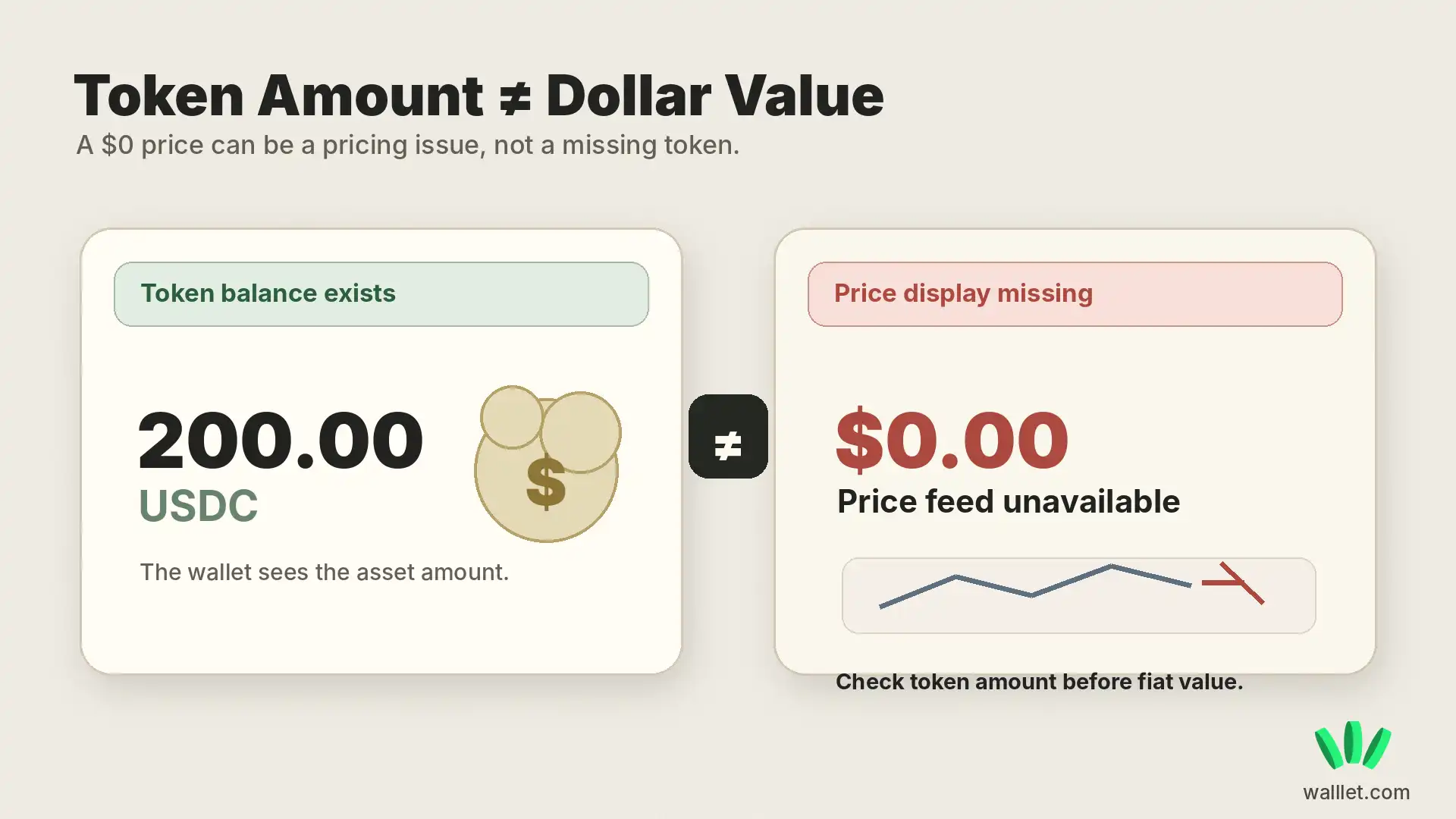
A wallet may know how many tokens you hold without knowing their current dollar value. For example:
Token amount: 200 USDT
Estimated value: $0
If the block explorer shows 200 USDT under the correct address and contract, the token is present. The wallet’s pricing service may be delayed, unsupported, or unable to match that contract with current market data.
Check the token quantity separately from its fiat value.
Check whether the wallet, token, network, or payment route changed
Sometimes the wallet is working correctly but the service around the asset has changed.
Check the provider’s official website, status page, and support notices for:
App or wallet updates
Network support changes
Token migrations
New verified token contracts
Deposit or withdrawal suspensions
Deadlines for moving an asset
Changes to supported payment routes
Use only migration instructions published through official channels. Do not trust token-migration links sent through direct messages, social-media replies, unofficial Telegram groups, or unknown support accounts.
Before interacting with a replacement token contract, verify it through the project’s official documentation and a reputable block explorer.
Check whether you completed the swap
If the issue began after a swap, inspect the transaction history. Many swaps involve at least two separate actions:
Token approval
Swap execution
An approval gives a smart contract permission to use a token. It does not exchange the token.
If you signed only an approval, the original asset may remain in the wallet because the swap never occurred. If the approval is no longer needed or appears suspicious, review the difference between revoking an approval and disconnecting a wallet.
Check hidden or filtered assets
Some wallets hide:
Spam tokens
Suspicious tokens
Unsupported assets
Tokens with missing metadata
Assets manually hidden by the user
Open the hidden-assets or spam-token section. Verify the contract before interacting with anything you find there. Do not swap, transfer, approve, or visit a website listed inside an unknown token. Scam tokens often use their name or description to push users toward malicious websites.
Stop if someone offers to restore the balance
No legitimate support agent needs your seed phrase, private key, passkey, or recovery credentials to inspect a public transaction. Do not:
Share recovery credentials
Connect to a “wallet synchronization” website
Sign a verification transaction
Approve token access to recover a balance
Install remote-access software
Follow migration instructions sent through an unsolicited direct message
A missing-balance problem can become an actual loss when panic pushes the user into a malicious approval. Read how wallet drainers work before connecting to any recovery or verification page.
If you want a simpler way to manage supported stablecoins and crypto without relying on seed phrases or unfamiliar recovery websites, explore walllet.com: See how walllet.com works
Check whether the app, token, or payment route has changed
A balance may stop appearing in the usual interface if a wallet, exchange, blockchain network, token contract, or payment route has changed its support policy. Check the provider’s official website, status page, and support notices. Confirm whether you need to:
Update the app
Import the wallet into another compatible interface
Withdraw before a stated deadline
Migrate to a verified new token contract
Use another supported network
Change the receiving route for future payments
Do not use migration links sent through direct messages, social-media replies, unofficial groups, or unknown support accounts.
Onchain wallet balance vs payment balance in walllet.com
walllet.com can involve both onchain wallet balances and payment-route balances. They should not be diagnosed in the same way.
For a self-custodial crypto or stablecoin balance, check the blockchain network, wallet address, token contract, and transaction record.
For a payment or account balance, check the relevant payment provider, settlement status, account status, currency, and receiving route.
A payment can therefore be:
Still processing inside a payment provider
Waiting for an exchange withdrawal
Submitted to a blockchain but not yet confirmed
Confirmed onchain
Confirmed onchain but missing from the wallet interface
Identify the layer first. A blockchain explorer cannot diagnose a payment that has not reached the blockchain, and changing a wallet interface cannot reverse a confirmed blockchain transaction.
See how walllet.com works for the product-level explanation.
Wallet balance recovery checklist
If the explorer shows the asset at your address
Confirm the network.
Confirm the selected wallet account.
Verify the token contract and token visibility.
Refresh or update the wallet and check its official status page.
Compare the token quantity with the displayed dollar value.
If needed, verify the same address through another reputable interface.
If the explorer does not show the expected asset at your address
Verify the transaction hash.
Check whether the transaction actually completed.
Compare the recipient address.
Confirm the network and token contract.
Check any required memo or destination tag.
Review minimum-deposit and supported-network rules.
Contact the sending or receiving platform with the transaction hash if the onchain record does not match the expected payment.
Want a simpler way to receive, hold, and manage supported digital-dollar payments? Get started with walllet.com
Never Share These Details to Recover a Missing Balance
No legitimate support process requires your seed phrase or private key to investigate a transaction.
You can safely provide a transaction hash, public wallet address and block explorer link when needed.
Do not provide:
Recovery phrase / seed phrase
Private key
Wallet backup file
Screen-sharing access that exposes recovery information
A transaction hash is evidence. Your private key is control of the wallet.

