Disconnecting your wallet only ends the active connection between your wallet and a dApp. It does not remove token approvals already recorded onchain. Revoking approvals removes a contract’s permission to spend your tokens, usually through a separate onchain transaction.
TL;DR
Disconnect when you no longer want a dApp connected to your wallet.
Revoke approvals when you want to remove a contract’s token spending permission.
If you interacted with a suspicious dApp, do both: disconnect the wallet and revoke any risky approvals.
If you’ve ever clicked “Disconnect” after using a dApp and felt safe, fair. The button sounds final. It feels like closing the door.
But in crypto, the door is not always the problem. Sometimes the problem is the spare key you already handed over.
That spare key is a token approval.
A wallet connection and a token approval are two different things. They often happen in the same dApp session, which is why people mix them up. You connect your wallet, approve a token, make a swap, maybe disconnect after. The flow feels like one action. Onchain, it is not.
If you are new to dApps and EVM chains, this guide on what an EVM wallet is gives more context on how Ethereum-style wallets interact with smart contracts.
What does disconnecting a wallet do?
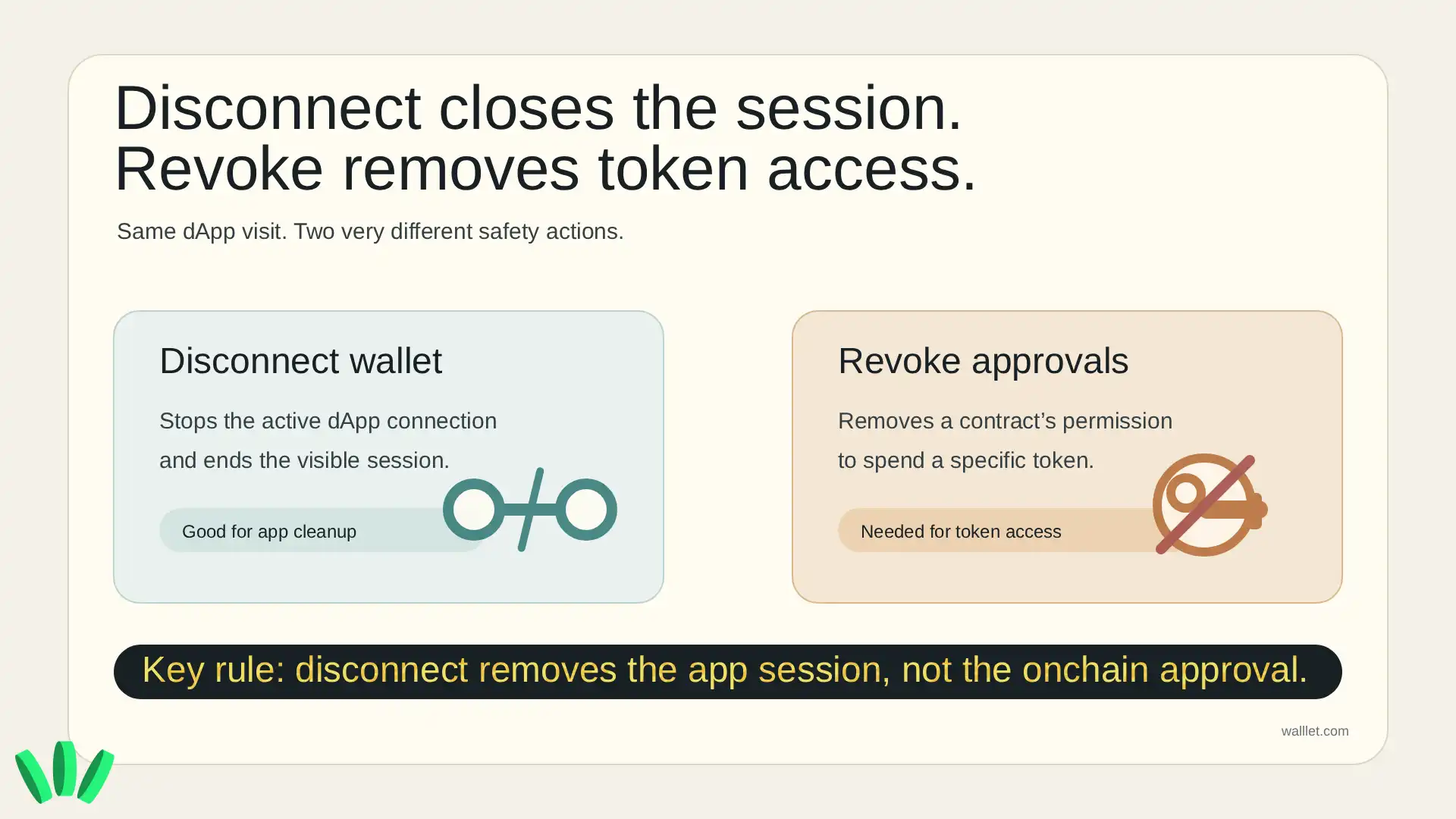
Disconnecting a wallet ends the active connection between your wallet interface and a dApp. It may stop the app from seeing your wallet through that session or prompting new actions through the connected interface.
That is useful. You should disconnect apps you no longer use, apps you connected to by mistake, and apps you do not trust anymore. But disconnecting does not change what already happened onchain.
Disconnecting is like logging out of a website. It does not cancel permissions you already signed.
This matters after phishing attempts, fake airdrops, risky mint pages, or suspicious dApp prompts. If the problem was just an active connection, disconnecting helps. If the problem was a token approval, disconnecting is not enough.
For more on fake wallet messages and support scams, read How to Avoid Crypto Phishing: What walllet.com Will Never Ask You to Do.
What does revoking approvals do?
Revoking approvals removes a smart contract’s permission to spend a specific token from your wallet.
On EVM chains, many tokens use the ERC-20 approval model. In simple terms, you can allow a contract to spend up to a certain amount of a token on your behalf. Ethereum.org explains this through the ERC-20 approve and transferFrom pattern, where one address gives another address permission to move tokens within an approved limit.
That approval can be limited, or it can be very large. Sometimes it is effectively unlimited. OpenZeppelin’s ERC-20 documentation notes that a maximum uint256 allowance is semantically equivalent to an infinite approval.
That is convenient when you use a dApp often. It is also risky when you forget about old approvals. Revoking usually sets that permission back to zero. Because this changes onchain state, it normally requires a transaction and a network fee. Here is the practical difference:
Action | What it does | What it does not do | When to use it |
Disconnect wallet | Ends the active wallet-to-dApp connection | Does not remove token approvals | When you no longer want a dApp connected |
Revoke approvals | Removes a contract’s token spending permission | Does not reverse past transactions | When you no longer trust or need an approval |
Do both | Ends the connection and removes spending access | Does not fix a compromised wallet or device | After suspicious dApp activity or exploit news |
That’s the part users often miss: a dApp can be disconnected while its token approval is still active.
Curious how a wallet can make this less confusing before you sign? walllet.com is built around clearer signing context, so approvals and permissions are easier to review before they become cleanup work.
Does disconnecting a dApp remove token access?
No. Disconnecting a dApp does not normally remove token access already granted through approvals.
Revoke.cash explains this clearly: dApps often need token approvals to spend tokens or NFTs, and those approvals can stay active unless you revoke them. Etherscan’s Token Approval Checker also describes revoking approvals as a way to prevent contracts or addresses from spending your assets.
So if you approved a token for a dApp last month, disconnecting the website today does not necessarily cancel that approval.
This is why old DeFi approvals matter. Maybe the app was legitimate. Maybe the approval was normal at the time. But if the protocol later gets exploited, abandoned, copied by a fake site, or you simply stop using it, that old permission can become unnecessary risk.
When should you disconnect, revoke, or do both?
Disconnect when the app is legitimate and you just do not want it connected anymore. Revoke when the issue is token permission. Do both when something feels off.
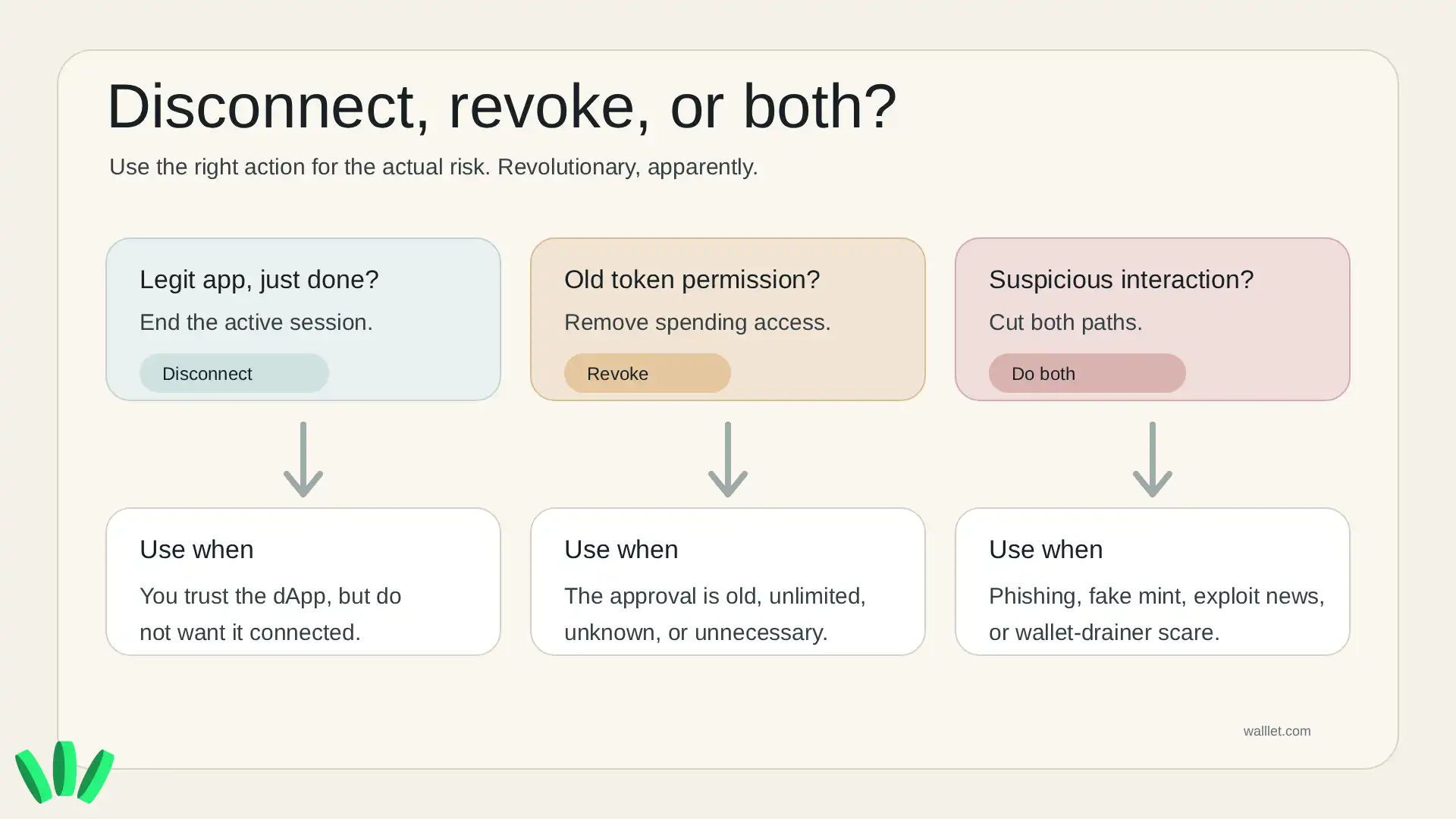
You should revoke approvals when you see old approvals you no longer need, unlimited approvals for tokens you care about, spender addresses you do not recognize, approvals from a dApp you no longer use, or permissions connected to a suspicious interaction.
You should disconnect and revoke after fake airdrops, shady mint pages, phishing links, wallet-drainer warnings, exploit news, or any prompt you signed too quickly and now regret. Crypto has many ways to punish speed. Very generous of it.
One caveat: revoking approvals is not magic. It does not recover stolen funds. It does not reverse transactions. It does not fix a wallet if the private key, seed phrase, device, or browser has been compromised.
If you think the wallet itself is compromised, move remaining funds to a new secure wallet. Revoking approvals helps with approval risk. It does not save a wallet that someone else can already control.
Does revoking approvals affect staking, lending, or LP positions?
Usually, revoking approvals does not remove funds already deposited into staking, lending, liquidity pools, or other protocol positions.
It mostly stops future token pulls from your wallet under that approval. For example, if you already deposited tokens into a lending protocol, revoking the token approval usually does not withdraw that deposit. But the next time you want to interact with that protocol, you may need to approve the token again.
That is the tradeoff: cleaner permissions, slightly more friction later. For most users, that tradeoff is worth it for old or unnecessary approvals.
How do you revoke token approvals safely?
Use a trusted approval checker, choose the right network, review the spender and token, revoke the approval, then verify that the allowance is gone. A simple flow:
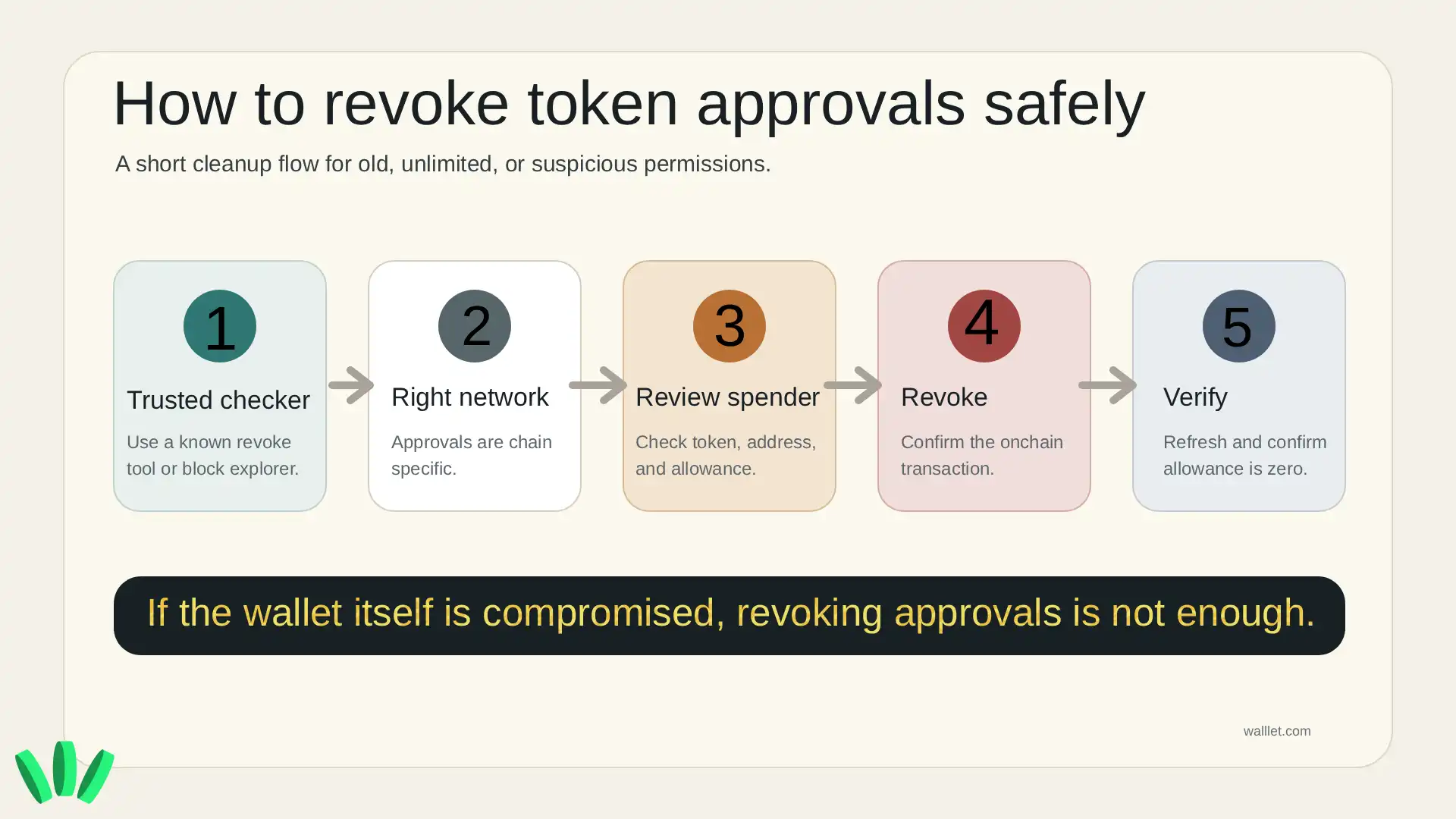
Open a trusted approval checker, such as Etherscan Token Approval Checker for Ethereum or Revoke.cash for multi-chain approvals.
Make sure the domain is correct before connecting your wallet.
Switch to the network where the approval was granted.
Look for old, unlimited, suspicious, or unnecessary approvals.
Revoke the approval and confirm the transaction in your wallet.
Refresh the tool and check that the approval is removed or set to zero.
Approvals are chain-specific. If you approved a token on Arbitrum, you will not fix that by only checking Ethereum mainnet. Also, do not revoke randomly in the middle of using a protocol. Check what the approval is for first. Boring, yes. Useful, also yes.
How can a wallet help you avoid risky approvals?
A wallet cannot make every smart contract safe. No honest wallet should promise that.
What a better wallet can do is make approvals easier to understand before you sign them.
walllet.com is a self-custodial crypto wallet built to make everyday crypto use safer and less stressful. It uses passkeys and biometrics instead of seed phrases, and focuses on clearer transaction prompts so users can better understand actions, assets, networks, permissions, and counterparties before approving something.
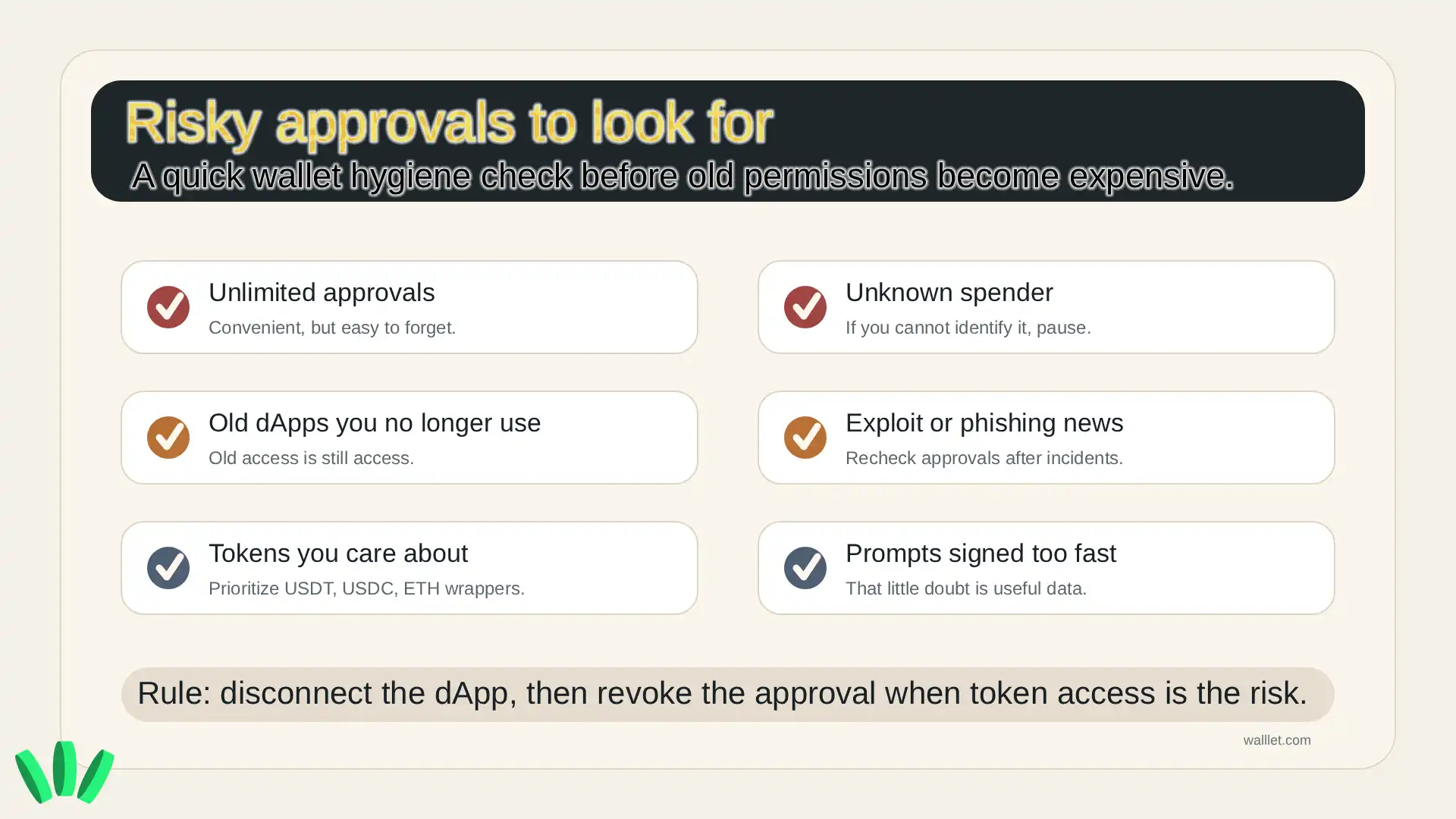
That matters because approval risk often starts before the revoke step. By the time you are revoking, you are cleaning up a permission that already exists.
The better habit is not just revoking old approvals. It is slowing down before granting new ones.
If you want a wallet experience that makes approvals and signing context easier to read, start with walllet.com and test it with a small amount first.
The safest rule to remember
Disconnecting ends the active app connection.
Revoking approvals removes token spending permission.
If you are just done using an app, disconnect. If you no longer want a contract to have token access, revoke. If anything felt suspicious, do both.
Keep long-term funds away from experimental dApps. Use separate wallets for risky interactions. Review approvals after using new protocols. And when a prompt asks for broad access, slow down.
That one pause can save you from a lot of cleanup later.
